
Photoshop CC zoom behavior
I'm having a problem with Photoshop CC's zoom behavior.
I have my preferences set so the window resizes When I zoom into and out of a photo, Photoshop CC includes the artboard beyond the photo's edges as it enlarges the window to fit what should be the zoomed-in image. I can click on Navigator and have the photo correctly fill the entire enlarged window space.
Same problem when zooming out: Click on the photo, the window resizes correctly, but a large unneeded section of the artboard shows up with the image. A click on Navigator fixes it. I've attached images of this behavior, if that helps.
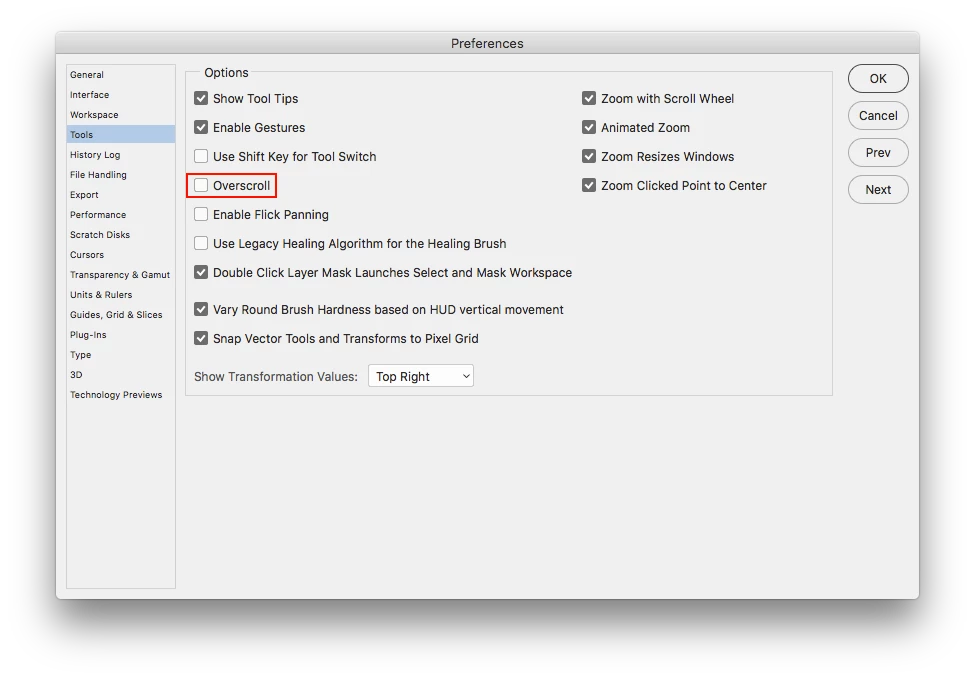
It's a behavior I never had with CS5 (which I recently stopped using) and it's rather annoying. I've tried a variety of changes to the zoom preferences, but nothing's worked. Any advice about how to get Photoshop zoom top behave? Thanks in advance.
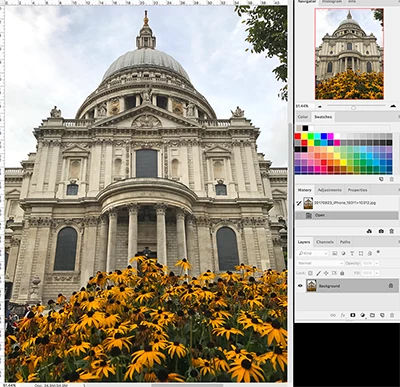 image at start
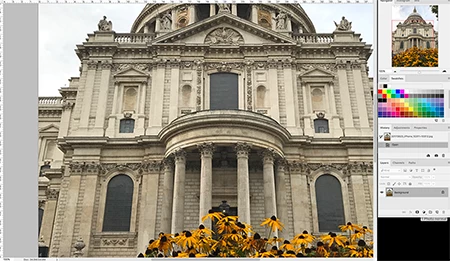 zoom in, window resizes properly but image not centered and artboard appears
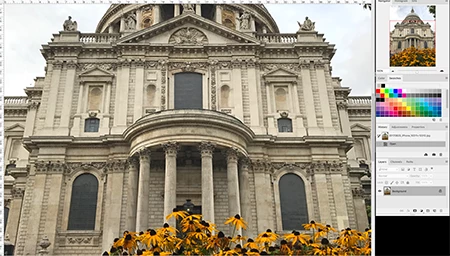 one click on Navigator, image is properly zoomed and centered
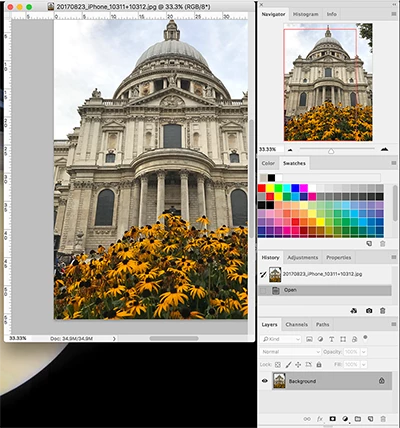 zoom out, again photo's not centered, artboard appears
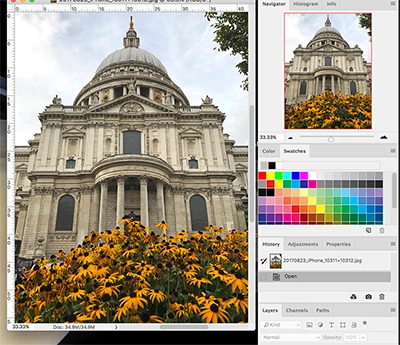 again, one click on Navigator, image is properly zoomed out and centered
 AdChoices