Exit
  • Global community
    • Language:
      • Deutsch
      • English
      • EspaƱol
      • FranƧais
      • PortuguĆŖs
  • ę—„ęœ¬čŖžć‚³ćƒŸćƒ„ćƒ‹ćƒ†ć‚£
  • ķ•œźµ­ ģ»¤ė®¤ė‹ˆķ‹°
0

Photoshop CC2019 Type Tool Problems

Participant ,
Nov 15, 2018 Nov 15, 2018

My Photoshop version is  CC2019 (20.0.0 & 20.0.1), and the computer version is macOS 10.13.6. And the computer graphics card is AMD Radeon HD-FirePro D500. When Photoshop's "Use Graphics Processor" function is enabled, a new document is edited using the Type Tool , and the black highlight effect cannot be displayed when the input text is selected. The text can be changed normally, but it is not clear that those words are selected.The problem is only when new documents are created. If you open a picture with Photoshop, there is no such problem.I have tested 3  mac computers. They all have this problem. What is the reason for this? How should we solve this problem?

769
Translate
Report
Community guidelines
Be kind and respectful, give credit to the original source of content, and search for duplicates before posting. Learn more
community guidelines
Adobe
Guest
Nov 15, 2018 Nov 15, 2018

Hi

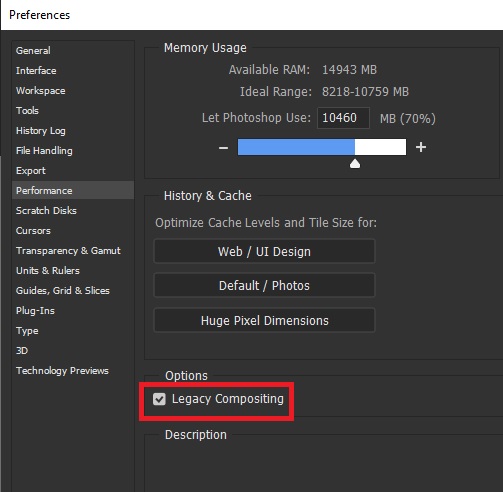
Two things to try, enable this option in preferences and restarting Photoshop

enable legacy comp.jpg

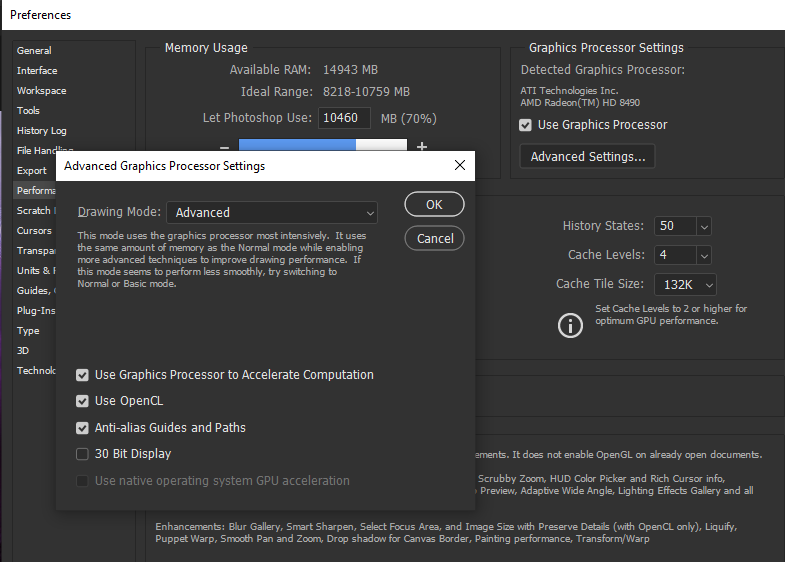
Setting the drawing mode to basic in preferences > performance > advanced settings again restart PS

Translate
Report
Community guidelines
Be kind and respectful, give credit to the original source of content, and search for duplicates before posting. Learn more
community guidelines
Participant ,
Nov 15, 2018 Nov 15, 2018

Thank you for your help. I tried the 2 ways you mentioned.

1.The problem of enable"Legacy Compositing"  still exists, and I feel the software is slowing down.

2.Setting the drawing mode to basic in preferences is ok. Is this software incompatible with computer graphics cards? Or system problems

Translate
Report
Community guidelines
Be kind and respectful, give credit to the original source of content, and search for duplicates before posting. Learn more
community guidelines
Community Expert ,
Nov 15, 2018 Nov 15, 2018

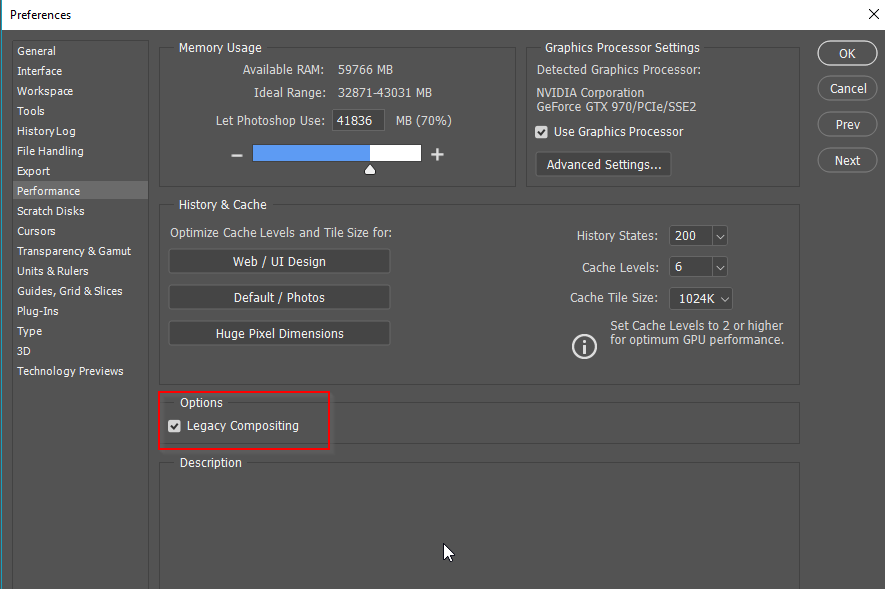
Hi Raymond.  Type is one of the things affected by the new Compositing system.  So providing the option is available with the Mac OS, try checking Legacy Compositing.  I've had to do this myself to prevent issues like half the text not being visible.

[EDIT] Ged, you beat me to it .

Translate
Report
Community guidelines
Be kind and respectful, give credit to the original source of content, and search for duplicates before posting. Learn more
community guidelines
Participant ,
Nov 15, 2018 Nov 15, 2018
LATEST

The problem of enable"Legacy Compositing"  still exists, and I feel the software is slowing down.

Translate
Report
Community guidelines
Be kind and respectful, give credit to the original source of content, and search for duplicates before posting. Learn more
community guidelines