Copy link to clipboard
Copied
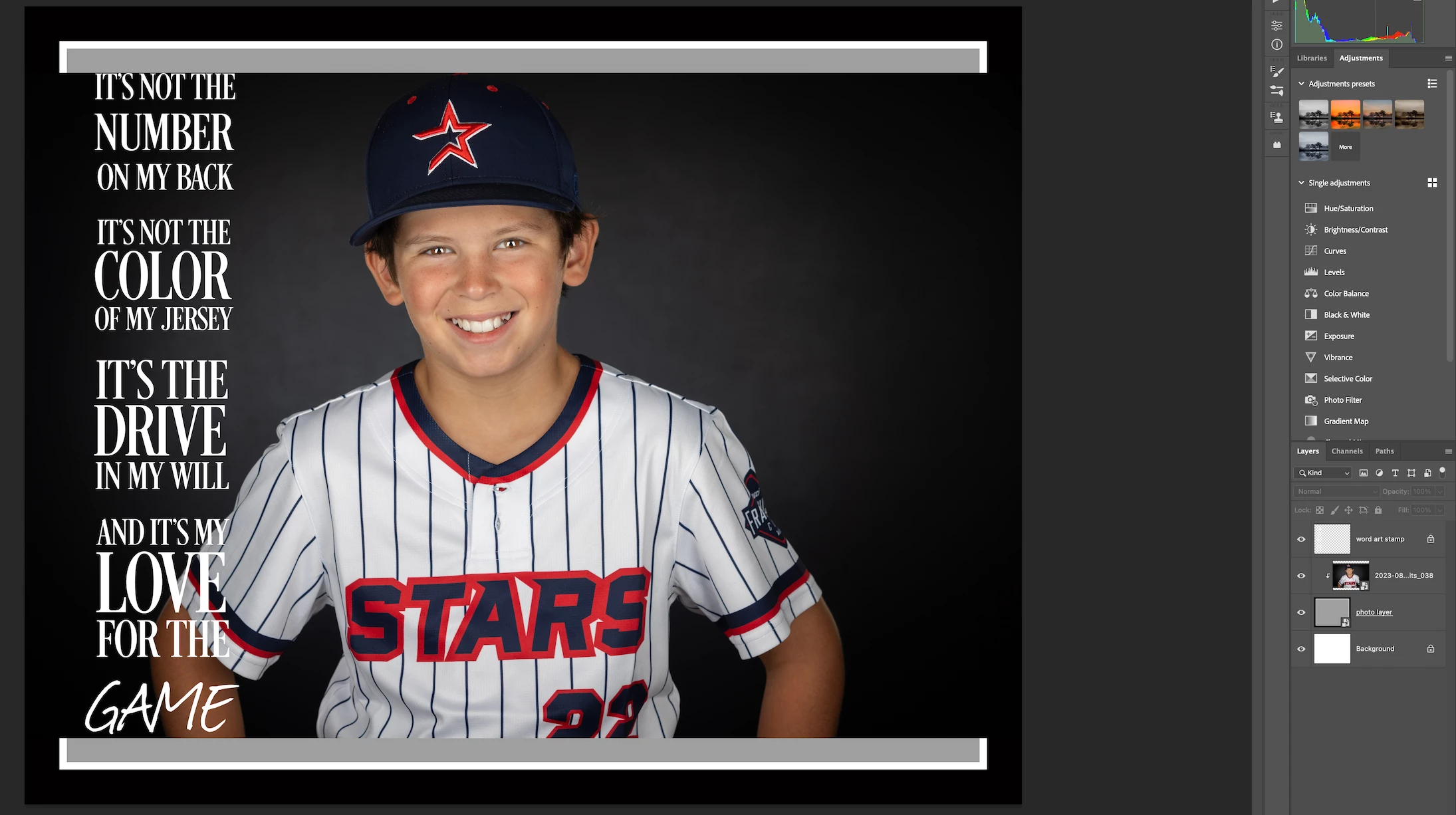
Why is clipping not working?
Copy link to clipboard
Copied
Your photo layer has a white and black border around the gray that fills up the whole image area.
Delete the white and black border around the photo layer so the boy's image will then clip to inside the gray area.
Copy link to clipboard
Copied
The white and black borders are part of the template. Can't delete them. It's all part of the "photo layer."
Copy link to clipboard
Copied
You are clipping to a layer that fills the screen, so there is nothing to mask.
If you were to add a layer mask to 'photo layer' and fill have the mask with black, then you'd only see half of the baseball lad.
Copy link to clipboard
Copied
I appreciate the comment, but that wasn't it. I just figured out that I had to doublie-click the photo layer and add the photo to the .psd file that way, then it clipped properly. Not sure why that is. SOLVED!
Get ready! An upgraded Adobe Community experience is coming in January.
Learn more