Bonjour Sameer,
Je vous ai mis les informations système en pièce jointe. Je travaille avec 2 écrans en plus de mon ordinateur et aucune fenêtre ne s'ouvre avant que Photoshop bloque.
Lorsque je vais dans les préférences Camera Raw, on ne me propose pas de réinitialiser les préférences Camera Raw mais j'ai cette fenêtre qui s'ouvre :
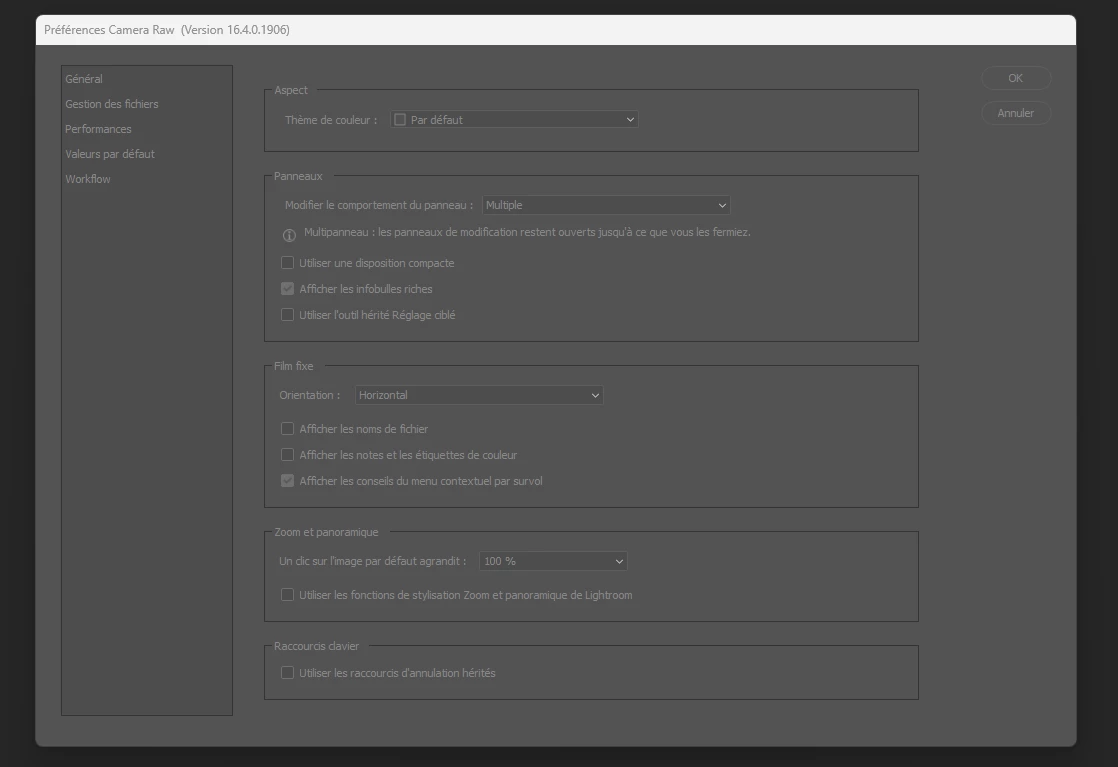
Je vous remercie pour votre réponse et j'espère que vous pourrez m'aider à résoudre le problème.
Thanks for sharing the info. You have two GPUs on your machine. The power-saving Intel UHD Graphics & the Nvidia Quadro. The drivers for Intel graphics are eight months old & the Nvidia drivers are two months old.
Resetting Camera Raw requires you to press & hold down the ALT & CTRL key on your keyboard & go to Edit > Preferences > Camera Raw.

If the above does not help, please try these two suggestions:
1 - Update the graphics drivers using Intel & Nvidia's auto-detect programs.
2 - Follow step 6 in the content here to configure the default GPU for Photoshop: https://adobe.ly/4ckB13r should directly help how Photoshop works. Let me know how it goes.
Thanks!
Sameer K

 AdChoices