Participant
June 28, 2024
Answered

Photoshop crash à l'ouverture de Camera Raw

  • June 28, 2024
  • 1 reply
  • 926 views

Bonjour, depuis quelque temps il m'est impossible d'ouvrir le filtre Camera Raw sur Photoshop car cela fait planter mon application Photoshop (elle freeze). Auriez-vous une solution pour résoudre ce problème ? J'ai déjà fait quelques recherches sur le forum mais rien à marché 😕😕

Correct answer Sameer K

Bonjour Sameer,


Je vous ai mis les informations système en pièce jointe. Je travaille avec 2 écrans en plus de mon ordinateur et aucune fenêtre ne s'ouvre avant que Photoshop bloque.


Lorsque je vais dans les préférences Camera Raw, on ne me propose pas de réinitialiser les préférences Camera Raw mais j'ai cette fenêtre qui s'ouvre :
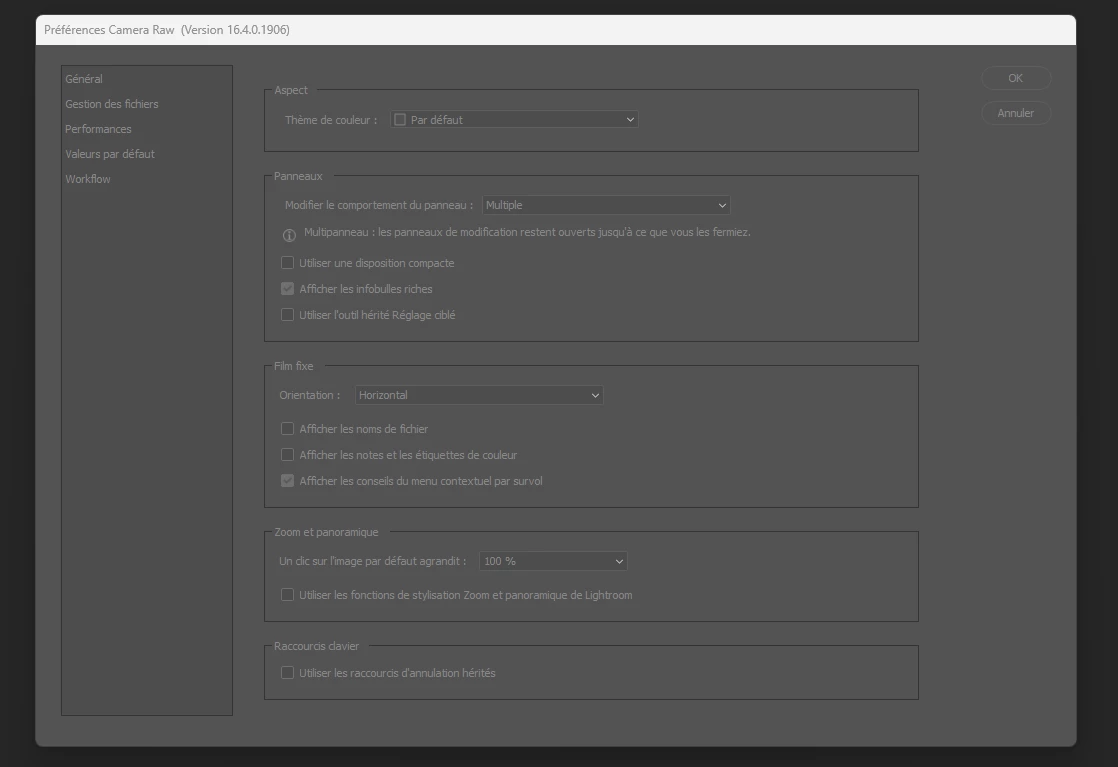


Je vous remercie pour votre réponse et j'espère que vous pourrez m'aider à résoudre le problème.


Thanks for sharing the info. You have two GPUs on your machine. The power-saving Intel UHD Graphics & the Nvidia Quadro. The drivers for Intel graphics are eight months old & the Nvidia drivers are two months old.  


Resetting Camera Raw requires you to press & hold down the ALT & CTRL key on your keyboard & go to Edit > Preferences > Camera Raw.


If the above does not help, please try these two suggestions:

1 - Update the graphics drivers using Intel & Nvidia's auto-detect programs.

2 - Follow step 6 in the content here to configure the default GPU for Photoshop: https://adobe.ly/4ckB13r should directly help how Photoshop works. Let me know how it goes.


Thanks!
Sameer K

1 reply

Participant
June 30, 2024

Bonjour,

Même problème depuis la mise à jour de camera raw du 28 juin, sur deux PC différents.


Sameer K
Community Manager
Community Manager
July 5, 2024

Hey, @Lucas-sllr & @Bruno34875823e3bt. Welcome to the Photoshop Community. I'll help you figure this out. 

Please share the system info from Photoshop Help > System info > Copy and paste into a text document > Upload and attach here. 


Are you working with multiple displays? Do you notice any error pop-ups before Photoshop Crashes?


In Photoshop, press and hold the CTRL/CMD + OPT/ALT key and go to Photoshop/Edit > Settings/Preferences > Camera Raw Preferences. When prompted, select 'Yes' to reset the Camera Raw preferences.


Here is a similar conversation that the team is looking into if your Camera Raw is freezing instead of crashing altogether: https://adobe.ly/3XV0k7N


Let me know if the issue exists. Thanks!
Sameer K

Participant
July 5, 2024

Bonjour Sameer,


Je vous ai mis les informations système en pièce jointe. Je travaille avec 2 écrans en plus de mon ordinateur et aucune fenêtre ne s'ouvre avant que Photoshop bloque.


Lorsque je vais dans les préférences Camera Raw, on ne me propose pas de réinitialiser les préférences Camera Raw mais j'ai cette fenêtre qui s'ouvre :


Je vous remercie pour votre réponse et j'espère que vous pourrez m'aider à résoudre le problème.