

Yura Timoshenko
Inspiring
April 7, 2021
Question

Photoshop crashes and autosave don't help none

  • April 7, 2021
  • 1 reply
  • 851 views

Just like a said previously, Photoshop crashes and autosave don't help none. After the last update it seemed to increase dramatically. Before, it happened once in a while, but now it is like every other day it seems. Last night was particularly painful, after I drew very intricate parts of illustration and bang, it was all gone, no warning and autosave did not auto save nothing. I am not particularly prone to anger, but I felt it real good last night ) My specs are:
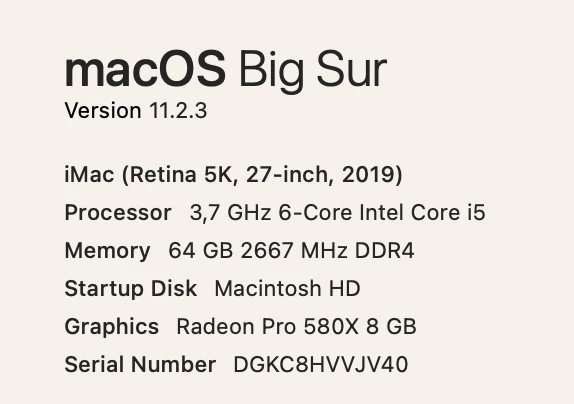
 

Adobe Creative clouds with unfortunately all the latest updates that caused me so much grief. The work file was in Downloads folder, PSD not really big with very little graphics, like 10 layers where I was drawing illustration by hand, fairly simple, nothing heavy. 120 Mb.


This topic has been closed for replies.

1 reply

italosan
Community Expert
Community Expert
April 7, 2021

Hi, does this problem also occur with other files? Have you tried to reset the software preferences?

Yura Timoshenko
Inspiring
April 7, 2021

Yes happens with different files too, in different locations, with various size and complexity, one trigger that I noticed was when I accidentally clicked off work area. It was never a problem before, but in new versions very often it leads to instant crush, auto save can not handle it too. I did not reset the prefs yet, will try it. 

With the bestestest wishes! )
italosan
Community Expert
Community Expert
April 9, 2021

Hi, is there any news? Were you able to solve the problem by resetting the system preferences?