
Participant
August 18, 2010
Answered

Photoshop Crashes When Opening Images

  • August 18, 2010
  • 1 reply
  • 31257 views

Hi all,

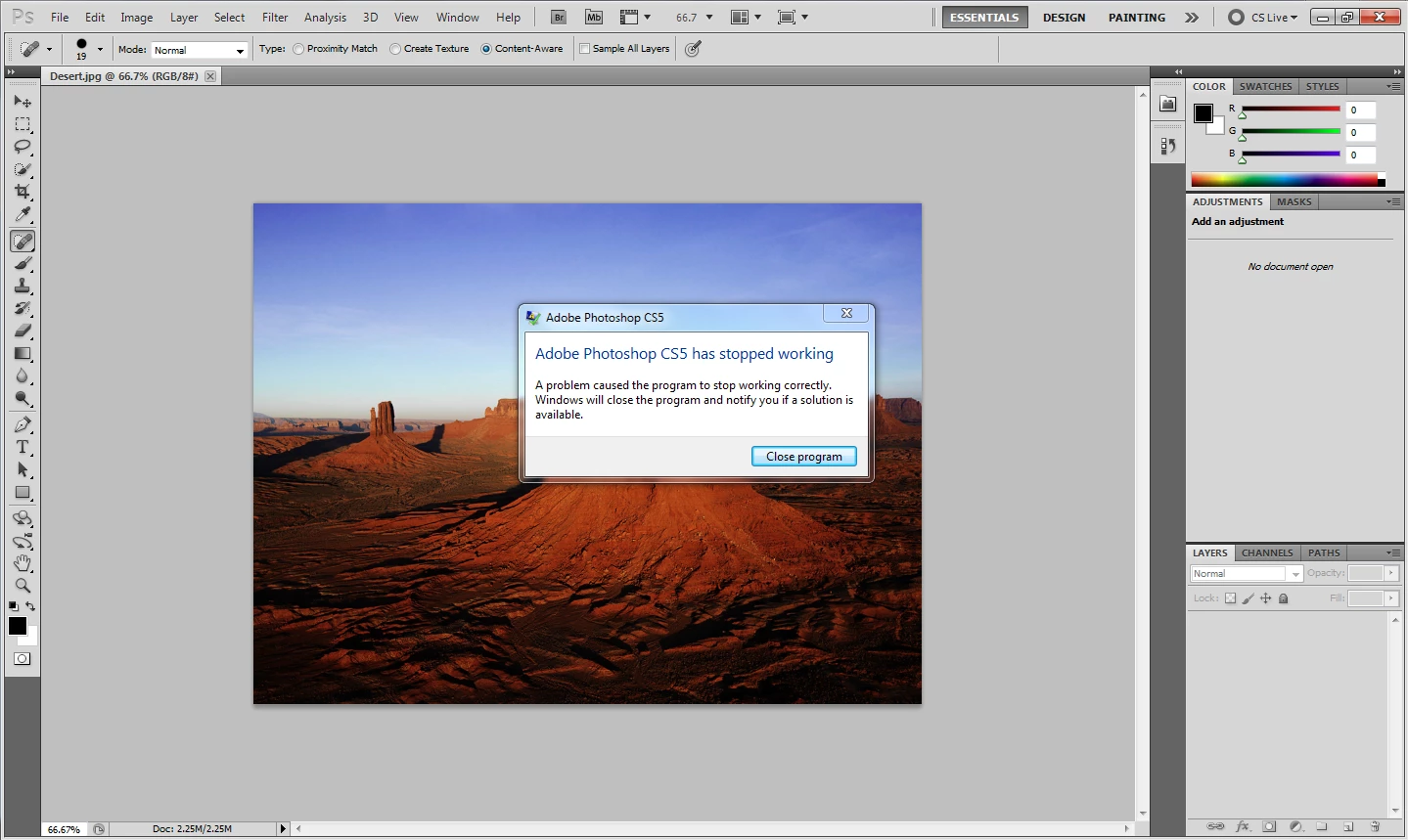
I just installed Photoshop CS5. The program loads fine but when I try to open an image to edit it just crashes. I’ve tried all kinds of image formats and all of them cause Photoshop to crash. I get a message saying “Photoshop CS5 Has Stopped Working” and the only option is to close the application (I have attached the image). I’m running Windows 7 64-bit, I have installed the patch and updated my GPU driver. My computer far exceeds the minimum requirements for Photoshop. Could someone help me?

Thanks in advance!
    This topic has been closed for replies.
    Correct answer

    That is a Nvidia Dll. You did go to the Nvidia site and downloaded from there, correct?

    Best bet is to re-download the driver again.

    Go to this website and download the free driver sweeper for Nvidia. Install it on your computer

    http://www.guru3d.com/category/driversweeper/

    Remove the Nvidia Drivers and reboot in the safe mode.

    Run the driver sweeper in the safe mode then reboot in the normal mode

    Re-install the nvidia drivers and reboot.

    See if that fixes the problem.

    1 reply

    August 18, 2010

    Look in windows 7 event viewer and post the results here. Windows 7 Event viewer will give details.

    Participant
    August 18, 2010

    Faulting application name: Photoshop.exe, version: 12.0.1.0, time stamp: 0x4c255ce6

    Faulting module name: nvoglv64.DLL, version: 8.17.12.5896, time stamp: 0x4c378ebb

    Exception code: 0xc0000005

    Correct answer
    August 18, 2010

    That is a Nvidia Dll. You did go to the Nvidia site and downloaded from there, correct?

    Best bet is to re-download the driver again.

    Go to this website and download the free driver sweeper for Nvidia. Install it on your computer

    http://www.guru3d.com/category/driversweeper/

    Remove the Nvidia Drivers and reboot in the safe mode.

    Run the driver sweeper in the safe mode then reboot in the normal mode

    Re-install the nvidia drivers and reboot.

    See if that fixes the problem.