
Participant
September 19, 2018
Answered

Photoshop crashes when using photography on print

  • September 19, 2018
  • 2 replies
  • 405 views

Hey, one of the students at our school is trying to use photography on print but it crashes everytime. We have tried updating everything from photoshop to the computers drivers but nothing seems to fix the problem.

The problem happens when you go to File, New
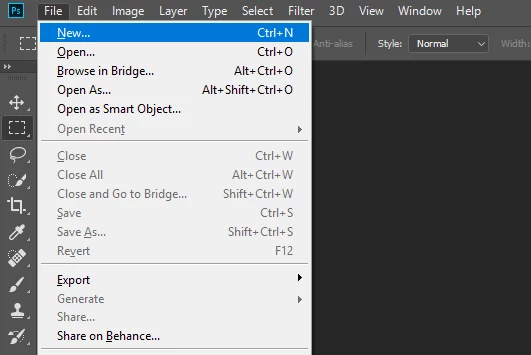

Print, doesnt matter what preset
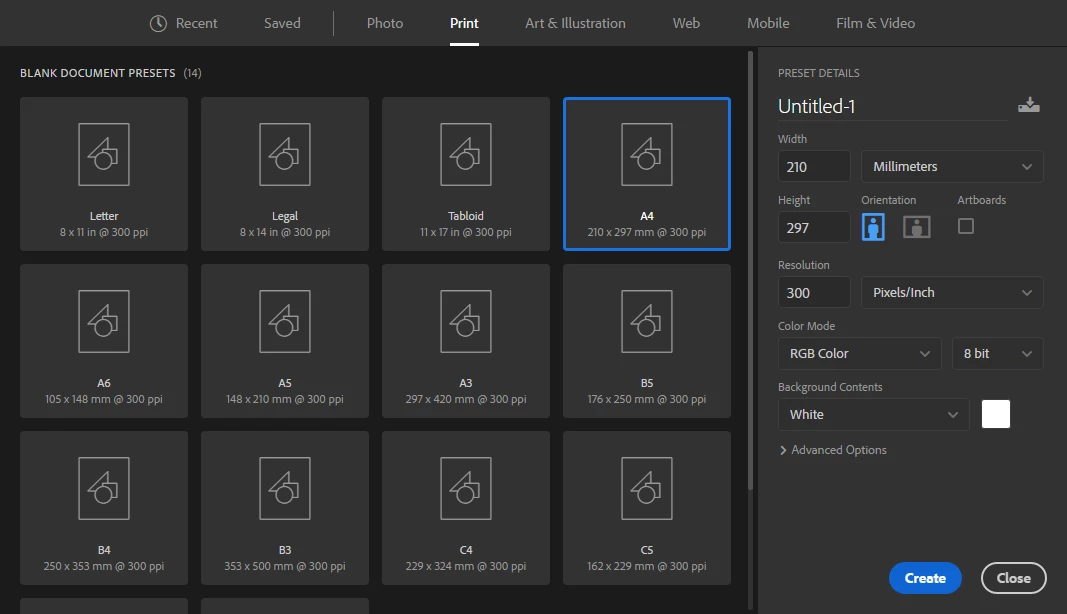
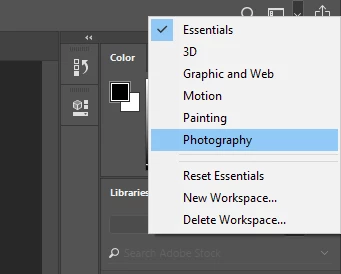
And then clicking the drop down menu on the right upper corner and choosing Photography
This topic has been closed for replies.
Correct answer

https://forums.adobe.com/people/IKT+Katta  wrote

adobe version is 19.0

Have you tried updating to version 19.1.6, that's the most recent version

2 replies

September 19, 2018

Hi

What exact version of Photoshop and OS are you using, have you tried resetting Photoshop preferences

Failing that you could try using the Adobe cleaner tool to uninstall/reinstall

Use the Creative Cloud Cleaner Tool to solve installation problems

Have you checked Windows event viewer for errors relating to Photoshop.exe

IKT KattaAuthor
Participant
September 19, 2018

Hey, i tried resetting Photoshop preferences but this did not help. The OS version for windows is 1803 OS-build 17134.286 and the adobe version is 19.0

We have also tried a full reinstall of the adobe package and formatting the computer but the problem still occurs.

The event viewer doesnt mention any errors relating to Photoshop.exe

Correct answer
September 19, 2018

https://forums.adobe.com/people/IKT+Katta  wrote

adobe version is 19.0

Have you tried updating to version 19.1.6, that's the most recent version

September 19, 2018

Moving to Photoshop