raap22984468lzwl
Participant
February 8, 2022
Answered

Photoshop crashes whenever i open a jpeg or png in Open document option

  • February 8, 2022
  • 2 replies
  • 9658 views

Here is the version of my photoshop


Hello, I was having trouble with my photoshop whenever i have to open a document like simple and jpeg and png directly it crashes as seen in the photo
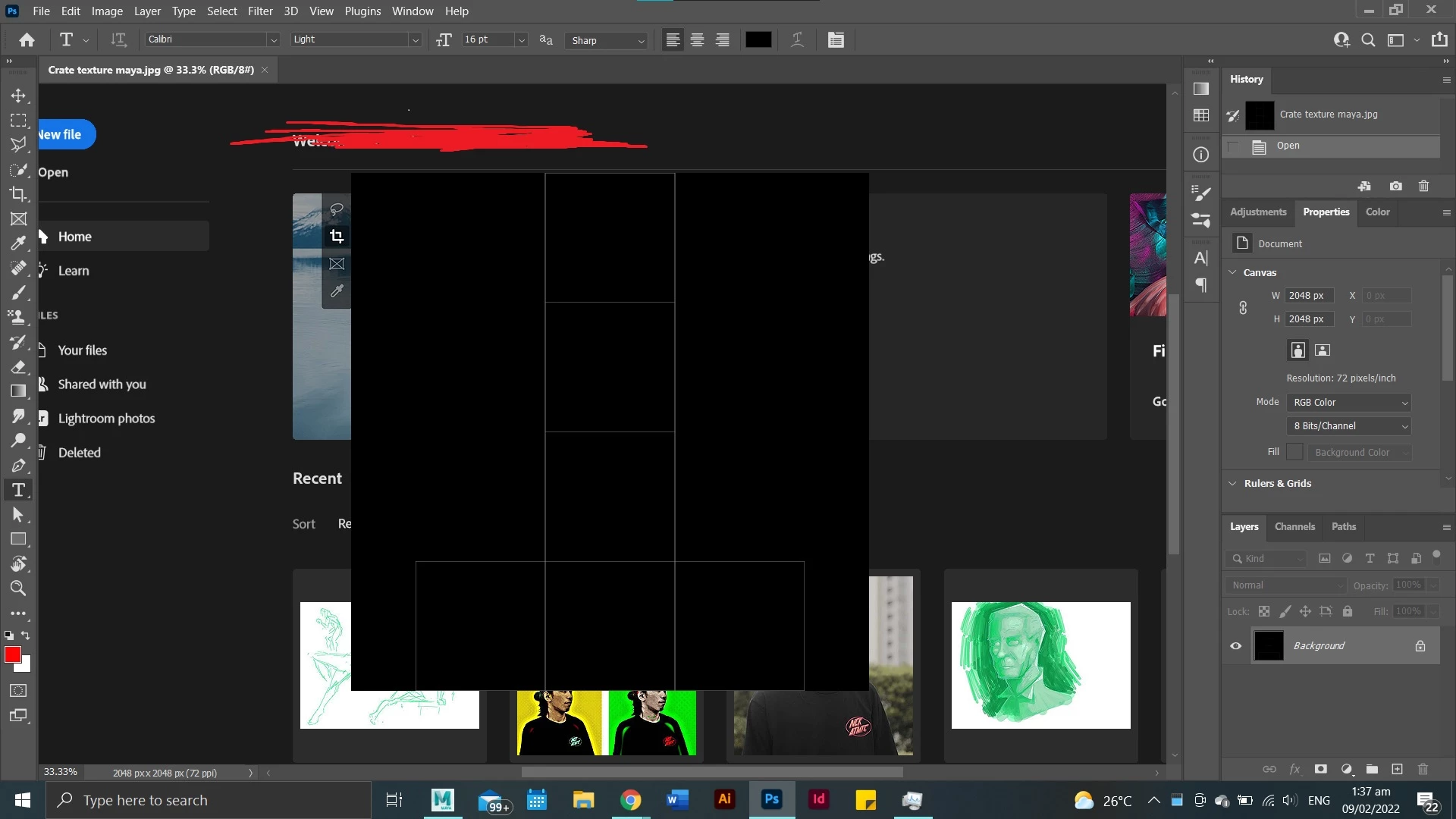
i have my drivers fully updated and my system is amd 

Correct answer J453

Go to Preferences > Technology Previews... and check "Disable Native Canvas" - then restart Photoshop. Does the problem still occur?

2 replies

Mark.Dahm
Community Manager
Community Manager
September 14, 2022

We believe that underlying issue of the Photoshop home screen appearing where the document canvas should be (temporarily worked around by selecting the ‘Deactivate native canvas button’ in Technology Preview) has been fixed, and you may now de-select that button for future Photoshop sessions. Please let us know if any of these issues return once the native canvas has been re-activated.

Participant
December 7, 2022

I'm still having this issue on JPEGS crashing photoshop. Running latest Ventura on Mac Studio.


Participant
June 14, 2023

Hi, I was getting a similar issue so posting this in case it helps anyone. In my case Photoshop was instantly quitting when trying to open jpg or tiff files. It was fine with psd or png. I tried three different iterations of Photoshop and all were the same.

I eventually narrowed the issue down to the camera raw plug-in. By going to the camera raw download page on the Adobe site and manually downloading and installing a previous version, my Photoshop now seems to be working ok again.

Hope this helps someone as I was going in circles for hours trying to resolve and get on with work. 


感谢你的回答,帮助我解决了非常棘手的问题

J453Correct answer
Legend
February 8, 2022

Go to Preferences > Technology Previews... and check "Disable Native Canvas" - then restart Photoshop. Does the problem still occur?

raap22984468lzwl
Participant
February 9, 2022

yes it fixed the issue thank you very much sir 🙂
