

Librent
Participant
May 11, 2024
Question

Photoshop CS2 path style

  • May 11, 2024
  • 4 replies
  • 730 views

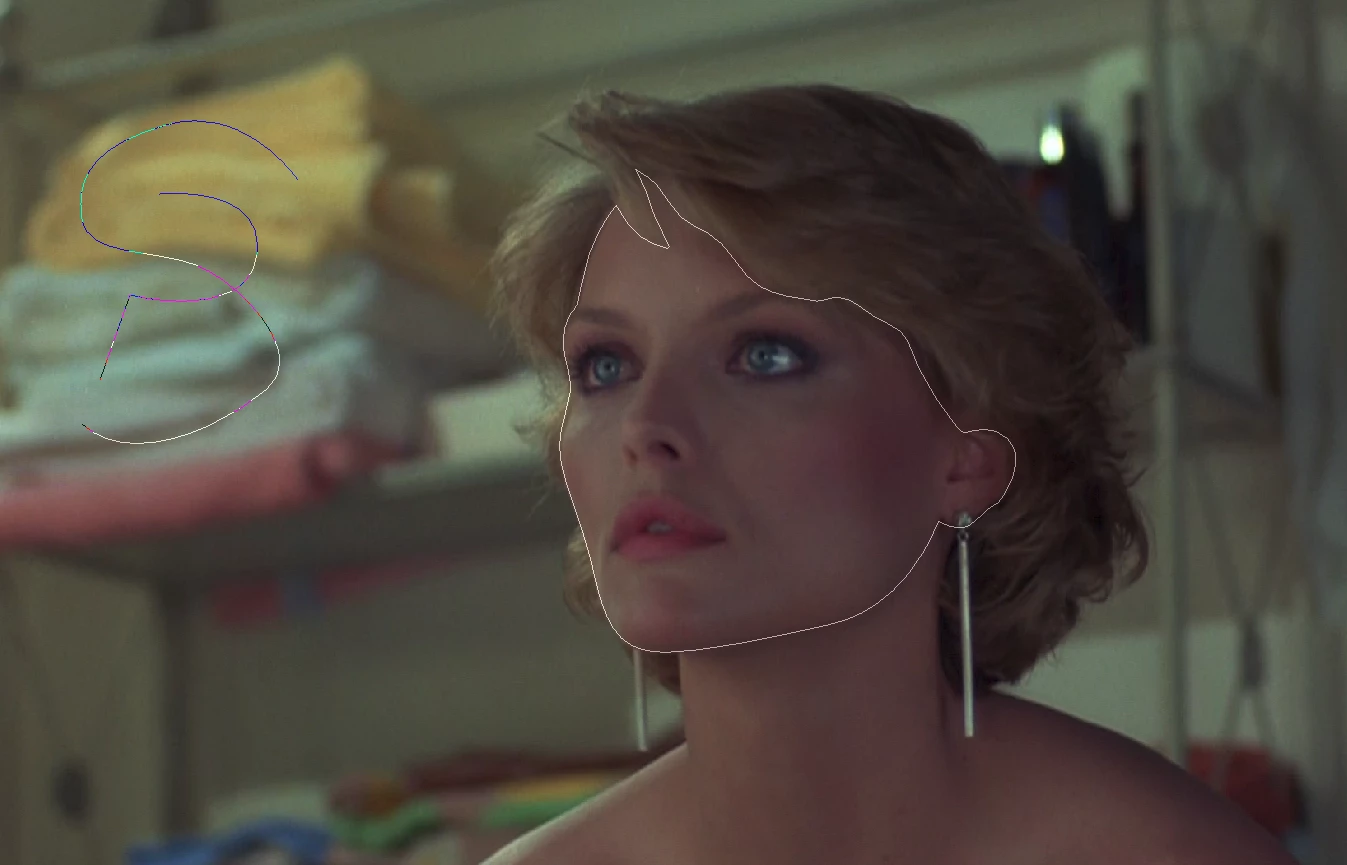
Please add into new versions of Photoshop a Photoshop CS2 path style like one of the options. It contrasts well with an image and it's comfortable to the eyes. I've uploaded screenshot to remind you how it looks like. Thank you.

This topic has been closed for replies.

4 replies

Jeff Arola
Community Expert
Community Expert
May 11, 2024

Follow up post with a link to a discussian about the path color around the time of Photoshop CS5:

https://community.adobe.com/t5/photoshop-ecosystem-ideas/p-please-let-us-change-the-pen-tool-path-size-and-color/idc-p/12297897

Jeff Arola
Community Expert
Community Expert
May 11, 2024

Some years ago a Adobe Photosop engineer Chris Cox commented that the APIs used to do that had been taken out of the Mac OS at i believe around the Photoshop CS5 time period, so Adobe was looking for alternatives and that's what we have now in terms of path thickness and coloring.

Derek Cross
Community Expert
Community Expert
May 11, 2024

Which tool are you using to create your path?

Librent
LibrentAuthor
Participant
May 11, 2024

Created by Pen tool

Derek Cross
Community Expert
Community Expert
May 11, 2024

Click on the gear icon and from there you can select the thickness of the Path and the Color, making it easier to see.

Hope that helps.

jane-e
Community Expert
Community Expert
May 11, 2024
quote

Please add into new versions of Photoshop a Photoshop CS2 path style like one of the options.

By @Librent


CS2 (version 9) was released 19 years ago in 2005. There will never be a new version of CS2.


Any changes will be in the current version of Photoshop 2024 (version 25.7).


Jane