
October 31, 2017
Answered

Photoshop CS6 Extended Mini Bridge Not Working

  • October 31, 2017
  • 8 replies
  • 37459 views

Hello,

I use mini bridge a lot for my work, for some reason it doesn't work anymore. I have tried everything. I re-installed the application, added Switchboard as an exception to my firewall, reset the host, basically everything.

Usually when I open Mini-Bridge it says "Lunch Bridge" that "Lunch Bridge" button is gone. This is how it looks now. It's blank without anything.
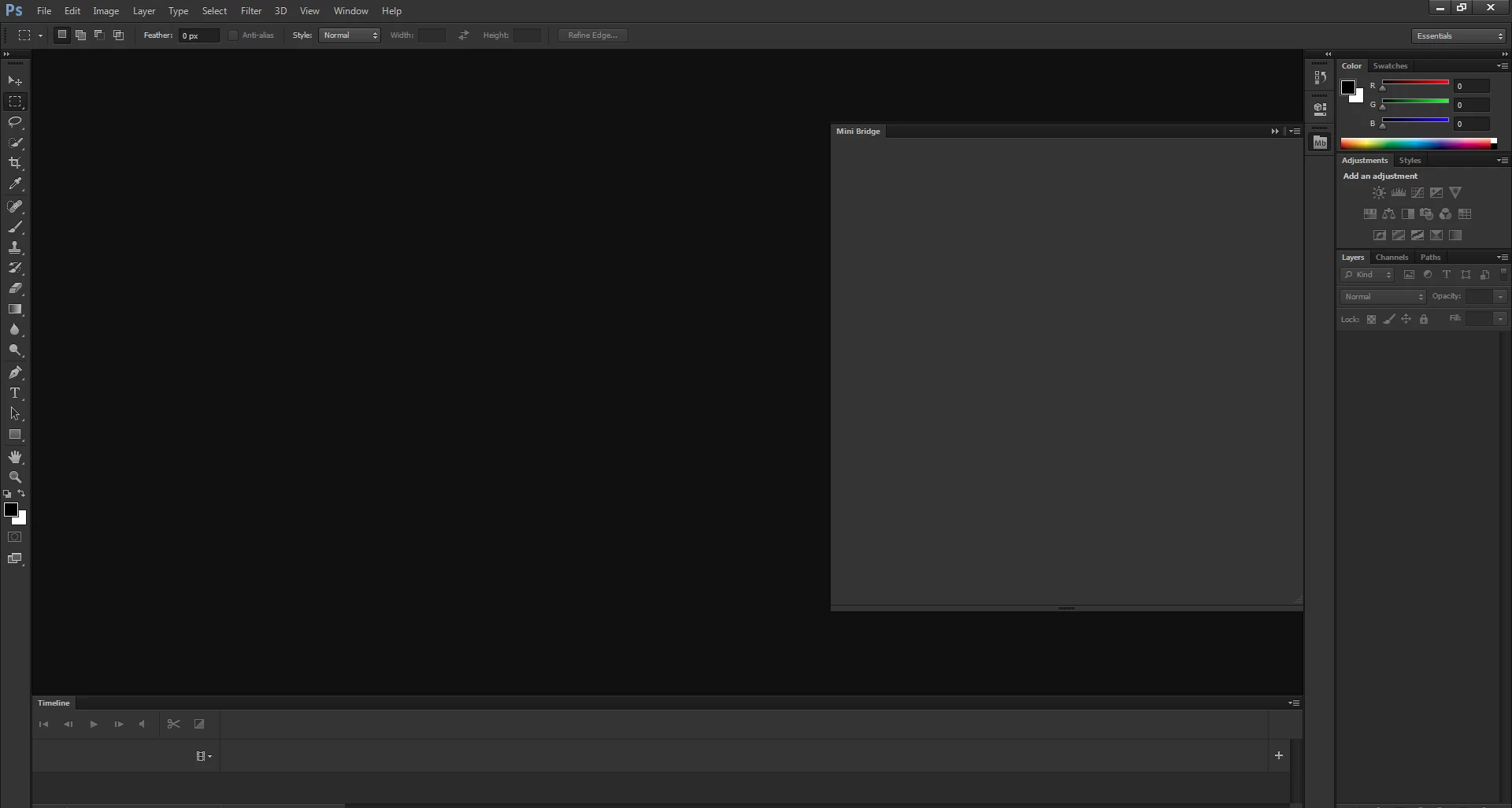
This topic has been closed for replies.
Correct answer

Hi, I am having the same problem.

Can you explain the specific steps you took? I'm not sure how to find HKEY_CURRENT_USER/Software/Adobe/CSXS.6 in regedit or how to make changes.  Thanks


Here's my detailed description on how to do it step by step - http://blog.igment.com/2017/11/01/photoshop-mini-bridge-cs6-issue/

In short, you have to add a registry value within HKEY_CURRENT_USER/Software/Adobe/CSXS.6 named PlayerDebugMode with String value of 1. You may not see CSXS.6 but, as in my case CSXS.3 but the fix works no matter it it's 6 or 3.

8 replies

Participant
May 21, 2018

Works like charm!

Participating Frequently
March 15, 2018

WORKS !!!!!
Fantastic, this is the first time I've solved a problem in such a short time.
Usually I lose the ores without ever arriving at the solution of the problem

Thanks so much

jennifer_pipi
Participant
November 2, 2017

grzeniusato and Ten A thank you both soooooooooooo much this fix worked!  But now it sits at waiting for bridge and still won't load folders.  Maybe I just have to get used to Bridge....

November 2, 2017

Has MiniBridge worked normally before, like a week or two ago? I.e. it loaded fine and showed everything? Maybe you could try shutting down Photoshop/InDesign/etc and Bridge, then run Bridge first, and later Photoshop? If that does not help, may you could try the suggestions posted in article linked below?

Error: Waiting for Bridge | Mini Bridge panel

Ten A
Community Expert
Community Expert
November 1, 2017

You can reference below CSXS version list.

CS6=3

CS5.5=2.5

CS5=2

Participant
October 31, 2017

Hi apache08, I do not speak very  well english, I do my best...     I have that problem too, I tried everything… and I know how to put again the link for minibrige “Lunch Bridge:, I chance the date. only the year 2016, first close PS and them open again PS when you chance the year, and sorprise its back again.. jajajaja its working for me, them put the date again 2017 its working… I hope this help you.. thanks

October 31, 2017

Hello,

I have encountered this error on Photoshop CS6 x64 with Bridge CS6 x64, Windows 10 Home x64. Photoshop, Bridge are up-to-date. I have tried all the suggestions from the link that gener7​ posted but none worked.

Thing is that the problem appeared on two desktops at the same time. Looks like Windows got some minor update and it may have caused problems? Any ideas what else I could do?

My regards, have a good day

jane-e
Community Expert
Community Expert
October 31, 2017

This doesn't solve your problem, but you might consider using Big Bridge as a work-around. Mini Bridge is Flash-based and is no longer part of Creative Cloud, so it has sadly been out of my workflow for many versions.

I did a Google search and found a tutorial that pretty much simulates how I use Bridge to replace Mini Bridge. The difference is that I put mine in a strip across the bottom of my screen.

https://m.youtube.com/watch?v=vnJLMaoDevQ

timb37807125
Participant
November 1, 2017

This one solves the problem, thank you!

Yet, it is surely not how it should really work and I think the issue should be patched.


Hi, I am having the same problem.

Can you explain the specific steps you took? I'm not sure how to find HKEY_CURRENT_USER/Software/Adobe/CSXS.6 in regedit or how to make changes.  Thanks

gener7
Community Expert
Community Expert
October 31, 2017

If the problem is still there, follow this troubleshooting guide.

Error: Waiting for Bridge | Mini Bridge panel

Chuck Uebele
Community Expert
Community Expert
October 31, 2017

Have you tried opening Bridge first through your OS, rather than through PS?