Bink58
Inspiring
March 15, 2023
Answered

Photoshop (custom) brushes no longer have preview icons

  • March 15, 2023
  • 6 replies
  • 1241 views

I just updated Photoshop.

Adobe Photoshop Version: 24.2.1 20230309.r.358 acd831a x64

I have my own brush presets that used to have an icon in the brush selection drop-down that reflected how it applies (tapered via pen pressure, etc...). The icon previews are gone.

Do they work like they should?

Yes (so far).

Is it difficult to sort them out visually?

Yes, even when the brush name reflects the characteristics.


Can this be fixed, Adobe?
This topic has been closed for replies.
Correct answer Kevin Stohlmeyer

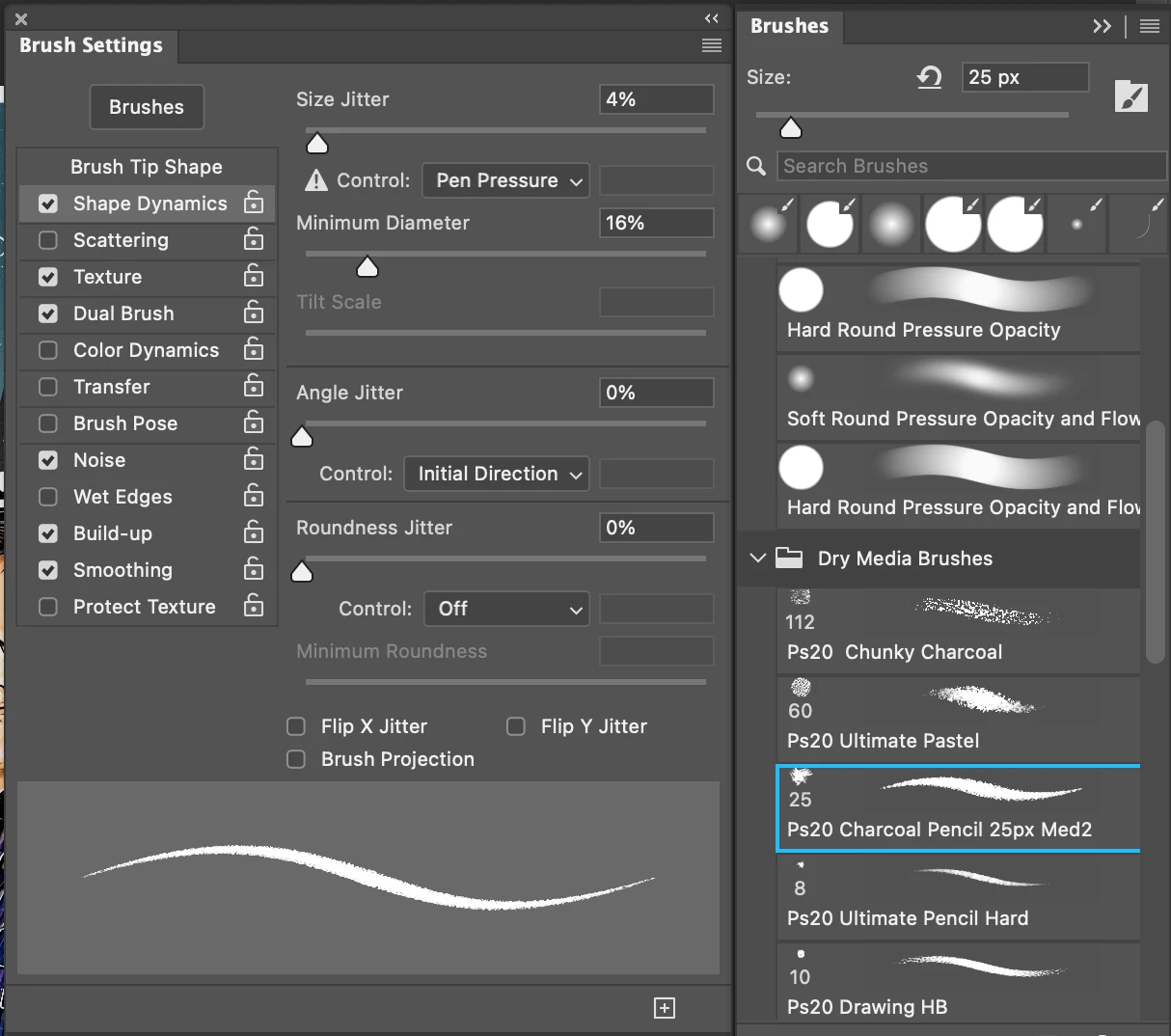
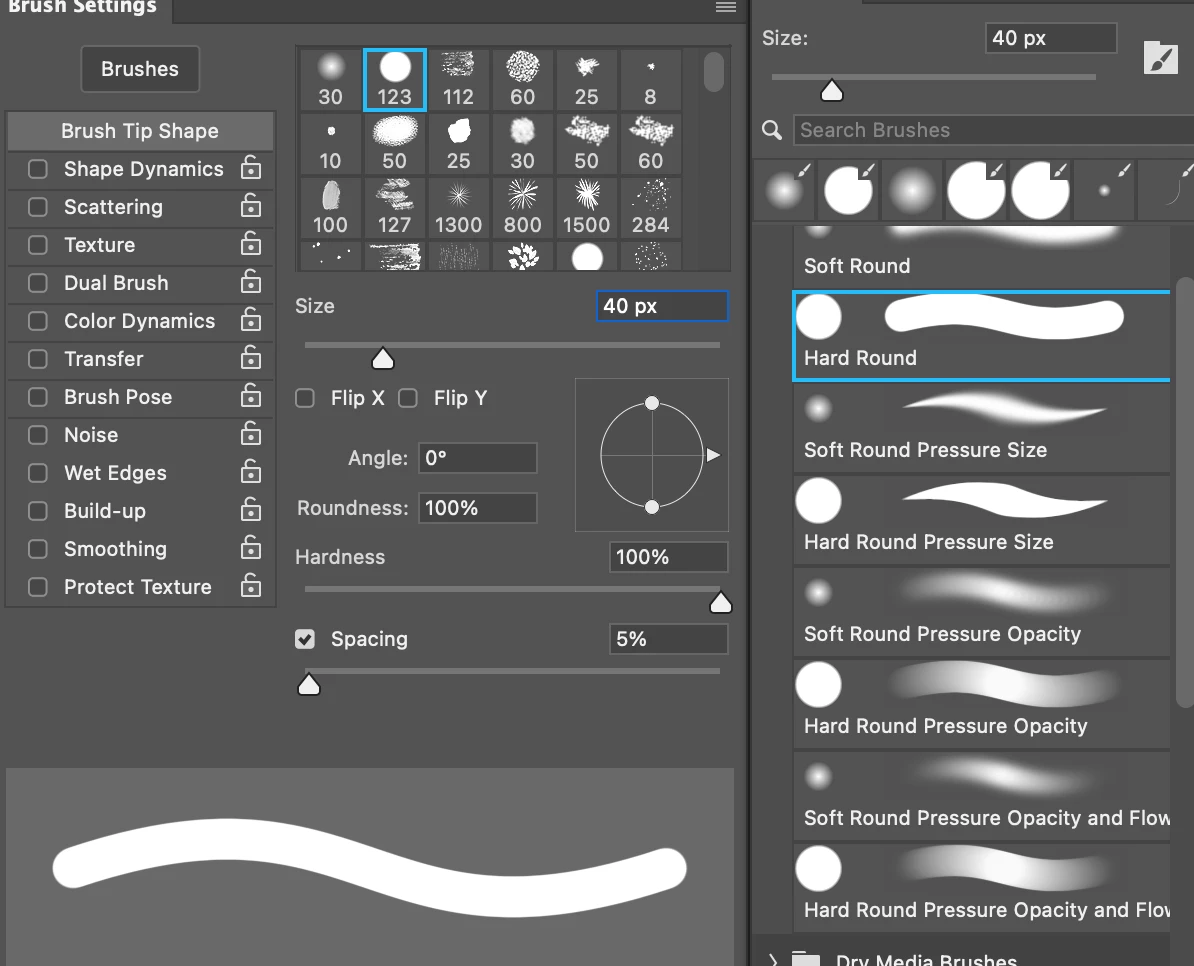
Hi @Bink58 open your brush settings panel along side your brush presets -

Are you seeing shape dynamics on the brushes you want to have tapered?

Example: Standard Brush - no pressure controls:

Pressure senstive brush with Shape Dynamics, etc. selected:


6 replies

Bink58
Bink58Author
Inspiring
March 16, 2023

Thanks for your help, Kevin. Much appreciated.

Kevin Stohlmeyer
Community Expert
Community Expert
March 17, 2023

@Bink58 glad I could help!


Bink58
Bink58Author
Inspiring
March 16, 2023

Now it's working... but only sometimes. The brushes do what they are supposed to do but the shape dynamics sample is off and on. I'll take this as a win for now.

Kevin Stohlmeyer
Community Expert
Kevin StohlmeyerCommunity ExpertCorrect answer
Community Expert
March 16, 2023

Hi @Bink58 open your brush settings panel along side your brush presets -

Are you seeing shape dynamics on the brushes you want to have tapered?

Example: Standard Brush - no pressure controls:

Pressure senstive brush with Shape Dynamics, etc. selected:


Bink58
Bink58Author
Inspiring
March 16, 2023

That should read, "sample". Not "smaple". 😛

Bink58
Bink58Author
Inspiring
March 16, 2023

Thanks Kevin. That solved half of the problem. I get the brush tip preview but the smaple stroke (tapered in this case) is still AWOL.

Kevin Stohlmeyer
Community Expert
Community Expert
March 16, 2023

Hi @Bink58  go to the Gear/Settings icon and choose Brush Tip.