
davidw68388760
Participant
August 18, 2023
Question

Photoshop default save to wrong folder

  • August 18, 2023
  • 4 replies
  • 603 views

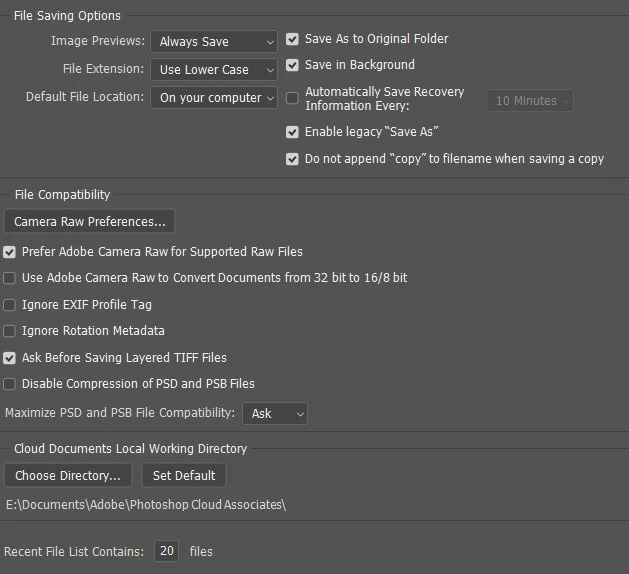
At present I'm having a workflow problem with Photoshop - at present it saves edited images to my Windows C: "Pictures" folder by default rather than the source folder where the files are stored, I have preferences set to "Save As to Original Folder" - this has only been happening since the most recent updates - this is creating havoc with the organised storage of my archives - any suggestions


This topic has been closed for replies.

4 replies

Earth Oliver
Legend
September 3, 2023

This is with v24.7?

Participating Frequently
September 3, 2023

The latest version I have is 24.4. When I click on "updates" nothing is listed. No updates to be had. Am I missing something?

D Fosse
Community Expert
Community Expert
September 3, 2023

Go to Help > System Info and paste the entire contents in a reply.

Participating Frequently
September 3, 2023

I too have this problem and working with multiple shots from the same folder, having to re-navigate to the correct fold for save and/or save-as is majorly irritating. Photoshop, PLEASE FIX THIS. IT'S A BUG.

Participant
September 2, 2023

I have the same problem - really irritating!

D Fosse
Community Expert
Community Expert
August 18, 2023

Just to get it out of the way - you do "Save", not "Export" or "Save For Web"? The latter two have separate preferences for this.

davidw68388760
Participant
August 18, 2023

no using "Save as" - I add a prefix to the processed file and keep an origonal file until I have finished all the processing