
Known Participant
June 19, 2018
Answered

Photoshop disappeared after update 19.1.5

  • June 19, 2018
  • 1 reply
  • 1223 views

Immediately after updating to 19.1.5 this morning I tried opening and Photoshop CC is no longer available. Not sure if I should uninstall and reinstall? It is although showing up in my list of programs to uninstall in the control panel.  I have backed up my preferences. The error is saying it is not a valid Win32 application.

Thanks in advance for any help!
    This topic has been closed for replies.
    Correct answer

    OK

    First thing to do if you haven't already done it

    Migrate presets, actions, and settings

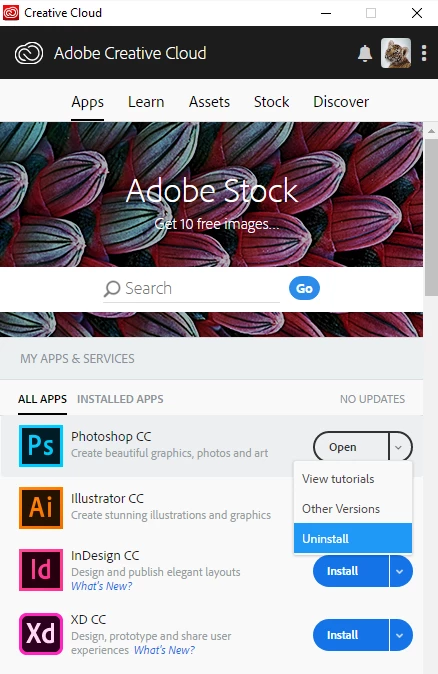
    Then try uninstalling and reinstalling from the Creative Cloud app

    If that doesn't solve the issue try using the Adobe Creative Cloud cleaner tool

    Use the Creative Cloud Cleaner Tool to solve installation problems

    1 reply

    June 19, 2018

    Hi

    How are you trying to launch Photoshop, is it a desktop shortcut or from the Creative Cloud app, can you open Photoshop from this location

    C:\Program Files\Adobe\Adobe Photoshop CC 2018 look for the Photoshop.exe and try double clicking on that

    Known Participant
    June 19, 2018

    Hello Ged!  When I try to click on the .exe file from that location it is giving me the same error.

    Correct answer
    June 19, 2018

    OK

    First thing to do if you haven't already done it

    Migrate presets, actions, and settings

    Then try uninstalling and reinstalling from the Creative Cloud app

    If that doesn't solve the issue try using the Adobe Creative Cloud cleaner tool

    Use the Creative Cloud Cleaner Tool to solve installation problems