

Photoshop Displaying colors differently
Hey guys,
wonder what is going on. PS seems to display colors wrong and it does it since a long time. Never understood why and I want to get rid of it. Would be nice if you could help me out.
Example
The color I picked in this example was RGB 90 0 255 as you can see here:
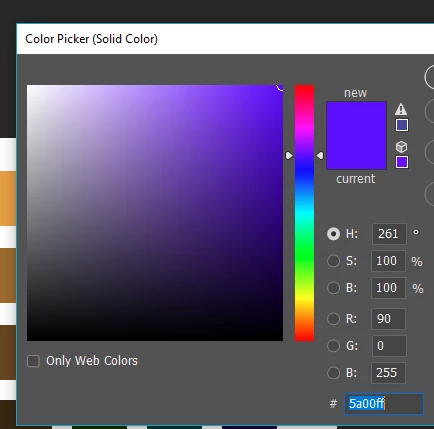
I used Pixlin to measure the color I get displayed inside Photoshop:
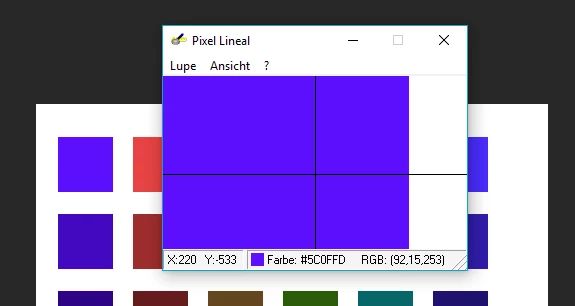
As you can see it gives me RGB 92 15 253 (mouse invisible when I do screenshots). Not just in the "working area", also in the photoshop color picker itself.
I also wanted to know which color I get when I open the saved image in windows. In windows after saving it, it is...
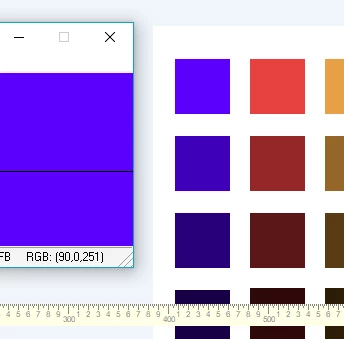
...RGB 90 0 251
Not the same, but closer to the intended color.
Additional info:
I worked with a 16bit tif file, but the same issue appears when I work with 8bit and normal PSD...
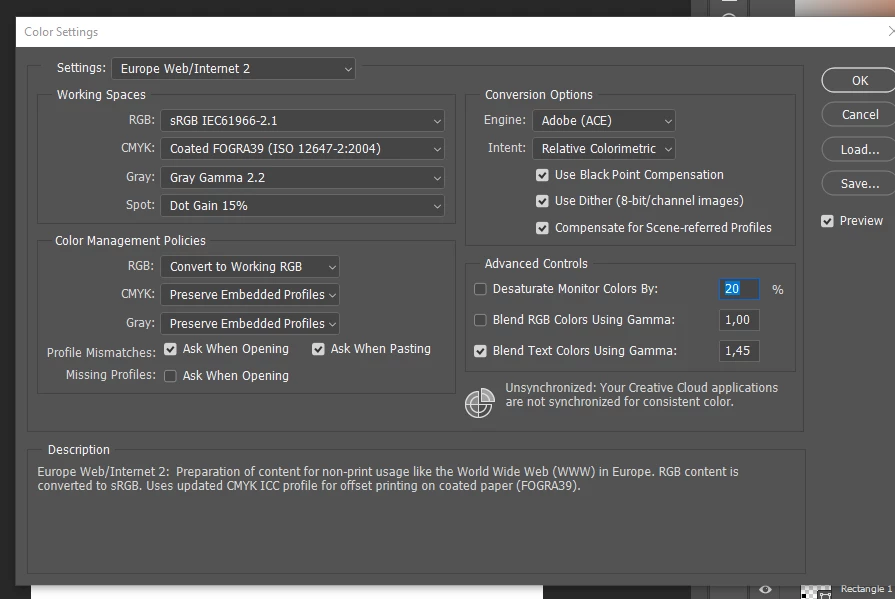
Here my color settings:
Thanks,
Marcus
 AdChoices