
Participant
May 8, 2020
Answered

Photoshop distorion of hard edges

  • May 8, 2020
  • 4 replies
  • 1773 views

Hi all - anyone having trouble lately with hard edges distorting when manually resizing? Since the last couple of updates, I began to notice that anytime I manually resize an image or graphic, anything with a straight line or hard edges - becomes very distorted with a jagged line instead of smooth resize. Any help would be appreciated.
This topic has been closed for replies.
Correct answer Michael Bullo

@Semaphoric-PLXibM has already given some great advice. Just expanding on that...


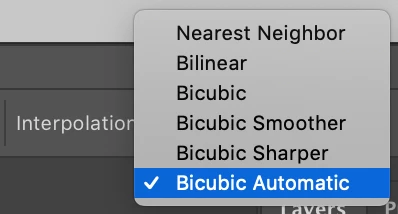
When you are using Free Transform on a layer, look out for this Interpolation menu in the panel running across the top of Photoshop.


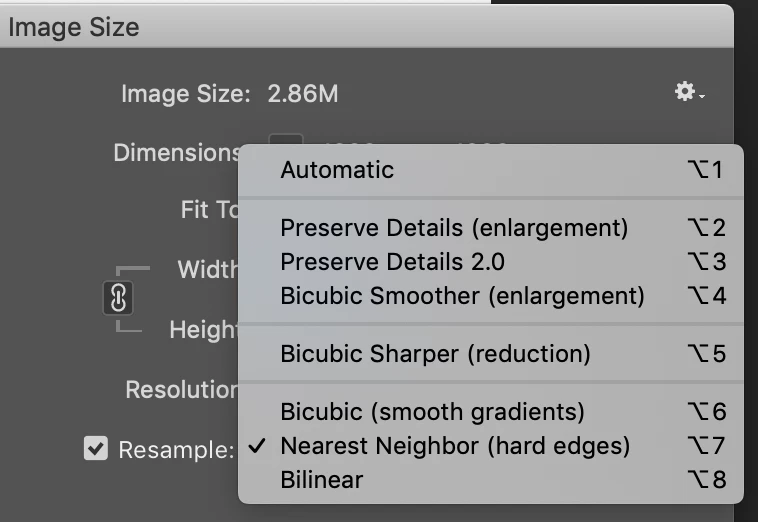
If you are using the Image Size option, you will also have access to this menu.

4 replies

Known Participant
August 26, 2020

THANK YOU! I've had this issue for a few weeks now and it was driving me nuts! I changed this from “Nearest Neighbor” to “Bicubic automatic” and that fixed the issue. 

Participant
May 18, 2020

Thank you both! This seems to be the answer I needed - much appreciated.

Michael Bullo
Community Expert
Community Expert
May 18, 2020

Thank you

Michael Bullo
Community Expert
Michael BulloCommunity ExpertCorrect answer
Community Expert
May 9, 2020

@Semaphoric-PLXibM has already given some great advice. Just expanding on that...


When you are using Free Transform on a layer, look out for this Interpolation menu in the panel running across the top of Photoshop.


If you are using the Image Size option, you will also have access to this menu.

Semaphoric
Community Expert
Community Expert
May 9, 2020

Look in Edit > Preferences > General, and see what the Image Interpolation is set to. If it's Nearest Neighbor, try setting it to one of the Bicubic ones.