
Bureau623
Participant
July 5, 2023
Answered

Photoshop distorts text by default

  • July 5, 2023
  • 1 reply
  • 476 views

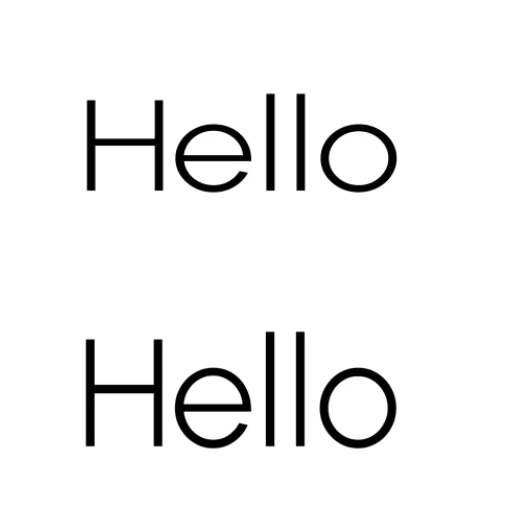
Updated photoshop and all text appears squished. I already cleared my font cache and it's still doing it.

The pic shows how the text looks vs how it should look (on bottom). Photoshop beta does this too now upon updating that. How do I fix it? Thanks.


This topic has been closed for replies.
Correct answer jane-e


@Bureau623 


Check your Horizontal and Vertical scaling in the Character panel (Window menu) — not in the Properties panel. Both should be 100%.


Select the text first whenever you are changing Character level settings.


Jane


1 reply

Semaphoric
Community Expert
Community Expert
July 6, 2023

Could you post a screen shot, including the Character panel?

jane-e
Community Expert
jane-eCommunity ExpertCorrect answer
Community Expert
July 6, 2023


@Bureau623 


Check your Horizontal and Vertical scaling in the Character panel (Window menu) — not in the Properties panel. Both should be 100%.


Select the text first whenever you are changing Character level settings.


Jane


jane-e
Community Expert
Community Expert
July 6, 2023

Thank you! This was the problem. For some reason the horizontal was defaulting to greater than 100%


You're welcome @Bureau623 . A second thing you can do is to choose Reset Character from the panel menu in the Character panel. Photoshop remembers the settings you make across time and across documents until you change them or Reset them.


Jane