
Photoshop drawing issue
Hello.
I've tried all day long find an answer for my issue, but I've been out of options so far.
What's happening is this: I don't know if it's related or something, but since my Windows 10 auto-updated 1 or 2 days ago, a specifically problem starts to occour with my Photoshop. I've tried to do this in Illustrator and it's working fine there (which is even more strange).
When I try to draw, for example, my Photoshop screen starts to act in an unpredictable way, like pushing the working area down and the roll bar, in the corners, change (not the dark gray usual one, but one lighter, like they are rolling bars from another application overlapping Psd). If I insist in drawing, when I click with my pen and try to move it, this action it's pushing down the screen as a whole, not only the document that I'm working with. Another example: If I try to use the Hand tool, as in the second image, it's possible to see that it's like pushing all the software window down (you can see the internet tabs of my navigator behind it).
Anyway, any kind of action which is similar to drag-and-drop it's making the Psd act weird, and I have no idea what's going on. I've tried to update the Wacom tablet, I've tried to update other softwares of my notebook, I've even re-installed the Wacom Driver using the original CD that came with it. Nothing worked.
I thought it was, maybe, a strong sensitive pressure of my Wacom, but it's not about the document itself. The lighter bar appears and move the whole Psd screen. If I just click on it with pen, like a mouse click, it works fine and I do some ink points on the white BG. The problem only occours when I try to move or drag (hand tool, eraser tool, brush tool, etc).
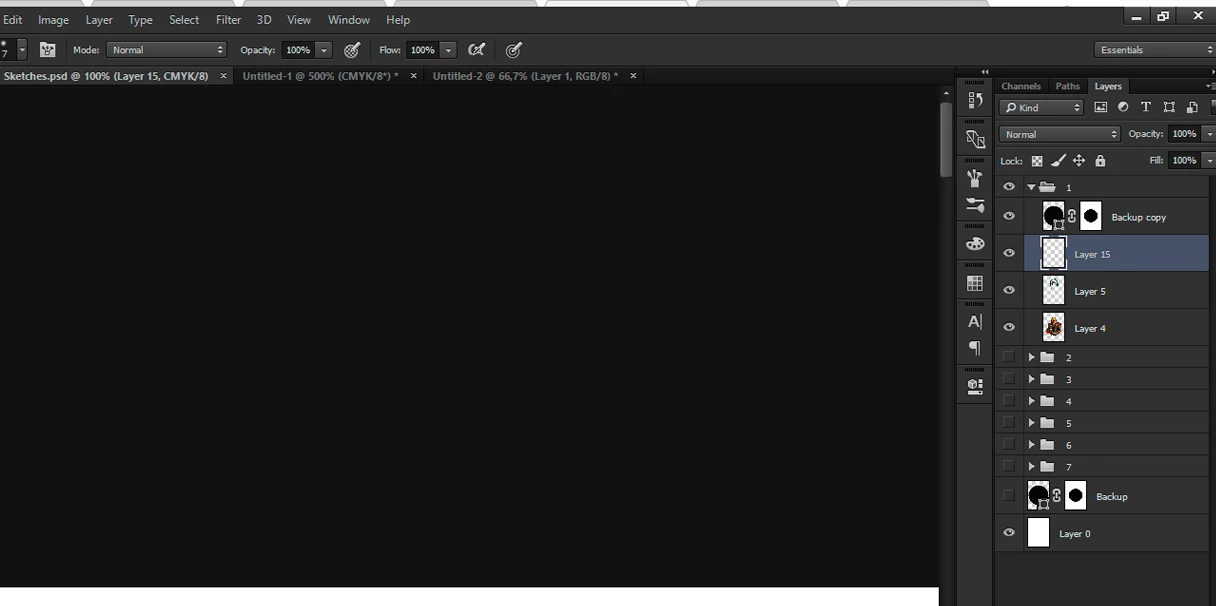
The mouse is working fine. The problem seems to be only related to Wacom -> Photoshop. I've never seem this before.
Is this second image it's possible to see, when I tried to move down using the Hand tool, the working area doesn't moved, but still all the Photoshop window.
Since I'm a digital illustrator, I just cant work in this way.
Does anyone know how can I solve this?
Thank you.
[Here is the list of all Adobe forums... https://forums.adobe.com/welcome]
[Comments is to ask about the operation of the Forum, not a specific program]
[Moved from the Comments forum to the specific Program forum... Mod]
 AdChoices