


Participating Frequently
August 26, 2024
Question

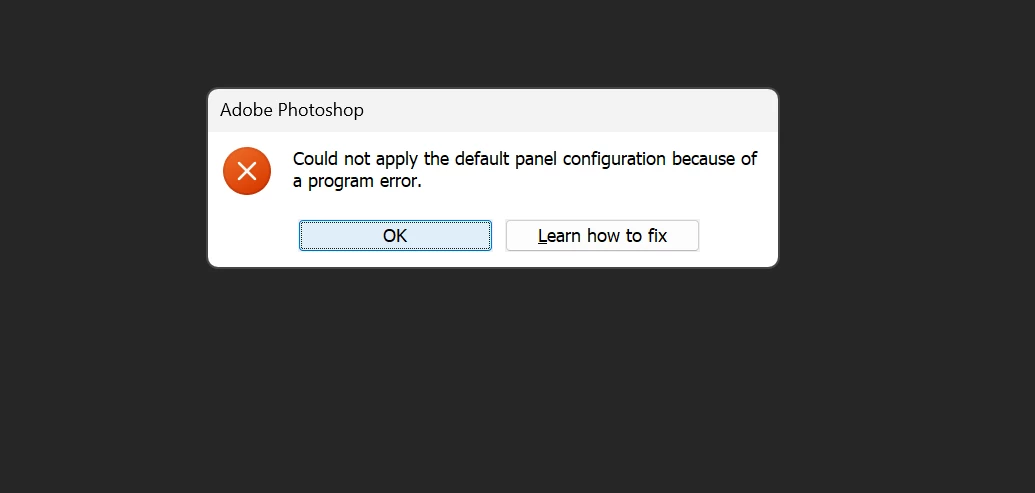
Photoshop Error: “Could not apply the default panel configuration because of a program error”

  • August 26, 2024
  • 7 replies
  • 551 views

Can someone help me out with this problem? I've already done all of the instructions that i find on the internet such as using adobe cleaner, ticking-unticking boxes in the settings, restarting, uninstalling and installing PS again, and resetting work interface. Nothing is working to fix this problem, I use Photoshop for school and work, can someone please help me out?
This topic has been closed for replies.

7 replies

jane-e
Community Expert
Community Expert
September 12, 2024

@realjirami 


I've merged your duplicate posts. 


I don't see where you shared your system info with the instructions from Employee @Shivani Somayajula. Can you do that?


Can you also post the link you go to when you click "Learn how to fix" in the Alert?


Jane


Participating Frequently
September 12, 2024

Can someone help me out with this problem? I've already done all of the instructions that i find on the internet such as using adobe cleaner, ticking-unticking boxes in the settings, restarting, uninstalling and installing PS again, and resetting work interface. Nothing is working to fix this problem, I use Photoshop for school and work, can someone please help me out?
https://drive.google.com/file/d/1rdGiLs_yRYGAW2PaFvjAUV-AvJUwC2w7/view?usp=sharing  

Participating Frequently
September 12, 2024

Hello are there any updates about this?

Participating Frequently
August 30, 2024

Hello, I've tried resetting preferences and it still doesn't work. Here is the document.
https://drive.google.com/file/d/1rdGiLs_yRYGAW2PaFvjAUV-AvJUwC2w7/view?usp=sharing 

Participating Frequently
August 28, 2024

Hello, I've tried resetting preferences and it still doesn't work. Here is the document.
https://drive.google.com/file/d/1rdGiLs_yRYGAW2PaFvjAUV-AvJUwC2w7/view?usp=sharing 

Participating Frequently
August 28, 2024

Hello, I've tried resetting preferences and it still doesn't work. Here is the document.
https://drive.google.com/file/d/1rdGiLs_yRYGAW2PaFvjAUV-AvJUwC2w7/view?usp=sharing 

Participating Frequently
August 27, 2024

Hey, realjirami! Welcome to the Photoshop Community. 


I'll need more details to help you out. Could you confirm if you're getting this error when opening a specific file or image? Have you also tried resetting Photoshop preferences? If not, reset preferences: https://adobe.ly/3X1P1Zt and then relaunch Photoshop and check that it works. 


If the above step doesn't work, please share Photoshop's system info from Help > System info > Copy & paste into a text document > Upload as an attachment or copy/paste here in your reply. 


Thanks, 

Shivani