
mikaels71195823
Inspiring
August 5, 2019
Question

Photoshop floating documents

  • August 5, 2019
  • 1 reply
  • 571 views

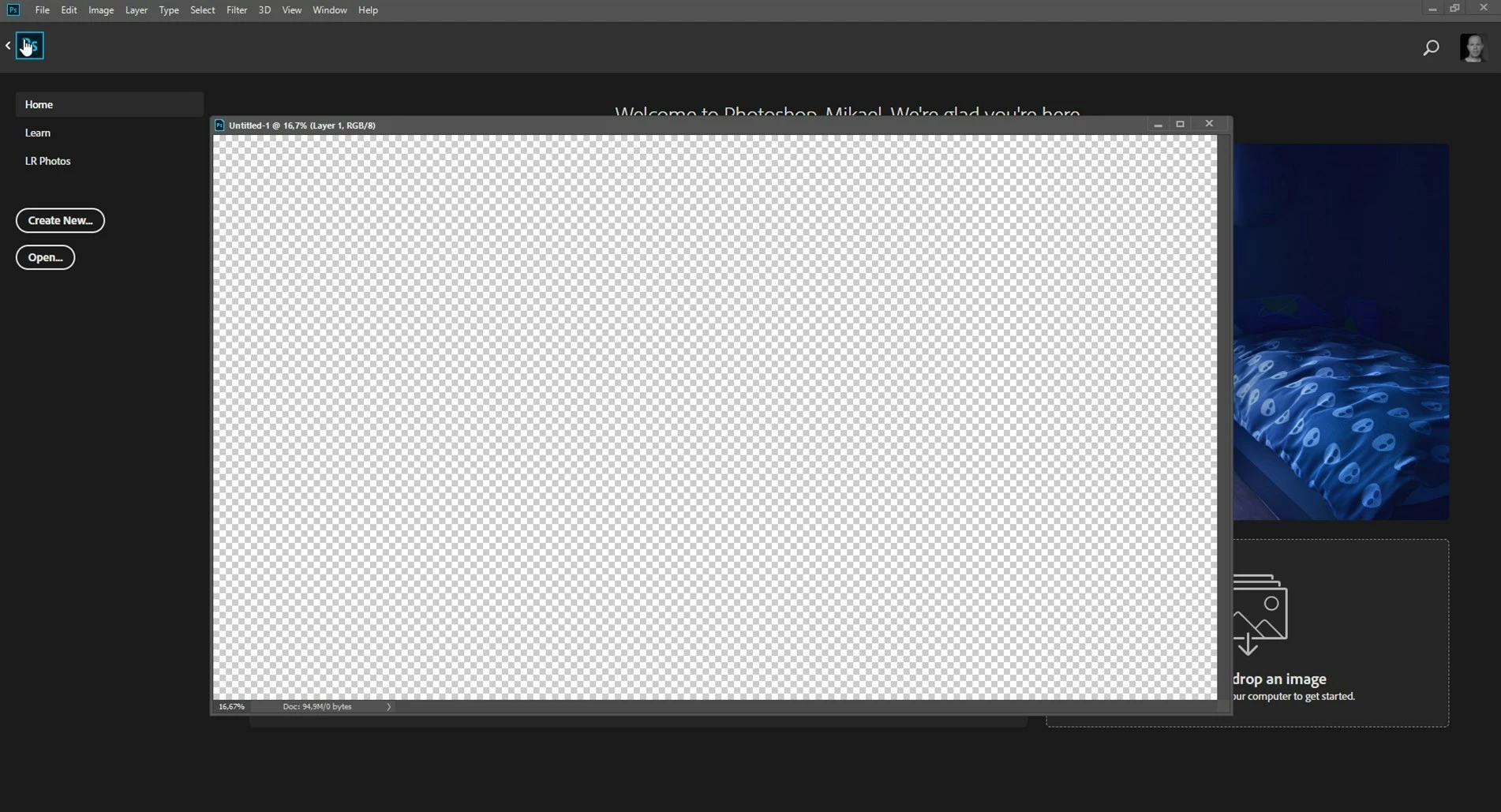
I use floating documents and not tabs, but I have a question about it. If I have a open document and click on the homebutton the document shows on the home side, why will it not stay on the Photoshop? Or is there any way to make it stay i PS and not show in Home?
    This topic has been closed for replies.

    1 reply

    Nancy OShea
    Community Expert
    August 5, 2019

    Go to Edit > Preferences > General.  Disable Home Screen.

    Nancy O'Shea— Product User, Community Expert & Moderator
    mikaels71195823
    Inspiring
    August 5, 2019

    Then I want see the home screen, I don't want the document that I'm working on to show on the homescreen if I want to open or creat new document.

    Best regards: Micke Seise
    Nancy OShea
    Community Expert
    August 5, 2019

    Then don't hit the Home button.  Instead use File > New (Ctrl+N) or File > Open (Ctrl+O).  Or Browse in Bridge.

    Nancy O'Shea— Product User, Community Expert & Moderator