
LibertyTalk FM
Participant
March 6, 2023
Question

Photoshop Floating Tabs Disappear Behind Application Frame - MacOS Ventura Photoshop 2023

  • March 6, 2023
  • 4 replies
  • 1349 views

Good morning, Photoshop Veteran from the era of 'Desktop Publishing.' However am thoroughly confused as to why in Photoshop 2023 (24.2.0) for MacOS (13.2.1) floating tabs are pushed behind the Application Frame when tearing off tabs and then returning to the remaining tabbed image. This makes composting a real pain in the keister and is thus a negative for an efficient production workflow. Perhaps I am missing the 'benefit' of this Bug, or maybe some option in the MacOS??


Nevertheless this behavior was NOT always the case in MacOS as Photoshop circa ~2017 handled floating tabs as expected, i.e. all floating tabs remain on-top of the Application Frame:
EXPECTED RESULT - Photoshop ~2017
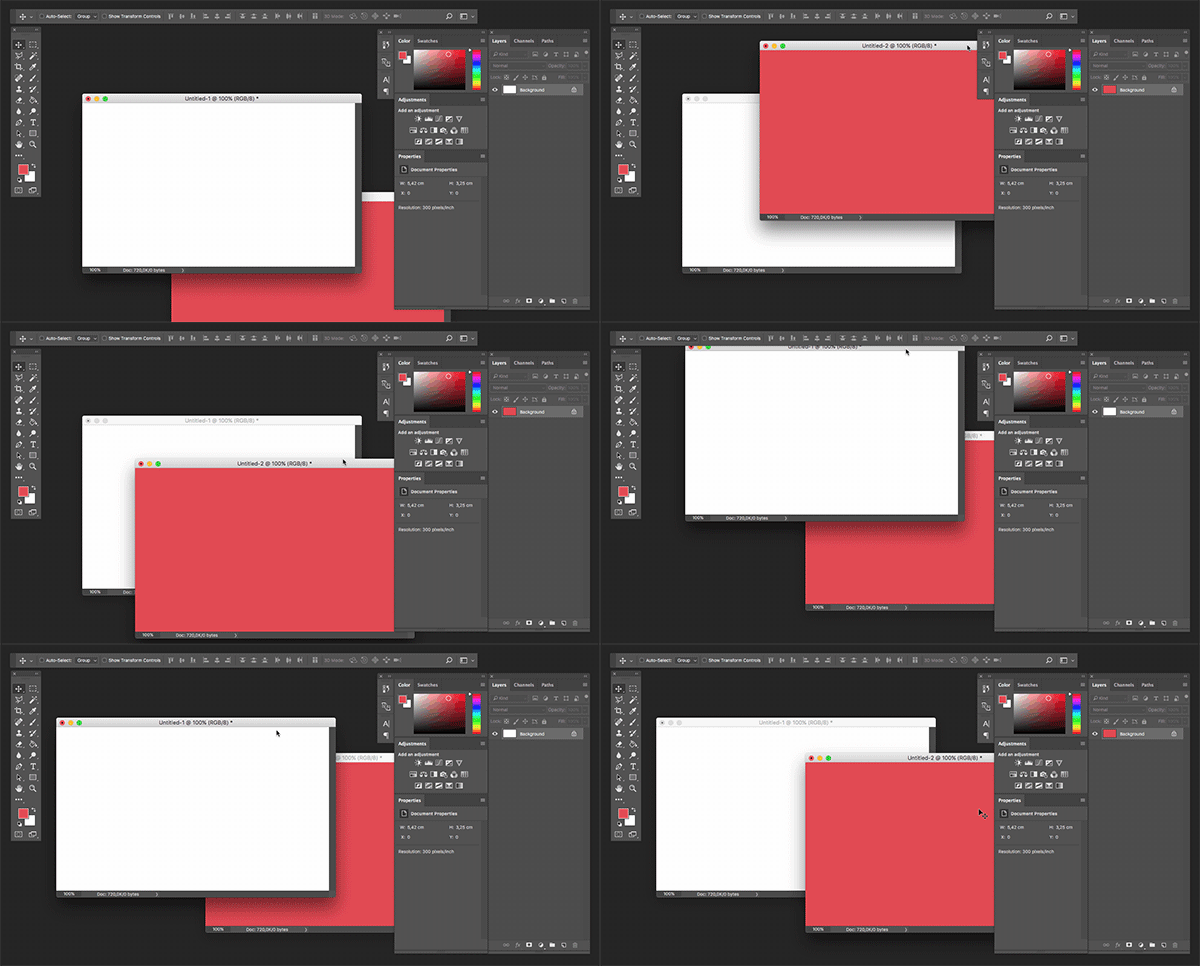
 Reference GIF: Joonas on StackExchange


However, in Photoshop 2023 now all the floating tabs disapper behind the Application Fram:

ACTUAL RESULT - Photoshop 2023 (24.2.0)
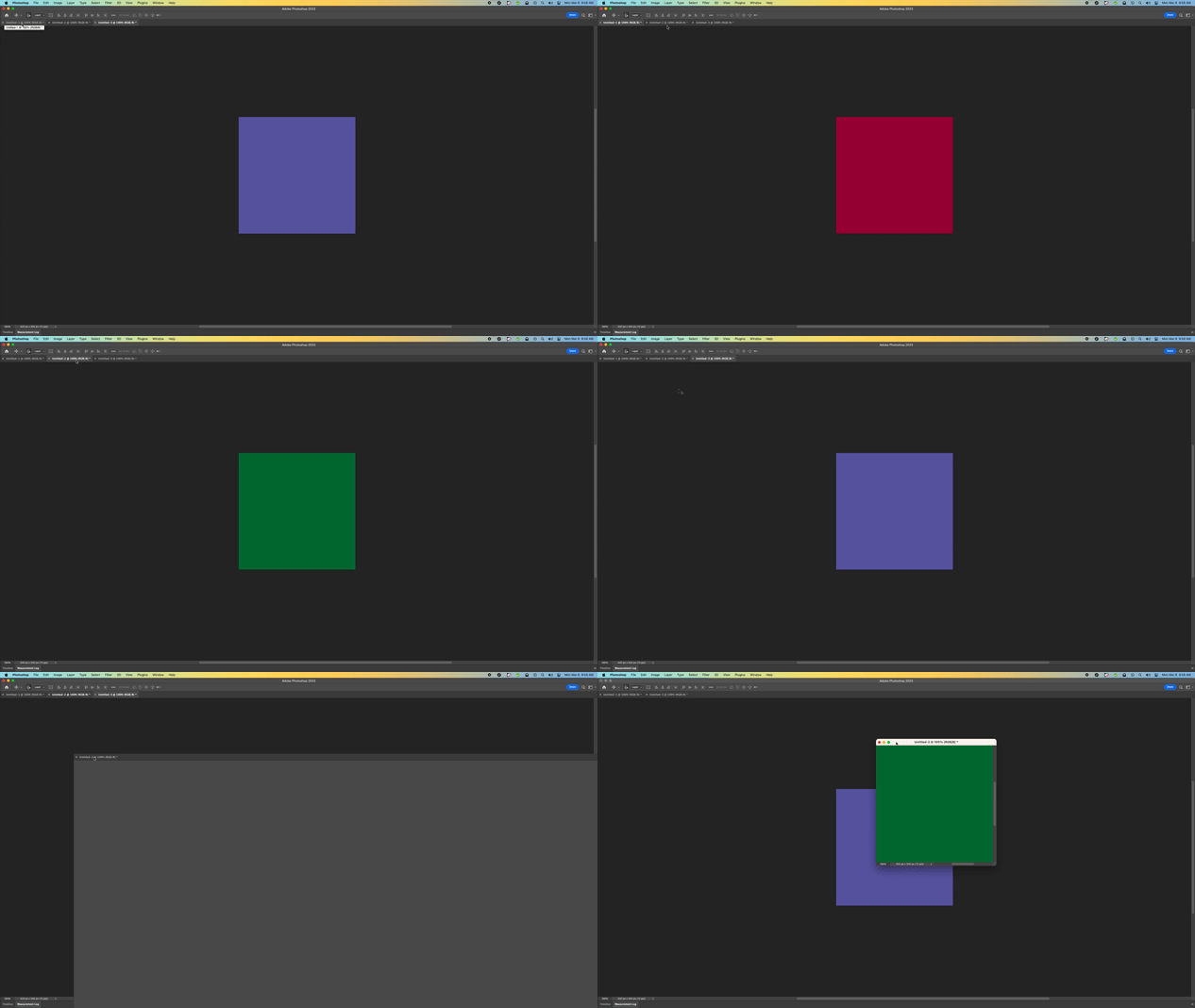
 

Please fix this productivity killer post haste. Thank you.

4 replies

Jeff Arola
Community Expert
Community Expert
March 6, 2023

In the 2017 gif all the document windows are floating.


In the 2023 gif some document windows are tabbed.

In the photoshop 2023 go to Photoshop>Settings>Workspace and uncheck Open Documents as Tabs.

Then 2023 should act like the gif of 2017.

Participating Frequently
July 10, 2025

Do you have a way to keep it from disappearing?

LibertyTalk FM
Participant
March 6, 2023

Hmm guess it might look like the application frame is off although who has a smoke black desktop wallpaper with no other windows in the background? Expected result looks to me to be floating tool windows.


Disabling the Application frame shows the entire desktop which in any modern workflow I have ever seen is cluttered with several other apps, i.e. email, browsers, etc.


Cut my teeth on Macs for decades, however our office was forced to use Windows for the last few years, but was thankful to finally be returning to MacOS. However in Windows 7/10 the behavior is similar to the Expected Result whereas the tabs STAY on top of the "Application Frame."


Entertaining that Windows actually perfoms more efficiently for production would be a real bummer.

Besides what GOOD reason is there to have floating tabs disappear behind the interface?

LibertyTalk FM
Participant
March 6, 2023

Hmm the ACTUAL RESULT GIF, seems to stall. My bad.

Let's try this again:

ACTUAL RESULT

Kevin Stohlmeyer
Community Expert
Community Expert
March 6, 2023

Hi @LibertyTalk FM if you're using floating tabs, why dont you turn off Application frame? The expected result video shows it off.