ermnire
Participating Frequently
June 26, 2018
Question

Photoshop Frame Animation Tweens aren't working

  • June 26, 2018
  • 2 replies
  • 4370 views

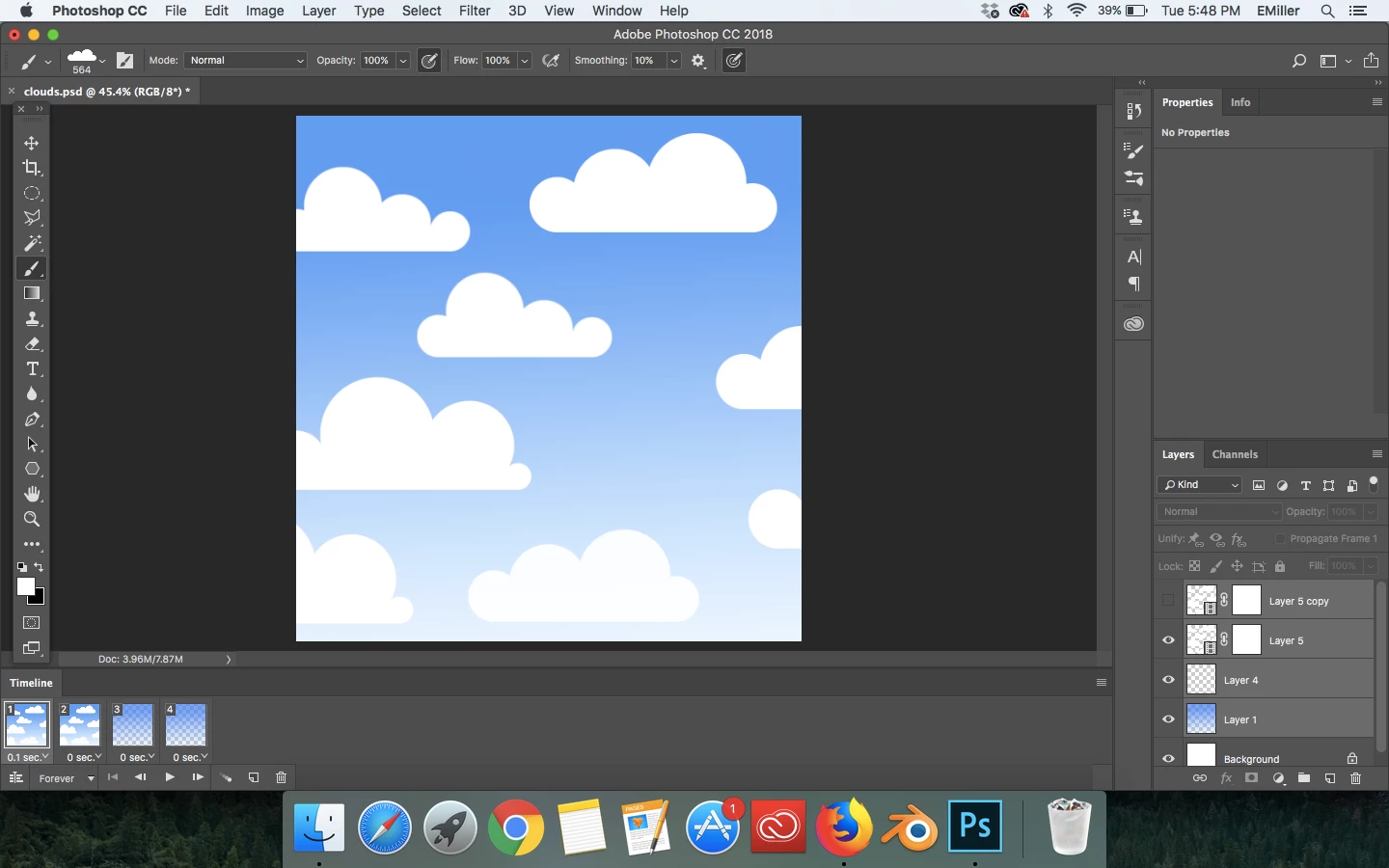
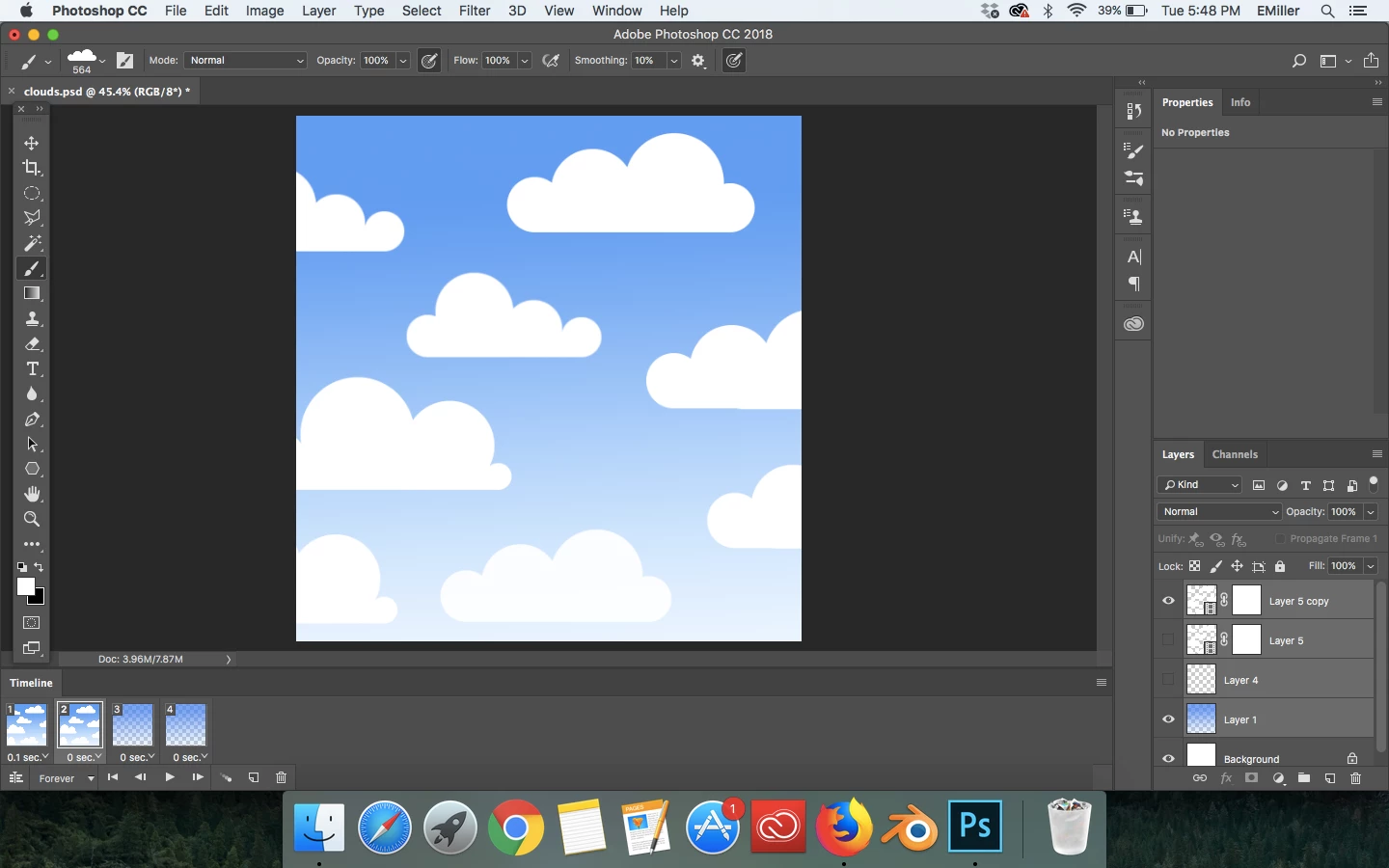
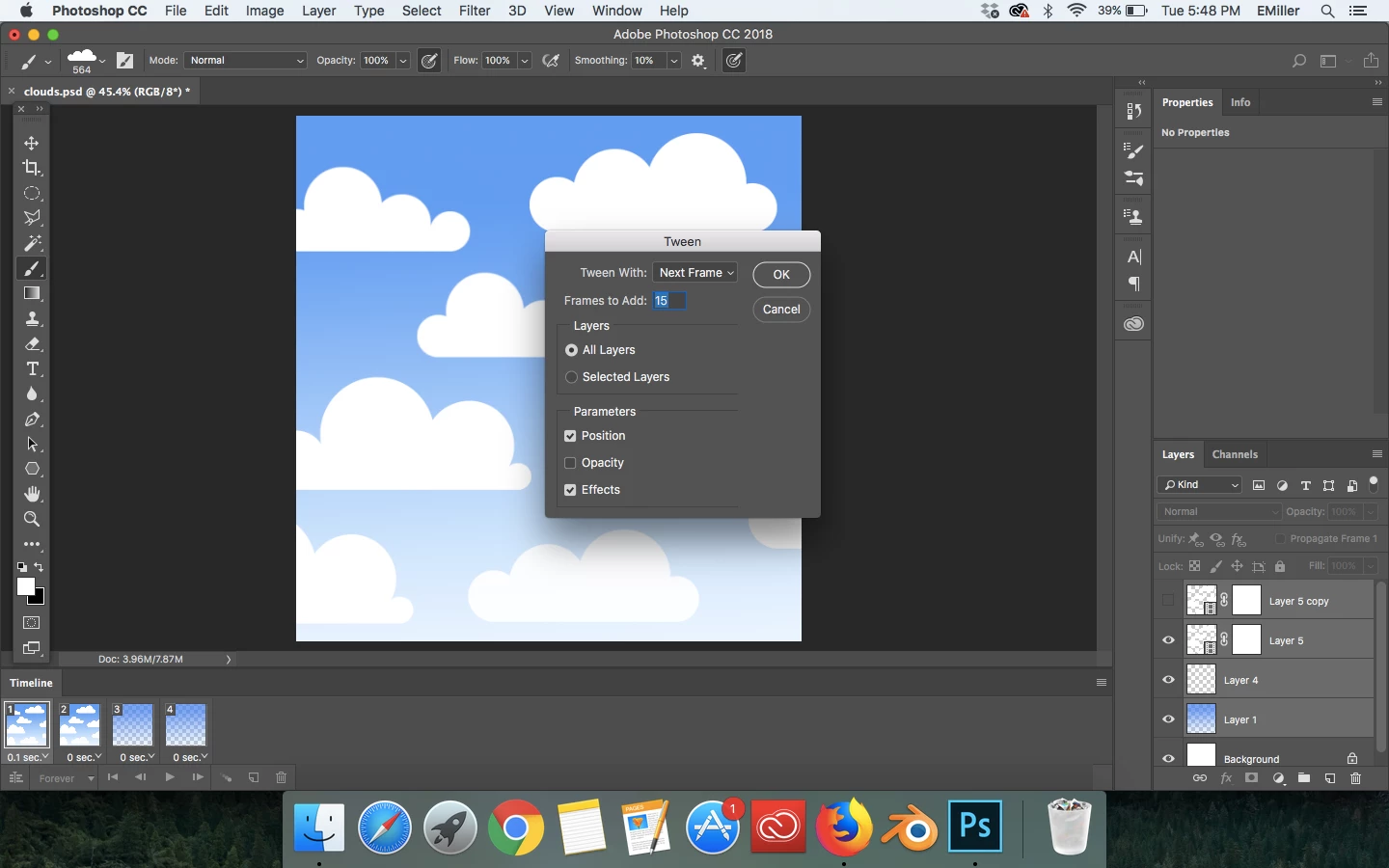
I must be doing something wrong, because when I have my two frames with the adequate changes between the two, I click tweens on the frame timeline and then deselect opacity, I made sure to choose to tween with the next frame, and then I click okay. Photoshop doesn't tween for me, there is no slow change from one image to the next:
Thanks!

This topic has been closed for replies.

2 replies

ermnire
ermnireAuthor
Participating Frequently
June 27, 2018

I'm not trying to animate the blue background, I'm trying to animate the clouds moving across the screen slowly. And when I have the opacity parameter turned on, Photoshop's tween effect looks strange. I suppose I expected something different, but this just must be the way Photoshop tweens. Thank you for your response

Trevor.Dennis
Community Expert
Community Expert
June 27, 2018

OK.  I was thrown off reading the word opacity, but I can see that you actually turned it off.  For reference, it usually works better to leave things at their defaults as a first try.

Anyway, it still worked.  I don't know what your workflow was, but I placed the four clouds on one layer, and copied the layer.

I then moved the lower layer about half way off screen to the right, and aligned the copied layer on its left and merged the two layers.

This gave me a layer twice as wide as the canvas, as you can see from the Transform bounding box.

I then created a new frame, and moved the layer so that the left half matched the initial position, and tweened.

I was not careful about placement.  I'm sure you'll know that with the gradient, you'd need a decent colour depth to avoid banding.  I got away with 128 for the example below.  That has produced a 400k file size with 200 frames, and it still pretty jerky.

Can you indicate what you think is happening with your animation?  Perhaps upload the resulting GIF.  At the moment I can't see any issues from your screen shots.  Does your workflow roughly follow what I have described above?

I can see that Omar is wondering if you made changes to the second frame before Tweening, but I feel sure that you will have done.

ermnire
ermnireAuthor
Participating Frequently
June 27, 2018

Thanks so much! I have cited the problem

Trevor.Dennis
Community Expert
Community Expert
June 27, 2018

I just tried it with the default settings, and it worked fine with the opacity change. 

It also worked OK with Next frame when I only selected the first frame, and Previous frame, when I selected the last.  In fact it automatically chose those settings, and greyed out the others.

You have a bunch of layers there, and they all appear to be selected.  What are you trying to animate other than the blue gradient background?