ermnire
Participating Frequently
June 26, 2018
Question

Photoshop Frame Animation Tweens aren't working

  • June 26, 2018
  • 2 replies
  • 4345 views

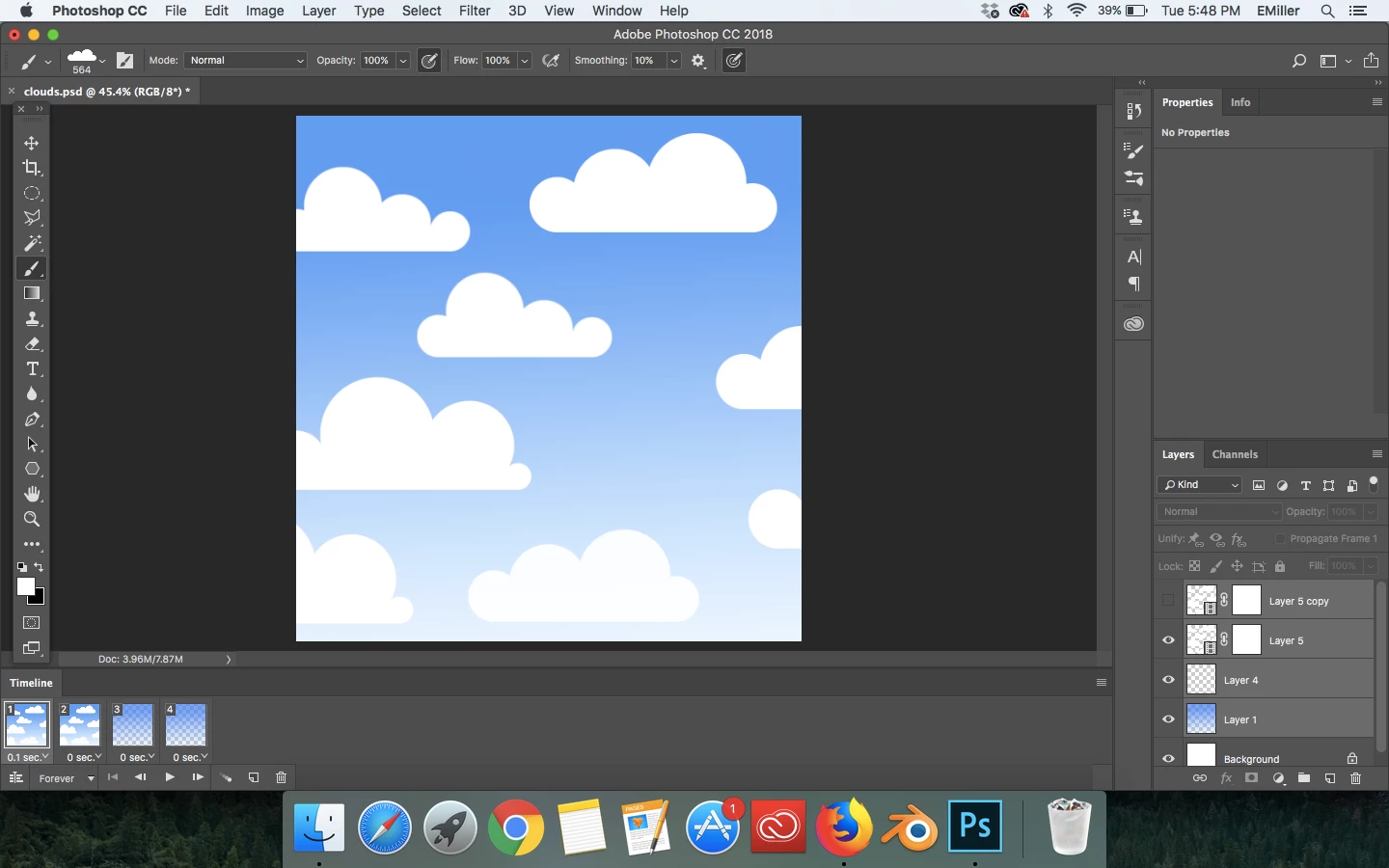
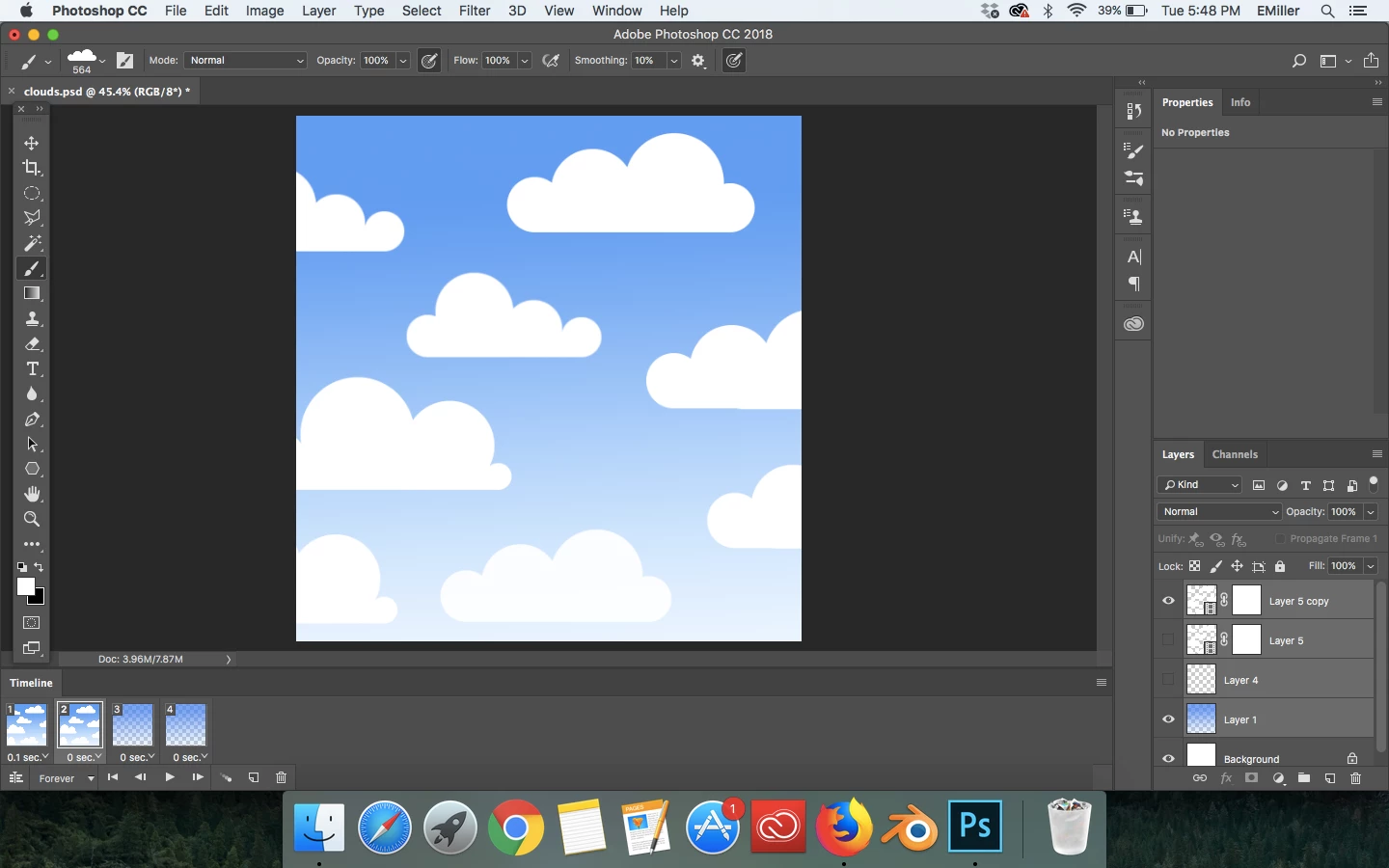
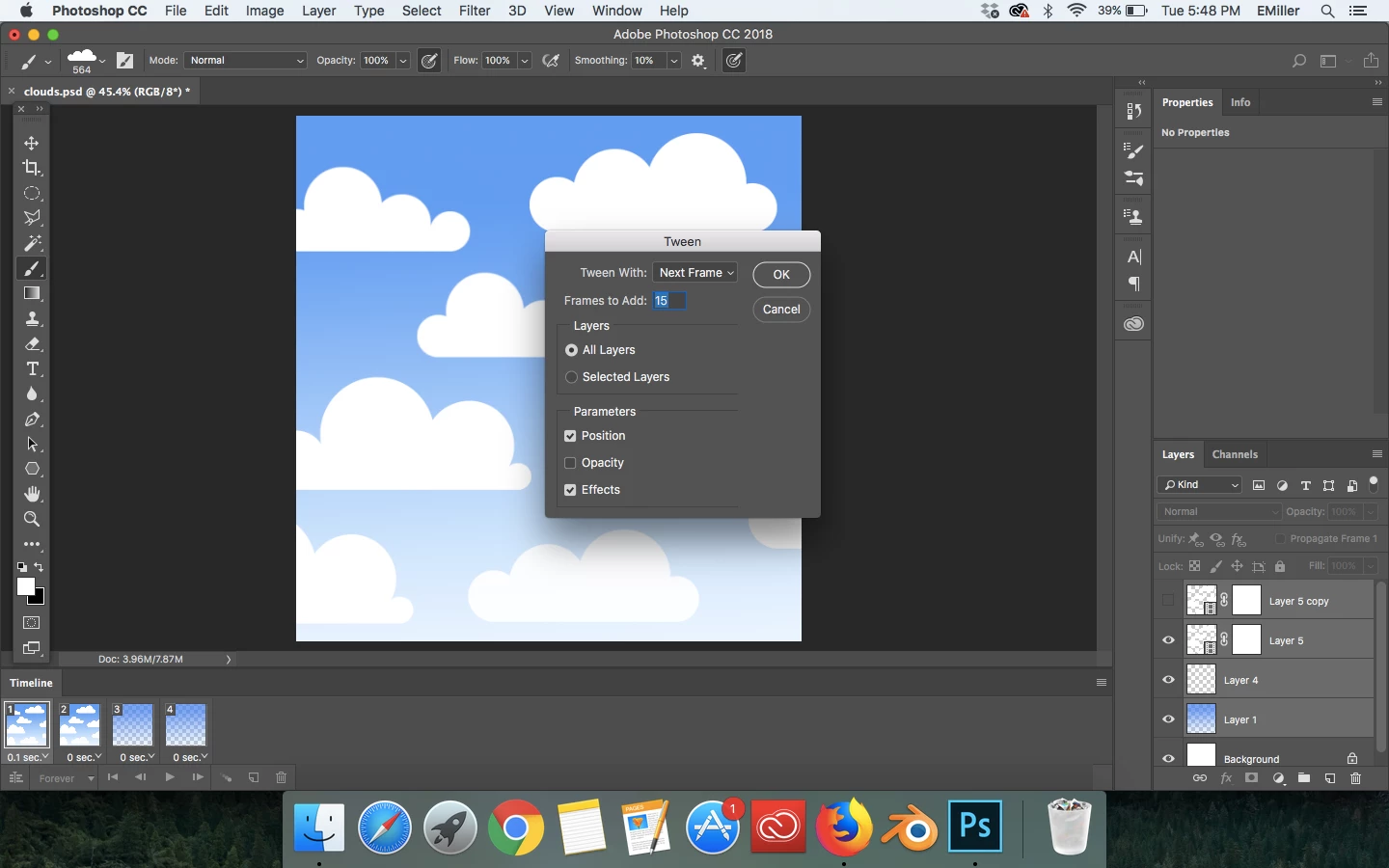
I must be doing something wrong, because when I have my two frames with the adequate changes between the two, I click tweens on the frame timeline and then deselect opacity, I made sure to choose to tween with the next frame, and then I click okay. Photoshop doesn't tween for me, there is no slow change from one image to the next:
Thanks!

This topic has been closed for replies.

2 replies

ermnire
ermnireAuthor
Participating Frequently
June 27, 2018

I'm not trying to animate the blue background, I'm trying to animate the clouds moving across the screen slowly. And when I have the opacity parameter turned on, Photoshop's tween effect looks strange. I suppose I expected something different, but this just must be the way Photoshop tweens. Thank you for your response

Omar.Fathy
Community Expert
Community Expert
June 27, 2018

You are making tween! It's OK but you didn't change anything from frame 01 to frame 02.
You should make the main keframes first, make changes in Position, Opacity or Layer Style between the main frames.
But tween can't make animation for the same frames.

ermnire
ermnireAuthor
Participating Frequently
June 27, 2018

Thanks, your comment was helpful

Trevor.Dennis
Community Expert
Community Expert
June 27, 2018

I just tried it with the default settings, and it worked fine with the opacity change. 

It also worked OK with Next frame when I only selected the first frame, and Previous frame, when I selected the last.  In fact it automatically chose those settings, and greyed out the others.

You have a bunch of layers there, and they all appear to be selected.  What are you trying to animate other than the blue gradient background?