

Participant
June 7, 2022
Question

Photoshop freezes and whole system restarts

  • June 7, 2022
  • 6 replies
  • 268 views

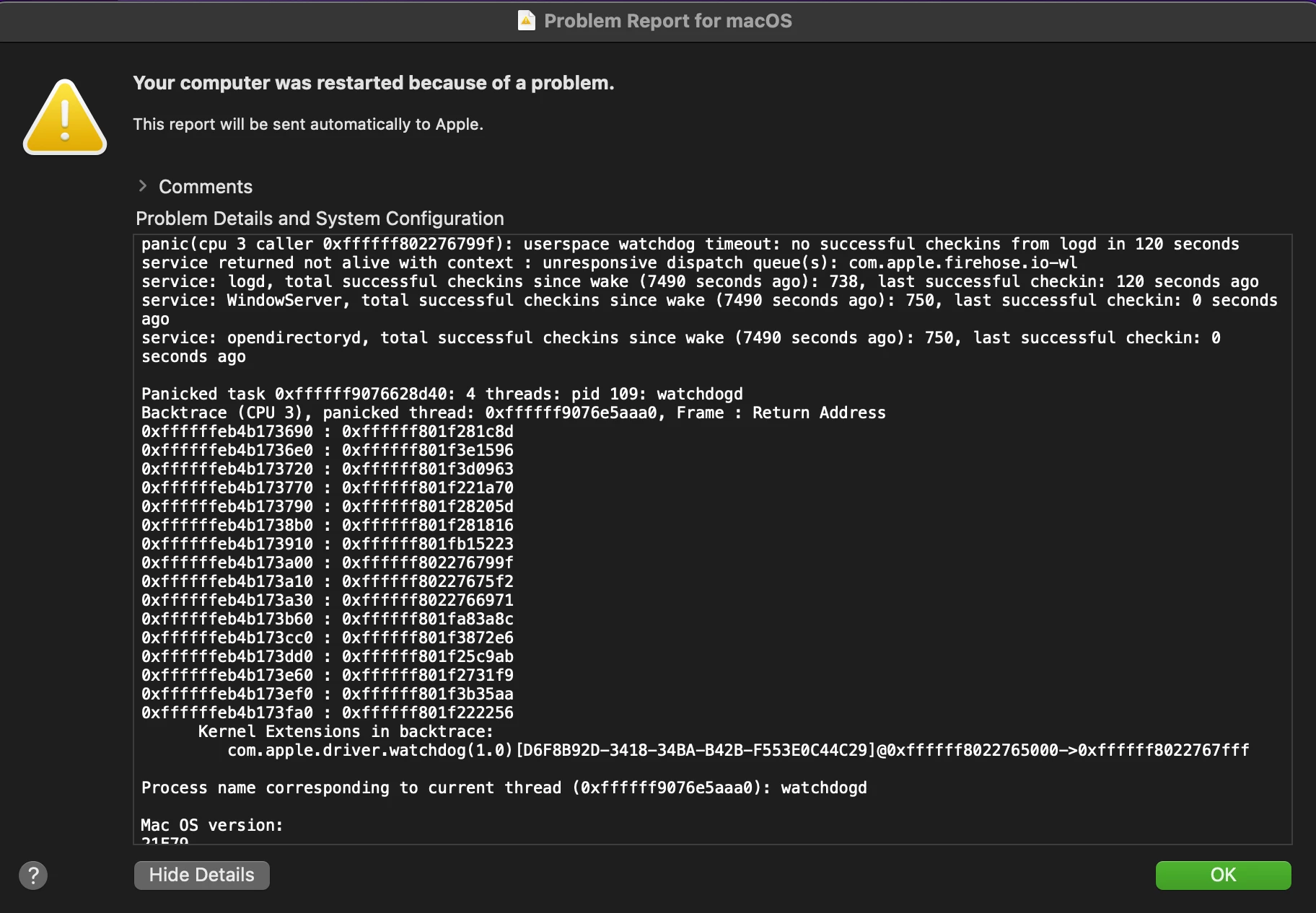
I'm having simialar problem, the difference is my computer freezes the crashes.. No crash report from adobe. This is the error report.

This topic has been closed for replies.

6 replies

Participant
June 10, 2022

Hi Cory,

I changed my service to the Lightroom plan so I don't I have Photoshop anymore.

Thanks, Kelly

CShubert
Community Manager
Community Manager
June 10, 2022

Hi @Kelly RaisorIt may help if we could see your Photoshop System Info. Launch Photoshop, and select Help >System Info...and copy/paste the text in a reply. 


Thank you,

Participant
June 8, 2022

feel free to list possible solutions, if i see one i haven't tried i will try it. also buying a new computer is not an option.

Participant
June 8, 2022

anymore thoughts on fixing the problem or what's causing the problem? is it time to cancel my photoshop subscription?

Participant
June 7, 2022

Things I've tried to stop the crashing- uninstalling and reinstalling the lasted version ps, trying all the earler versions of ps that were available to install. Turned off the gpu. 

Pete.Green
Community Manager
Community Manager
June 7, 2022

Hi @Kelly Raisor


Sorry bout the freeze and crash with Photoshop running. 


Can you let us know which version of Photoshop you're using, and which macOS you're using?

Often if the whole system restarts, this may mean there could be some underlying hardware issues that Photoshop is finding. Perhaps if there's a macOS update available that could be worth the update to see if it provides a new graphics driver which may help with the issue here. 


Perhaps disabling the GPU in Photoshop would be a useful step as well.

  • Go to Photoshop's Preferences > Performance and uncheck Use Graphics Processor and restart Photoshop.
    For help accessing preferences, see Adjust preferences in Photoshop.


Regards,

Pete