
Photoshop freezes when I try and select brush tool
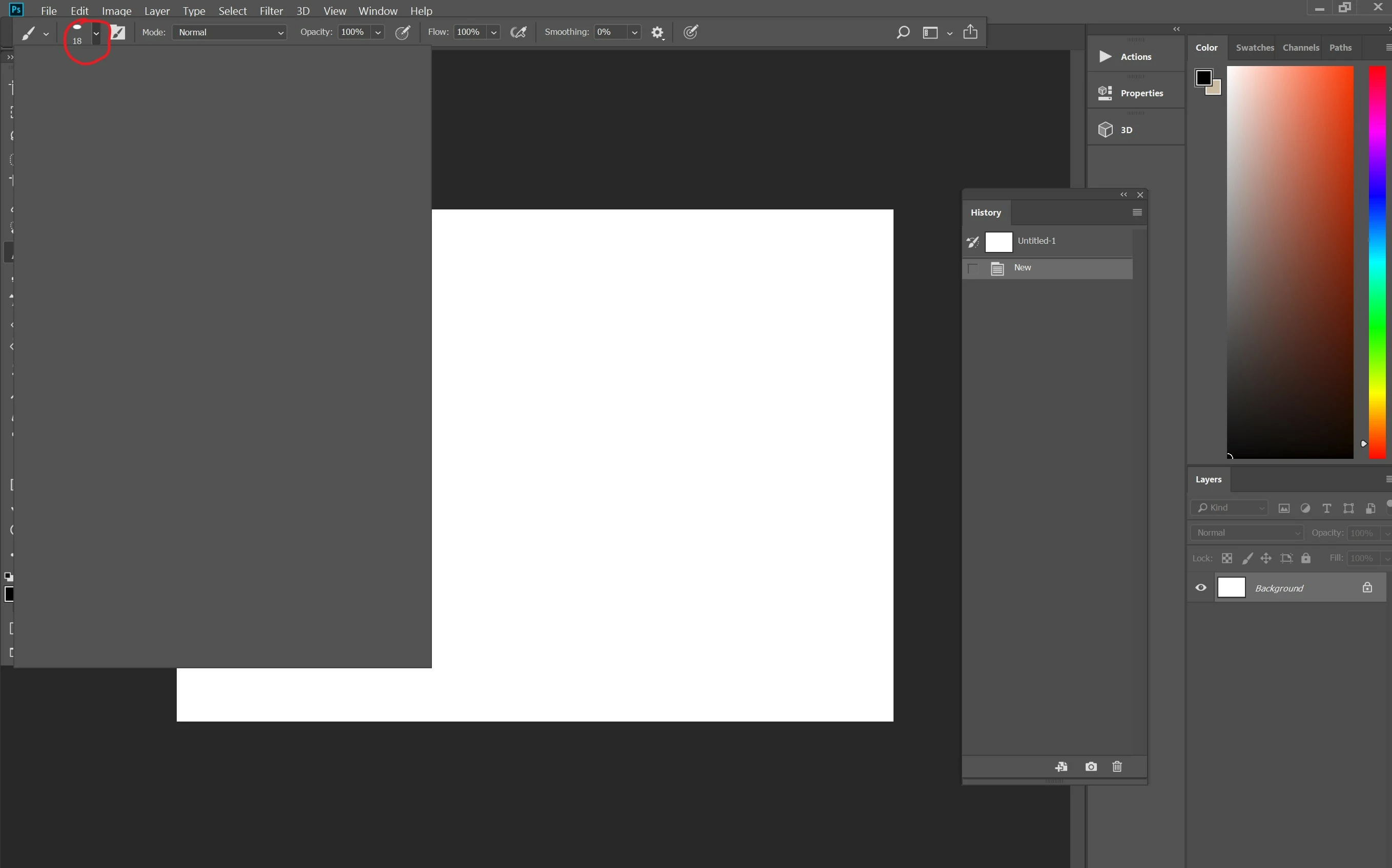
Hello. This is probably my fifth problem with Photoshop this year. It seems when I resolve one problem Photoshop generates another to replace it. I can't describe how frustrated I am with Photoshop. Whether this problem is difficult or just plain simple, I shouldn't be experiencing all of these things. My new problem is that Photoshop is freezing. When I open it up it seems okay and pretty normal. But then when I want to change my brush, I go to try and hit the option to select a different brush. A box opens up, but nothing is inside of it. When I try and click out of it or click another tool, it won't let me. It freezes. Even when I try closing out of Photoshop it remains open, so I end up having to shut down my computer to get out of it. (Continues after image)
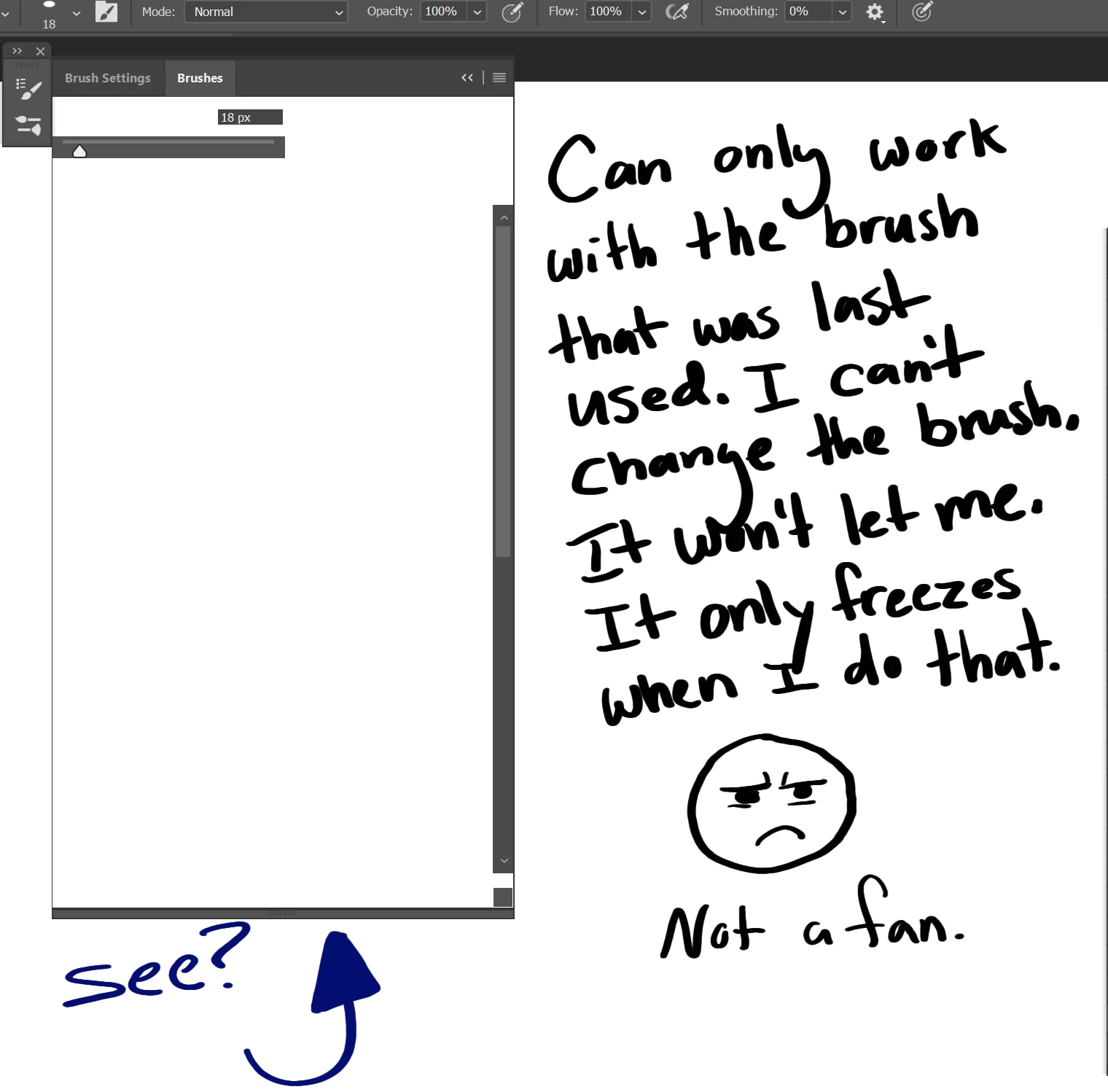
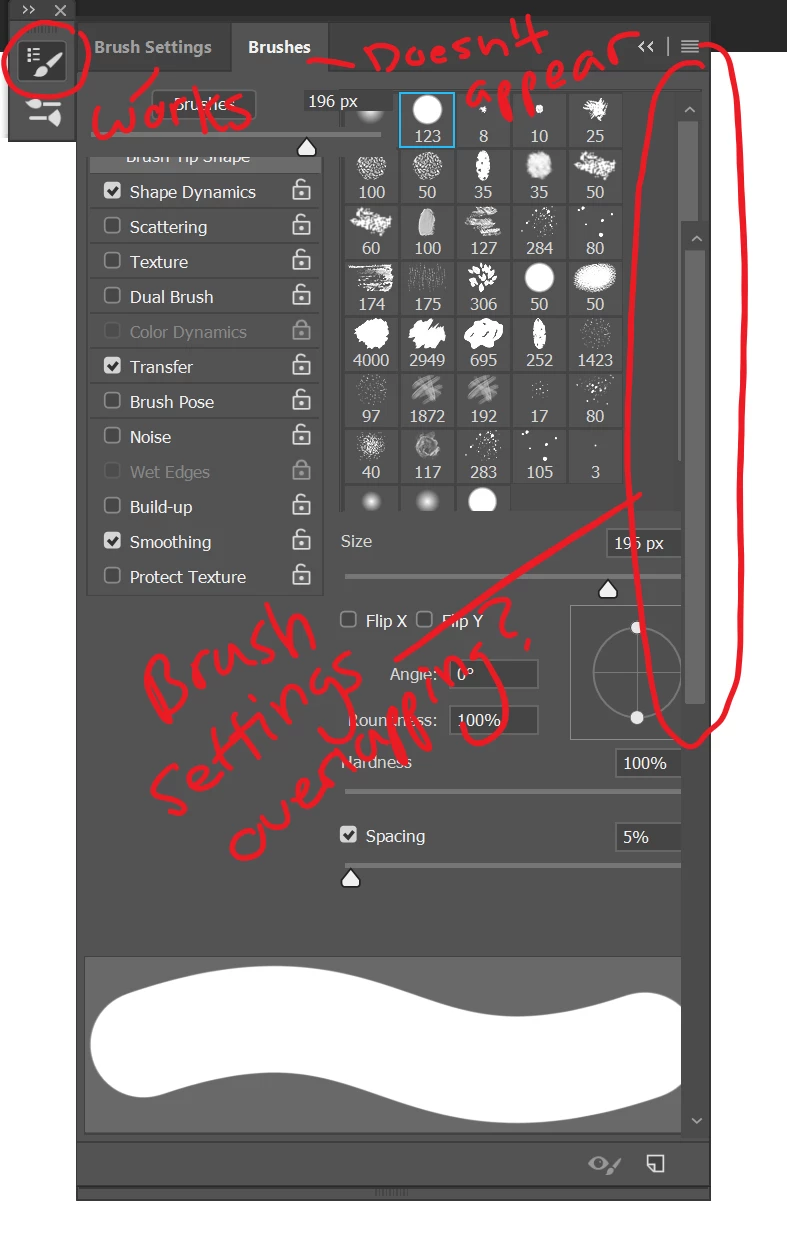
I've tried to find my way around it as well but nothing seems to work. This problem also occurs when I go to windows and click on "Brushes." At first, I can see and outline of the box with the two tabs "Brush settings" and "Brushes" at the top. When I click on "Brush Settings," the brush settings appear. But then when I go to press "Brushes," another scroll button appears, but the "Brush Settings stay the same and I can't select any brushes. (Continues after images)
If anyone can find a solution for this problem it would be greatly appreciated. Thank you.
 AdChoices