
Copy link to clipboard
Copied
Hello, I've been trying to find out why two colours used in the gradient tool only create a small gamut of colours between the two. For example, when magenta is on one side and yellow on the other, only one type of orange is created in the middle when magenta and yellow can mix to red and a wide variety of red/magentas, deep vivid oranges and lots of yellow/oranges.
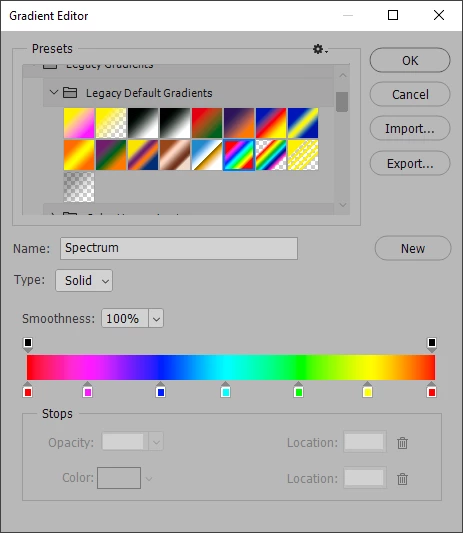
Photoshop Gradients work with RGB values, not Hue or Saturation. To get a Gradient to get those "in between" colors, you need a Gradient with more stops. The Gradient "Spectrum" in Legacy Gradients > Legacy Default Gradients is a good example of this:
Copy link to clipboard
Copied
Photoshop Gradients work with RGB values, not Hue or Saturation. To get a Gradient to get those "in between" colors, you need a Gradient with more stops. The Gradient "Spectrum" in Legacy Gradients > Legacy Default Gradients is a good example of this:
Copy link to clipboard
Copied
Thank you for the explanation. I have been adding more stops to create more colors in the gradient but was curious to know if there were reasons why the gradient with two colors has less color range. I think I understand now. Thank you again.
Find more inspiration, events, and resources on the new Adobe Community
Explore Now