
Participant
July 20, 2018
Answered

Photoshop- Halftone Pattern error

  • July 20, 2018
  • 4 replies
  • 18900 views

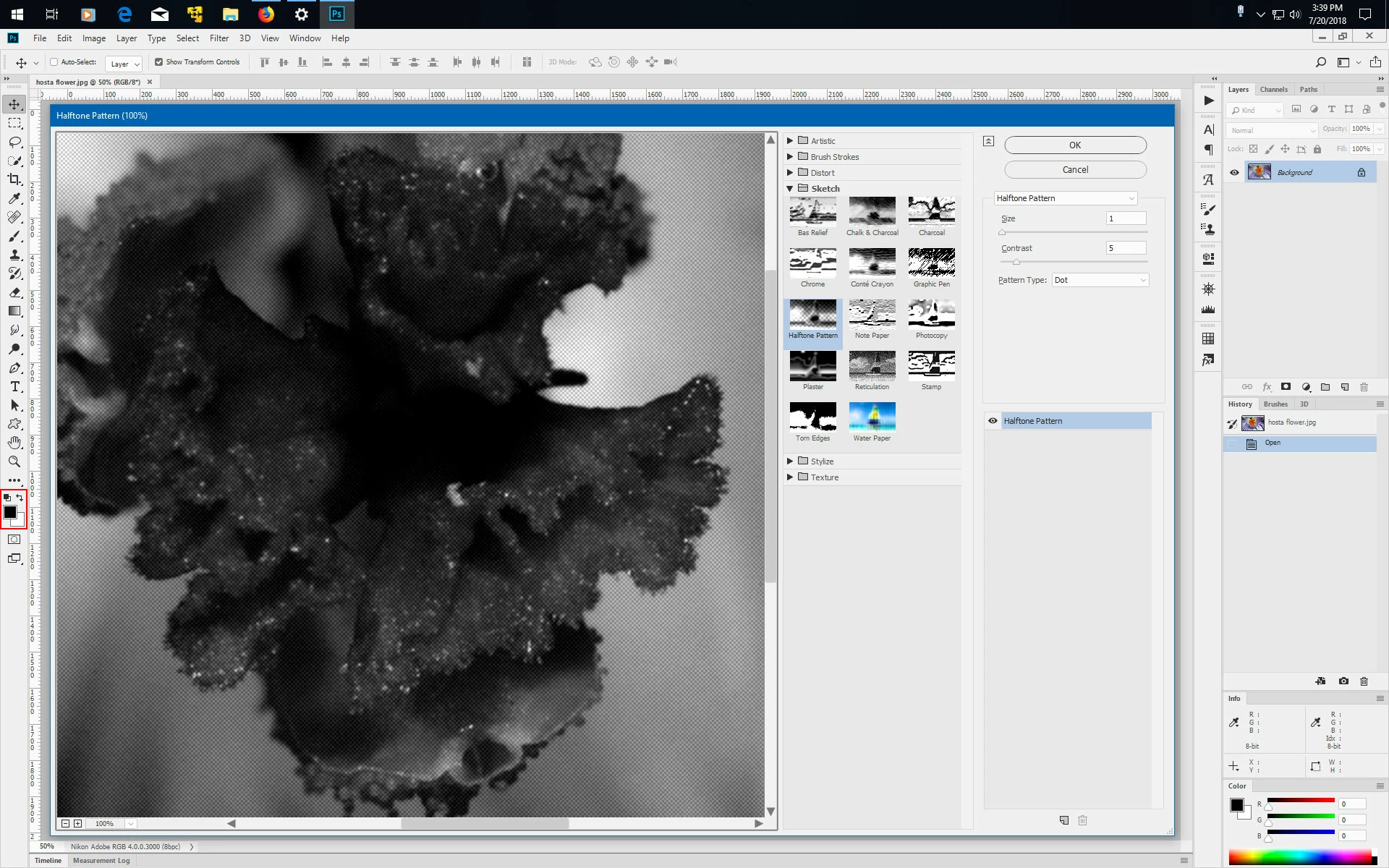
So im trying to edit a photo, and use the halftone pattern. I keep running into this issue where I preview and apply it and it has this neon green solid color on it. i tried resetting it but it has no effect. what is the problem?
This topic has been closed for replies.
Correct answer Jeff Arola

Before running the Halftone Pattern filter, make sure the Foreground and Background colors in the toolbox are set to Black foreground and White background.

You can press the D key to do that.

4 replies

Jeff Arola
Community Expert
Jeff ArolaCommunity ExpertCorrect answer
Community Expert
July 20, 2018

Before running the Halftone Pattern filter, make sure the Foreground and Background colors in the toolbox are set to Black foreground and White background.

You can press the D key to do that.

Participant
March 18, 2023

Thank you it helped me 

Community Expert
July 20, 2018

More info would be great,  like the others said.  We can't troubleshoot effectively without it

Mike_Gondek10189183
Community Expert
Community Expert
July 20, 2018

Can you please post a screenshot showing your art and layers palette.

Sahil.Chawla
Adobe Employee
Adobe Employee
July 20, 2018

Hi Johna,

We're sorry to hear about this, could you please let us know which exact version of Photoshop you're working on and which operating system are you using?

Could you please try deselecting "Use Graphics Processor" located in Photoshop's Preferences > Performance, then relaunch Photoshop and let us know if it helps?

Regards,
Sahil