



Merve31765670sw3r
Known Participant
September 6, 2023
Answered

Photoshop Hot Key Problem

  • September 6, 2023
  • 8 replies
  • 674 views

Hi,

I've dowloaded Photoshop 2023 but hot keys are not working well. When I press the hot key, it selects the tool I want, but when I remove my hand, it returns to the old tool. It rarely works properly. I'm loosing so much time to select the tool ftom the tool bar so please can someone help me about that?
Correct answer jane-e

@Merve31765670sw3r 


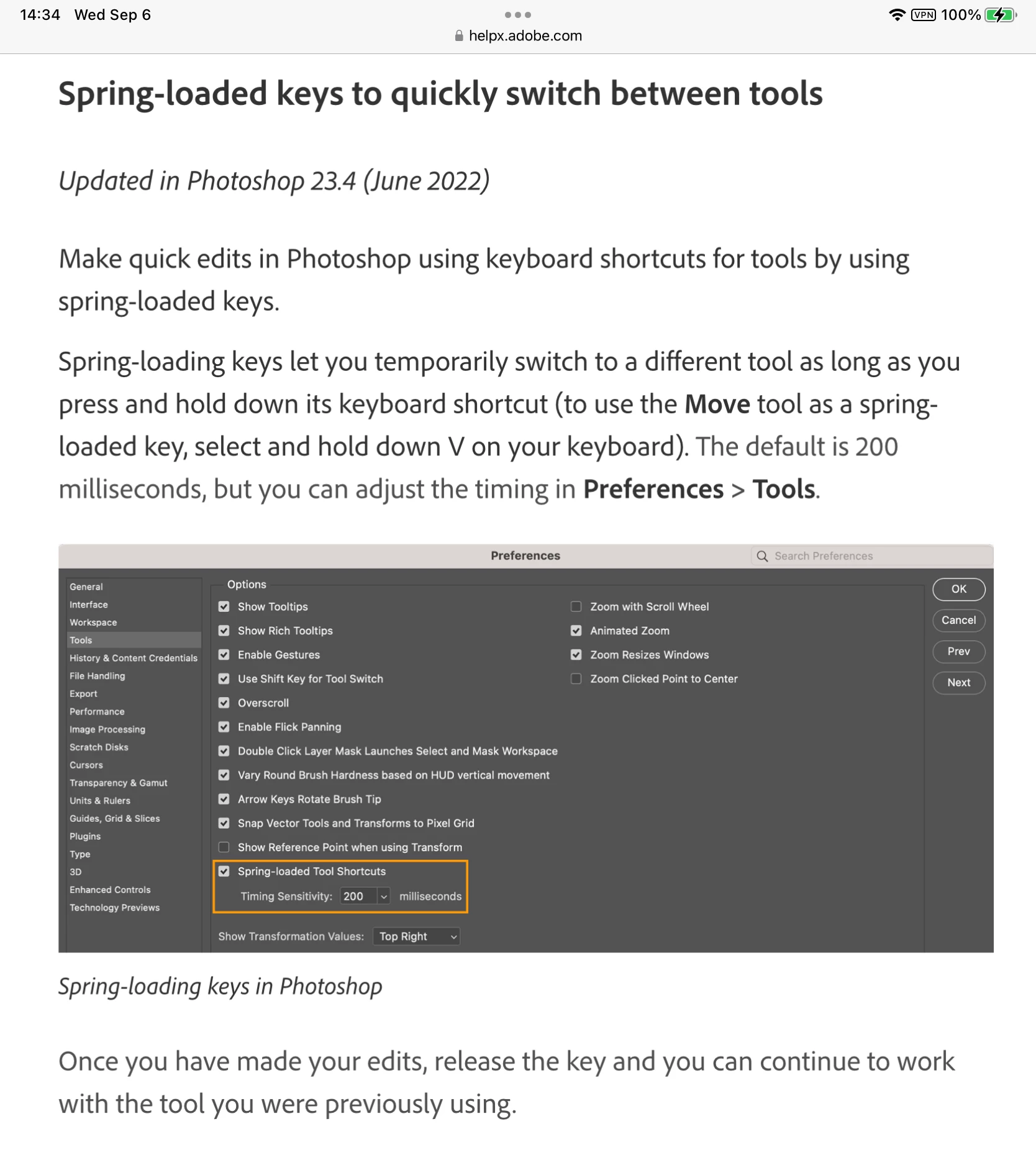
This feature is called "Spring Loaded Tools". You can change the timing or disable it altogether. Go to Preferences > Tools.


Details here:

https://helpx.adobe.com/photoshop/using/using-tools.html


Jane


8 replies

jane-e
Community Expert
Community Expert
September 14, 2023


@Merve31765670sw3r wrote on September 7

ı'll check and let you thanks for answer!


Hi Merve,


Checking in — did it work to turn off spring-loaded tool shortcuts or do you still need assistance?


Jane

Participant
March 14, 2024

No it did not work at least not for me.

Merve31765670sw3r
Known Participant
September 7, 2023

ı'll check and let you thanks for answer!

jane-e
Community Expert
jane-eCommunity ExpertCorrect answer
Community Expert
September 6, 2023

@Merve31765670sw3r 


This feature is called "Spring Loaded Tools". You can change the timing or disable it altogether. Go to Preferences > Tools.


Details here:

https://helpx.adobe.com/photoshop/using/using-tools.html


Jane


Merve31765670sw3r
Known Participant
September 6, 2023

it selects when i press the letter but when i stop pressing the letter it turns the previous tool.

Merve31765670sw3r
Known Participant
September 6, 2023

For example when i press "S" to use the clone tool, It stays on that tool as long as I hold it down, but when I release it, it goes back to the previous tool. 

MarekMularczyk
Community Expert
Community Expert
September 6, 2023

Can you explain what's happening in your Photoshop?


Adobe Community ExpertAdobe Certified Professional
MarekMularczyk
Community Expert
Community Expert
September 6, 2023

What do you mean by pressing a hot key? Do you mean, if you press S - it doesn't select and stay on Clone Stamp tool, or when you press L - it doesn't select and stay on Lasso tool?


Adobe Community ExpertAdobe Certified Professional
Participant
September 6, 2023

I've been having the same problem for a few months now. I saw on the community that this problem is repeated so Adobe, do something about it because instead of fixing it, you keep breaking something