
Inspiring
November 12, 2021
Répondu

Photoshop image gets blurry after I commit transform

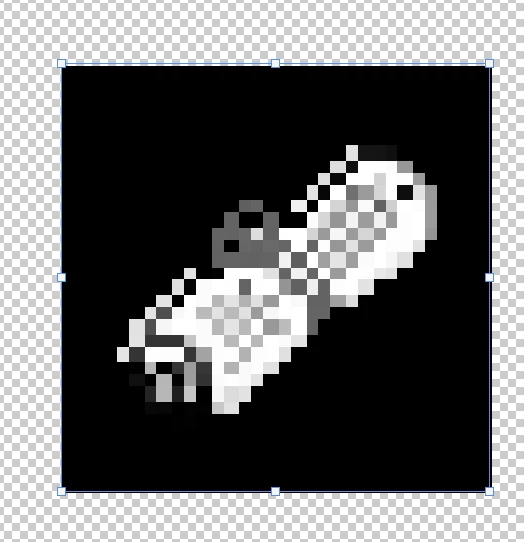
The image was clear at that time. When I resized it, it was clear and I clicked commit transform it turn blurry

Resized (Havent click commit transform)
 

After commit transform
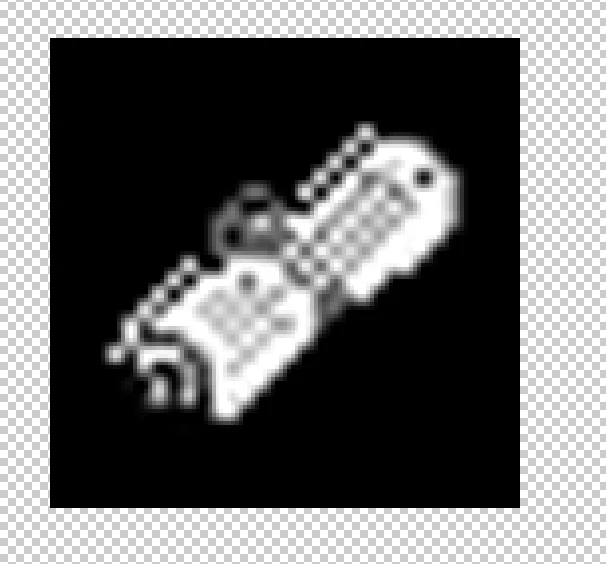
How can I fix this? Did i set the settings wrongly? I set this to 1920x1080 with landscape mode

Ce sujet a été fermé aux réponses.
Meilleure réponse par PECourtejoie

Hi, did you select neirest neighbor as the resizing algorithm (for pixel based images, go to edit>Preferences>General Image Interpolation ,and select Neirest Neighbor? Did you scale an even number of pixels?


If using image size, see: https://www.photoshopessentials.com/basics/how-to-resize-pixel-art-in-photoshop/

2 commentaires

PECourtejoie
Community Expert
Community Expert
November 16, 2021

@Sciencio5EC6 any news, were you able to try other algorithms for resizing?

PECourtejoie
Community Expert
PECourtejoieCommunity ExpertRéponse
Community Expert
November 12, 2021

Hi, did you select neirest neighbor as the resizing algorithm (for pixel based images, go to edit>Preferences>General Image Interpolation ,and select Neirest Neighbor? Did you scale an even number of pixels?


If using image size, see: https://www.photoshopessentials.com/basics/how-to-resize-pixel-art-in-photoshop/

Earth Oliver
Legend
November 16, 2021

That reminds me that i need to follow up on a FR... why do we still not have an interpolation dropdown for smart objects? We've got one for regular layers, but SOs have to be changed in the Prefs? So silly.

Earth Oliver
Legend
November 16, 2021

There is a preferences for your default interpolation method in Photoshop preferences. I do change my from Adobe Default Bicubic Automatic. For Smart object its good fine you can try all of then. For the smart Object actual pixels are hardened and can not be changed you can redo the transform as many time the you want its  not a destructive operation on on smart object layer.


When I script Transforms I save the users current setting  and change their preference to Bicubic for I feel that the best general purpous method. I do the transform then restore the users preference.


Transforming a pixel layer there is an  option and if you want to redo the transform  to get it right its best to backup in history first, for its a destructive process each transform degrade the layer more if you do not back up in history.


JJ, i've been a photoshop professional since v1, retouching for many of the worlds largest brands. It should be obvious that i know what i'm talking here with regards to smart objects and interpolation options. What i'm saying is that you're wasting your time trying to educate me about SOs. 
If you still don't understand what i'm requesting here, it's that the interpolation options are added to the Options bar when a SO is transformed. There's no reason that the options shouldn't be available in the options bar. In fact, we shouldn't even need to activate a transfrom to change interpolation on a SO, it should just always be available to change in the options bar when a SO layer is selected.