
Photoshop is lagging significantly
I'm experiencing an issue that I haven't been able to resolve.
Photoshop on my laptop is lagging significantly, even when working with small files. Every action I take—such as zooming in and out—takes a few seconds to respond. This lag only occurs when my graphics processor (NVIDIA GeForce RTX 3050 Ti) is active in Photoshop.
Here are my current settings in Photoshop:
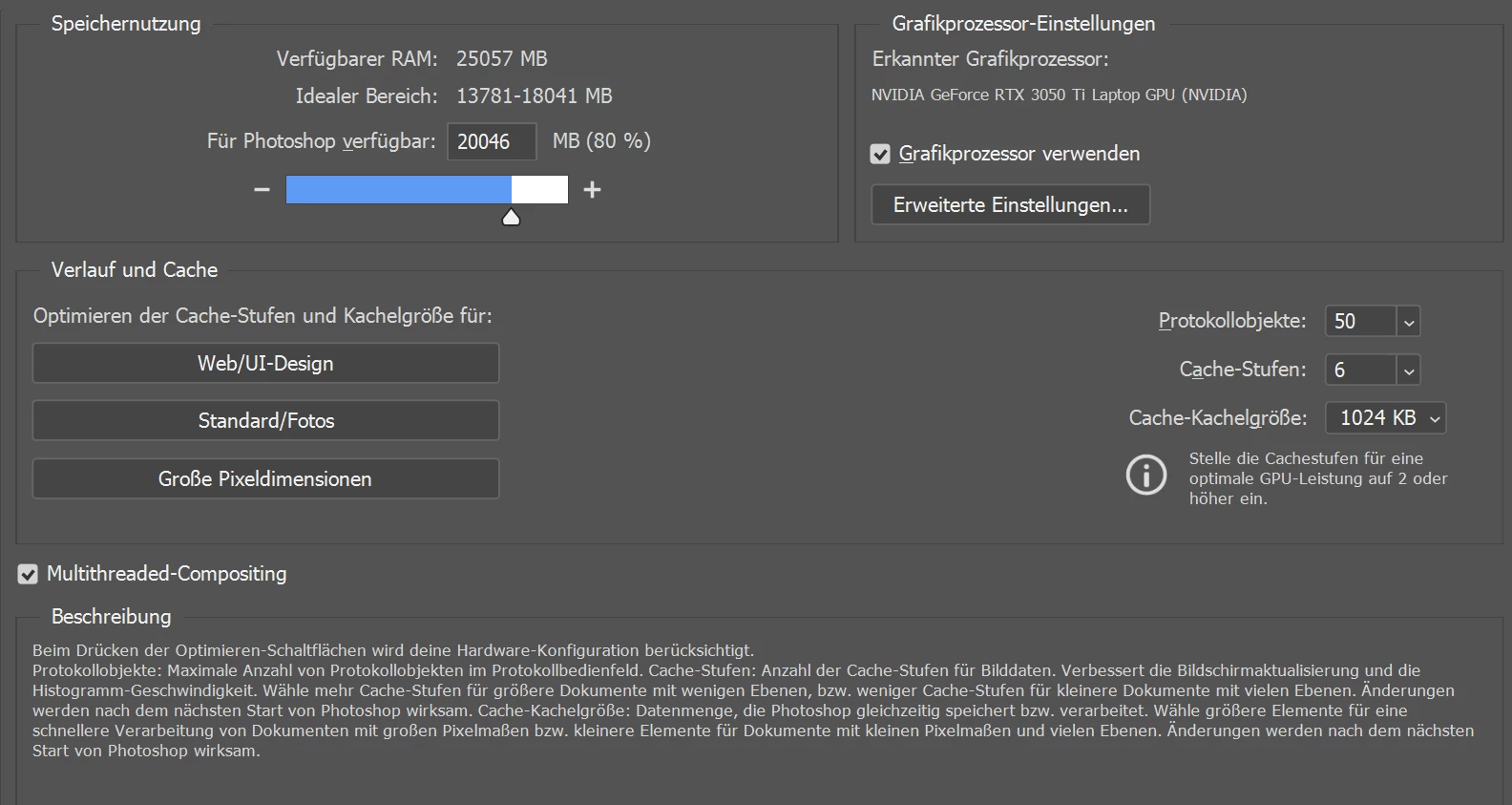
Photoshop version I'm currently using is: 26.7.0
When I disable the graphics processor, Photoshop runs much more smoothly. However, it becomes unstable and crashes frequently, especially when working with larger files (over 3000 px in width or height) than the crashes happen all the time, and it is much, much worse.
I’ve already contacted Adobe support. They attempted to fix the issue, but unfortunately, nothing changed.
Here are the specifications of my laptop:
Processor: 11th Gen Intel(R) Core(TM) i7-11370H @ 3.30GHz
RAM: 32 GB (31.8 GB usable)
Graphics Card: NVIDIA GeForce RTX 3050 Ti
System Type: 64-bit operating system, x64-based processor
If anyone has experienced something similar or knows a solution, I would really appreciate your help.
Thank you in advance!
 AdChoices