MagdaleneJeanne
Participant
February 27, 2023
Beantwortet

Photoshop is too big in maximized window and toolbar shows hidden tools on second screen!
  • February 27, 2023
  • 3 Antworten
  • 3602 Ansichten

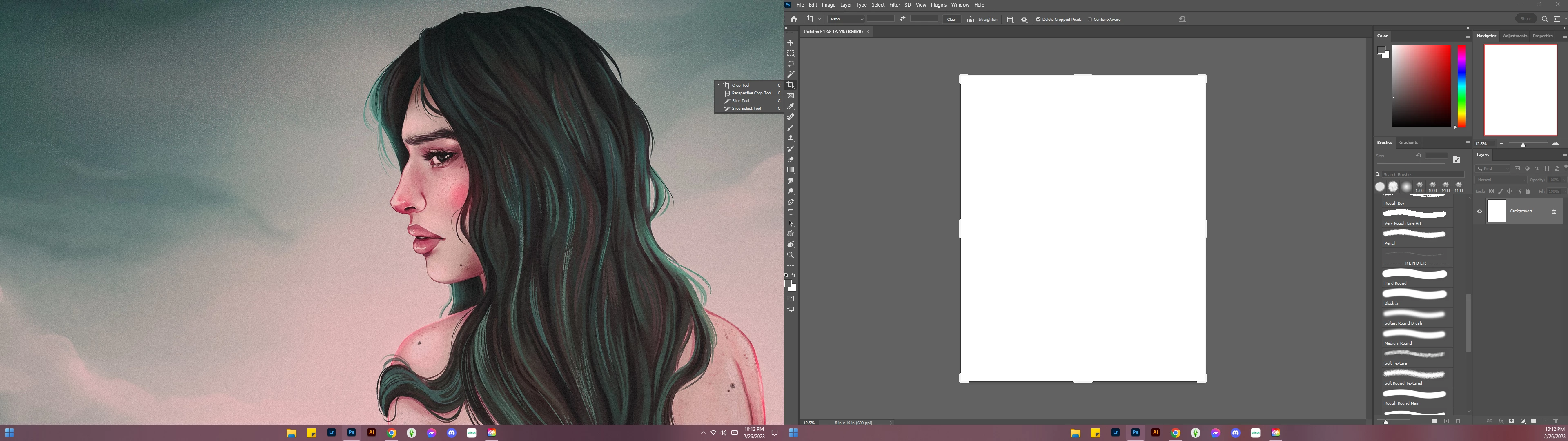
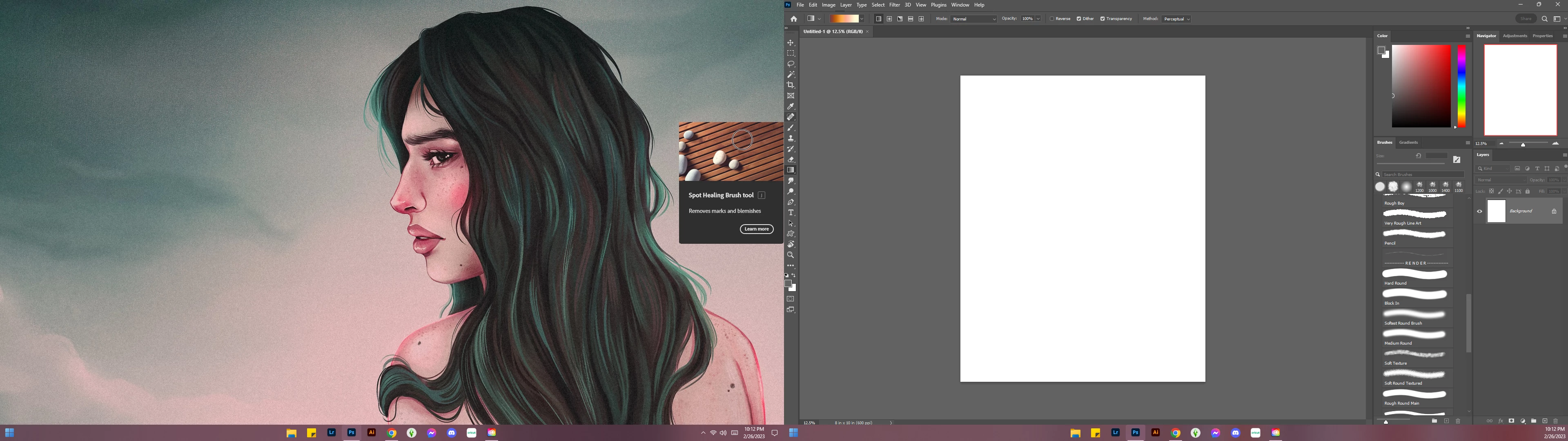
I have tried everything in Windows 11/Photoshop with scaling and display settings, but my photoshop is too large and cuts off on the edges causing the hidden tools and tutorial pop-ups to be shown on my monitor on the right. Does anyone have any ideas? Thank you!
Dieses Thema wurde für Antworten geschlossen.
Beste Antwort von Morfuud

Apart from that, I had a look on the attached screenshots. From the pictures it looks maximised and since the screenshot shows the full PS windows, it's not "too big". It's as big as the screen allows. The fact that overlay panels pop out on the other monitor is a different story, because they're supposed to pop out on the inside of PS's window. The subject is a bit misleading. My approach is supposed to help if the window's title bar is outside the area where you can access it by mouse.


The bug must be in the 24.2 update.
 My laptop, second screen, windows 11 are exactly the same. 
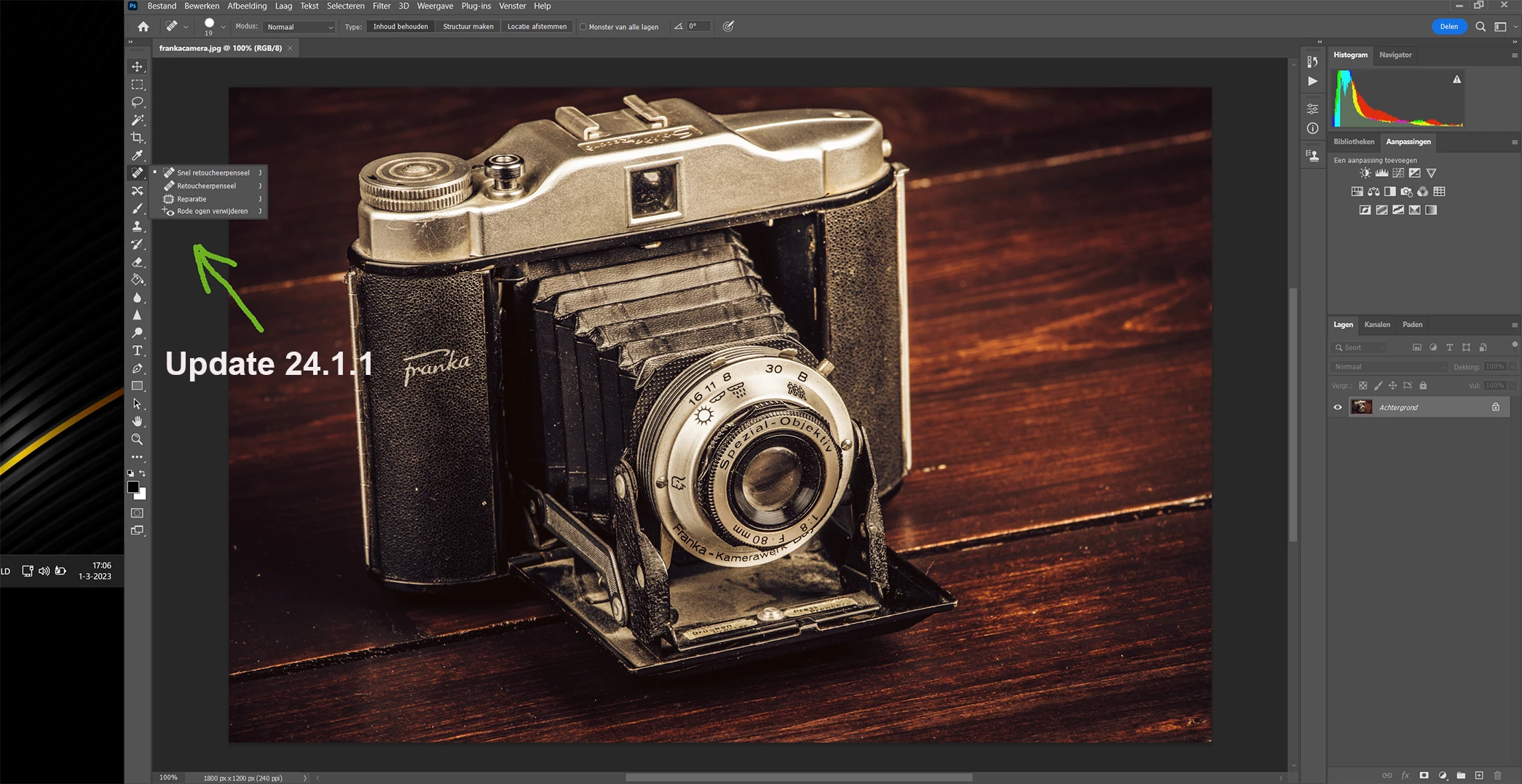
Reinstalled 24.1.1 and then it works fine. see screenshot.

3 Antworten

Morfuud
Inspiring
March 1, 2023

I also have this problem after the new 24.2.0 update. Cannot find a solution.

Participant
March 1, 2023

I also have this problem after the new 24.2.0 update. Cannot find a solution.


Legend
March 1, 2023

So you want to say the procedure described in my link doesn't work? OK, the example is for Windows 10 while the topic starter uses Windows 11, but I cannot imagine MS would remove this menu.

Participant
March 1, 2023

Hi,


I appreciate your reply, however I simply rolled back to the previous version and the issue is gone.

I also have performance issues in the new update, so there's more than 1 significant problem with the update.

This is in fact the first time I have rolled back Photoshop, such a shame.


Cam

Morfuud
Inspiring
March 1, 2023
These menu options are not available in Windows 11.
MagdaleneJeanne
Participant
March 1, 2023

Apart from that, I had a look on the attached screenshots. From the pictures it looks maximised and since the screenshot shows the full PS windows, it's not "too big". It's as big as the screen allows. The fact that overlay panels pop out on the other monitor is a different story, because they're supposed to pop out on the inside of PS's window. The subject is a bit misleading. My approach is supposed to help if the window's title bar is outside the area where you can access it by mouse.


Hi, so it's hard to tell from the screenshots, but but photoshop actually is "too big". All of the menu options are touching the sides of my screen and you can't see their normal bounding boxes at all on the left side. It's like the whole program is shifted slightly too far to the left. The PS logo is off center and everything so I wouldn't really say my subject line is misleading. Also it is not a problem with my monitor because it happens on both of them and they are different brands and sizes. I will attach a. Updated photo when I get home if that helps others understand the issue.