
Photoshop JPG compression issue
Saving JPGs, or Export Layer Comps produces Jpgs that are almost uncompressed no matter what Quality is chosen.
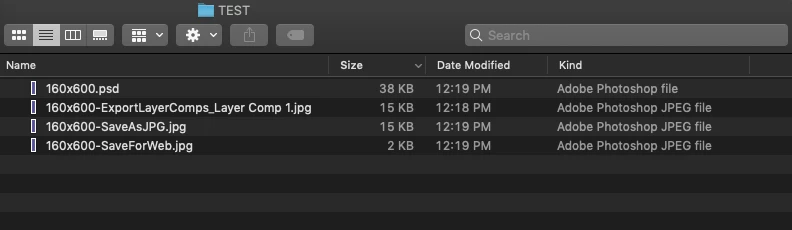
Saving as JPG results in a file that changes in quality depending on what compression I choose, but the size change is neglible, 5-10kb at most. The file is compressing only to about 240kb. This happens when I save as JPG, or Export Layer Comps as a JPG. This does not happen when I use 'Save for Web' - this results in a file of approximately 44kb.
Previously, with the same file, I could successfully export the Layer Comps using the Export Layer Comps function and end up with files ranging from 30kb-45kb.
With no changes to procedure, I get results in JPGs of about 240kb, no matter how much compression I select.
This happens only when I choose 'Save as JPG' or 'Export Layer Comps'. 'Save for Web' produces the expected sizes. Choosing this option is a workaround only, but doesn't solve the issue.
Has anyone else experienced this?
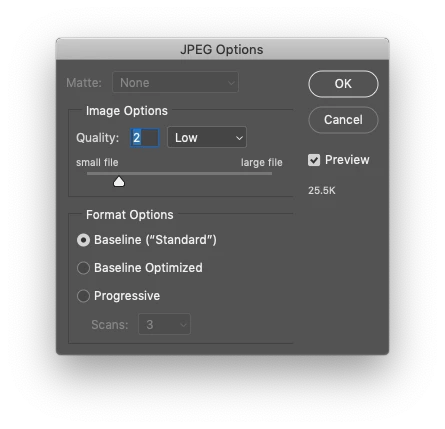
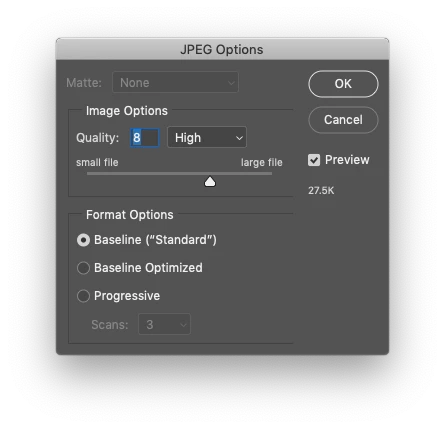
The below examples are with a file, 160x600, that contains one single colour. Note that on Export Layer Comps dialog box produces virtually no difference in size whether Quality is Low (2) or High (8).
Thank you in advance
 AdChoices