
Participant
May 19, 2021
Question

Photoshop keeps crashing

  • May 19, 2021
  • 4 replies
  • 684 views

Within the last two hours Photoshop has crashed numerous times regardless whether I am trying to work on an existing file or start a new file. I have restarted my computer, uninstalled and reinstalled the app and nothing seems to fix this issue.... I need to complete work at my job so need this fixed asap. 


This topic has been closed for replies.

4 replies

Participant
May 19, 2021

Same thing here:


Photoshop 22.4

Mac OS 10.15.7 (19H1030)

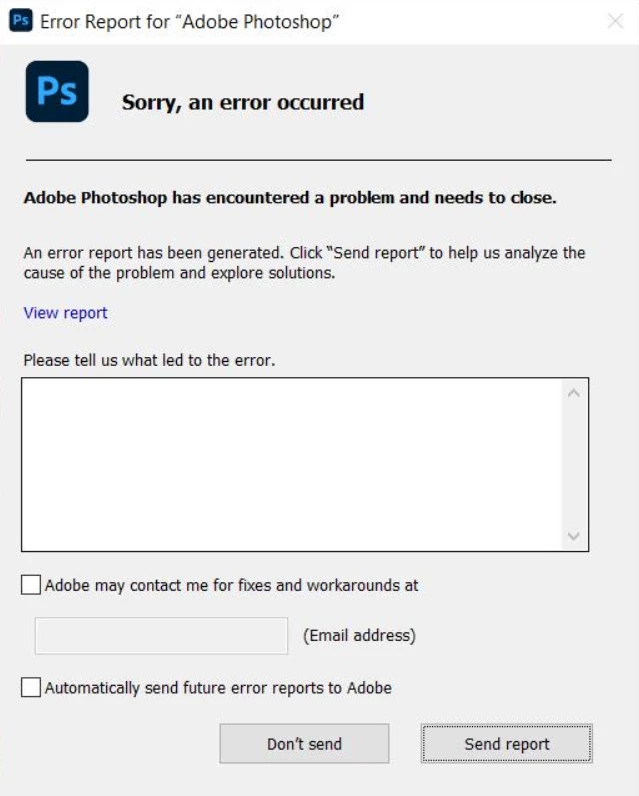
Adobe Photoshop encountered a problem and needs to close

Happens when opening Photshop

Hardware: iMac (Retina 5K, 27-inch, 2020)

CPU: 3,8 GHz 8-Core Intel Core i7

GPU: AMD Radeon Pro 5700 8 GB

RAM: 64 GB 2667 MHz DDR4


Best regards

Mel5CC9Author
Participant
May 19, 2021

I've just uninstalled the latest version and gone back to 22.3.1 and it is working perfectly again. 

Participant
May 19, 2021

Did'nt work for me.

Mohit Goyal
Community Manager
Community Manager
May 19, 2021

Hi there,


We're sorry for the crash issue. Which Photoshop version do you have installed? Also, which Windows operating system version you are no now? Please submit the crash report along with your email address.


Thanks,

Mohit

AxelMatt
Community Expert
Community Expert
May 19, 2021

Please give us more informations including the following : 

Adobe product and version number 

Operating system and version number 

The full text of any error message (s) 

What you were doing when the problem occurred 

Screenshots of the problem and/or error messages 

Computer hardware, such as CPU; GPU; the amount of RAM; etc 


What has been changed on your system before the error occur?


My System: Intel i7-8700K - 64GB RAM - NVidia Geforce RTX 3060 - Windows 11 Pro 25H2 -- LR-Classic 15 - Photoshop 27 - Nik Collection 8 - PureRAW 5 - Topaz Photo