
Known Participant
July 24, 2017
Answered

Photoshop mask issue

  • July 24, 2017
  • 3 replies
  • 625 views

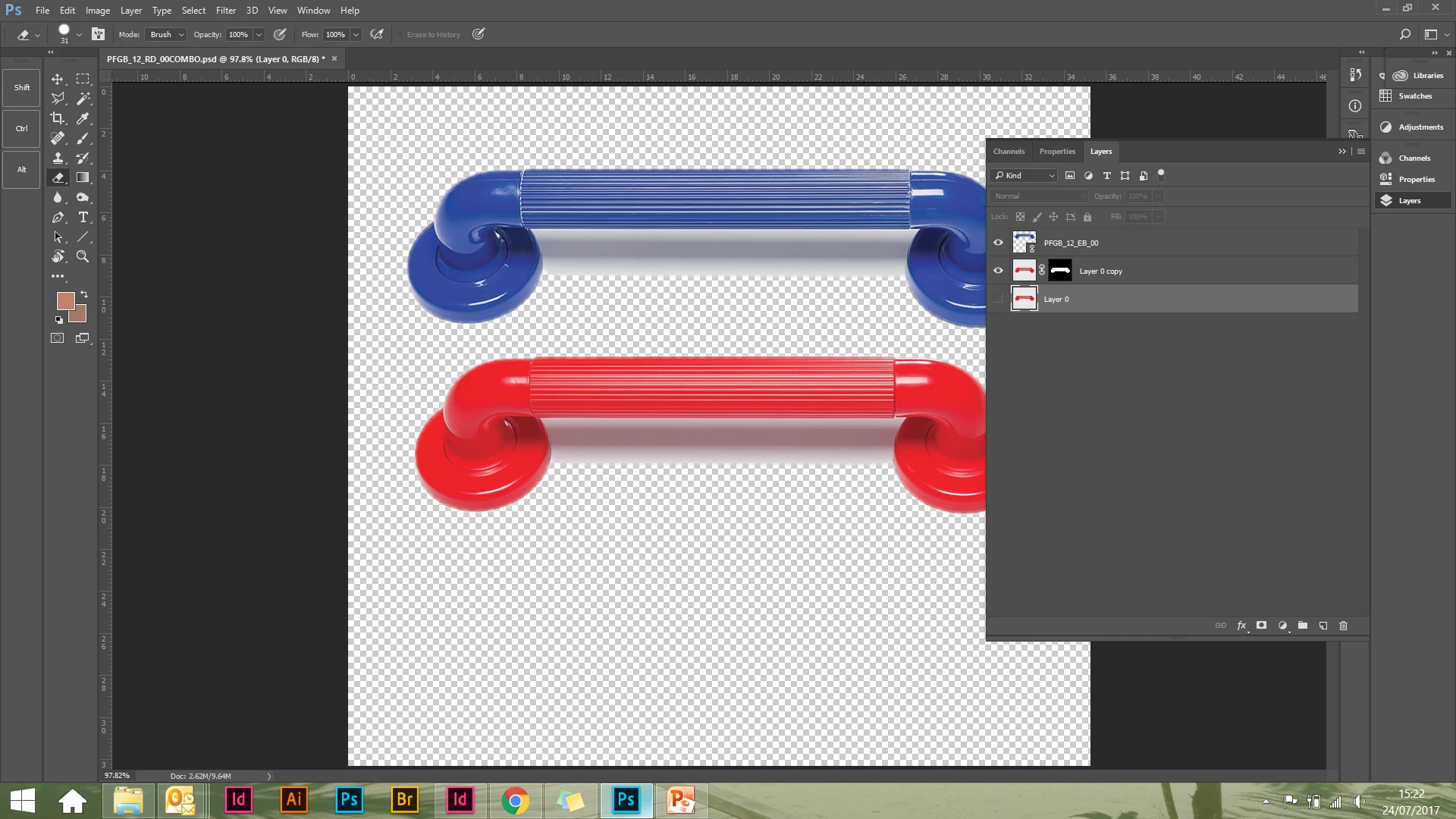
I know I'm doing something stupid, I just can't think what!  I've combined two PSD files together and removed the background.  When I insert the new PSD file into an InDesign document I'm only seeing the red grab rail.  Is it the mask I've got on the red layer?
    This topic has been closed for replies.
    Correct answer Theresa J

    check your paths panel. I'm guessing there is a path around the red handle that is set to Clipping path.

    3 replies

    Theresa J
    Community Expert
    Theresa JCommunity ExpertCorrect answer
    Community Expert
    July 24, 2017

    check your paths panel. I'm guessing there is a path around the red handle that is set to Clipping path.

    Rose NWAuthor
    Known Participant
    July 24, 2017

    Thank you so much - that was the problem!

    c.pfaffenbichler
    Community Expert
    Community Expert
    July 24, 2017

    Did you save the file?

    What are the Object Layer Options and the Clipping Path settings in Indesign?

    Rose NWAuthor
    Known Participant
    July 24, 2017

    Will check settings

    davescm
    Community Expert
    Community Expert
    July 24, 2017

    I don't see anything wrong with your file or mask.

    How are you putting it into your InDesign document. Save the PSD from Photoshop then using "Place" in InDesign?

    Dave

    Rose NWAuthor
    Known Participant
    July 24, 2017

    Yes