
allanb95858973
Participant
November 3, 2024
Question

photoshop memory usage high

  • November 3, 2024
  • 1 reply
  • 215 views

High I am finding at times my memory usage goes sky high when running photoshop and simple tasks can take a long time to complete.
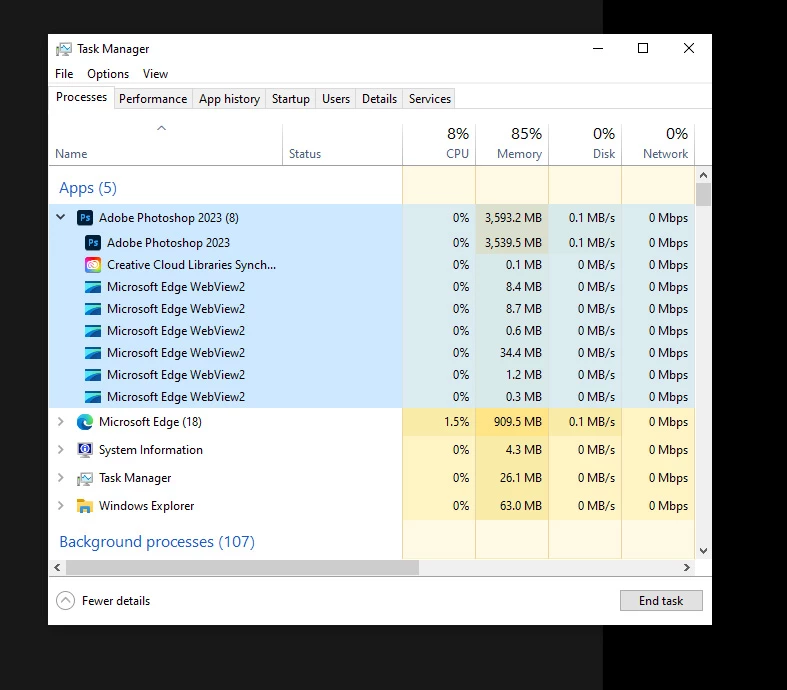


My system set up should be high enough for latest issues of photoshop.
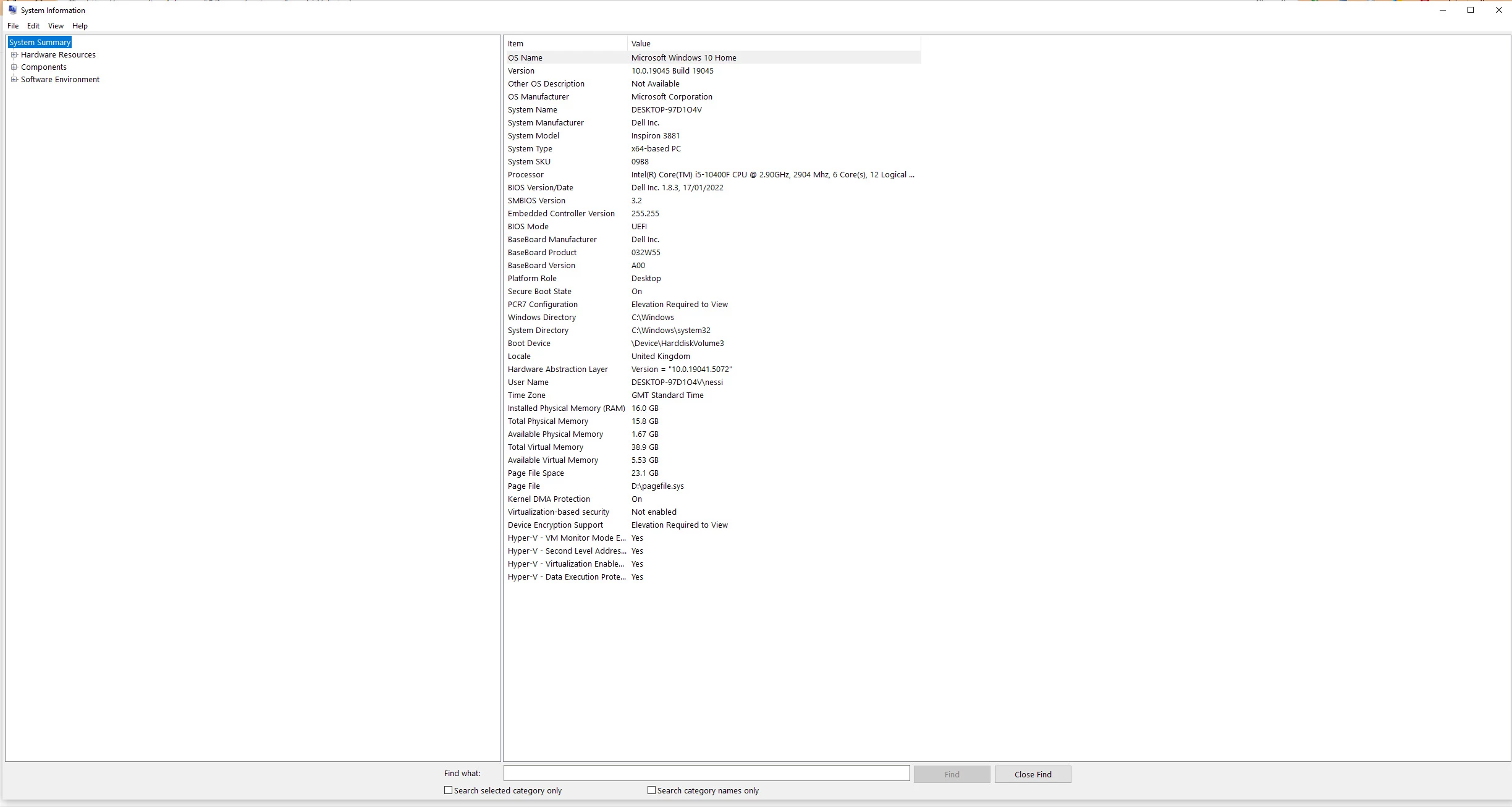


Can anyone advise to what I might need to change or do so that I can continue to run photoshop smoothly?

Not sure if that might be to upgrade memory or make some changes within photoshop itself, but this is getting very frustrating and really impacting on my work flow.


Thank you in advance.

Allan


This topic has been closed for replies.

1 reply

D Fosse
Community Expert
Community Expert
November 3, 2024

That is perfectly normal memory usage.


Raster image editing requires huge amounts of memory, much more than any RAM you may have installed. That's why Photoshop uses a scratch disk, to write temporary working data to disk. Think of RAM as a cache to the scratch disk's main memory. Photoshop will saturate the available amount of RAM very quickly, while the heavy lifting is in the scratch disk


If you have performance issues, this is not the reason.


Please post the full Help > System Info from Photoshop.