Exit
  • Global community
    • Language:
      • Deutsch
      • English
      • Español
      • Français
      • Português
  • 日本語コミュニティ
  • 한국 커뮤니티
0

Photoshop Navigator not working properly

New Here ,
Mar 11, 2021 Mar 11, 2021

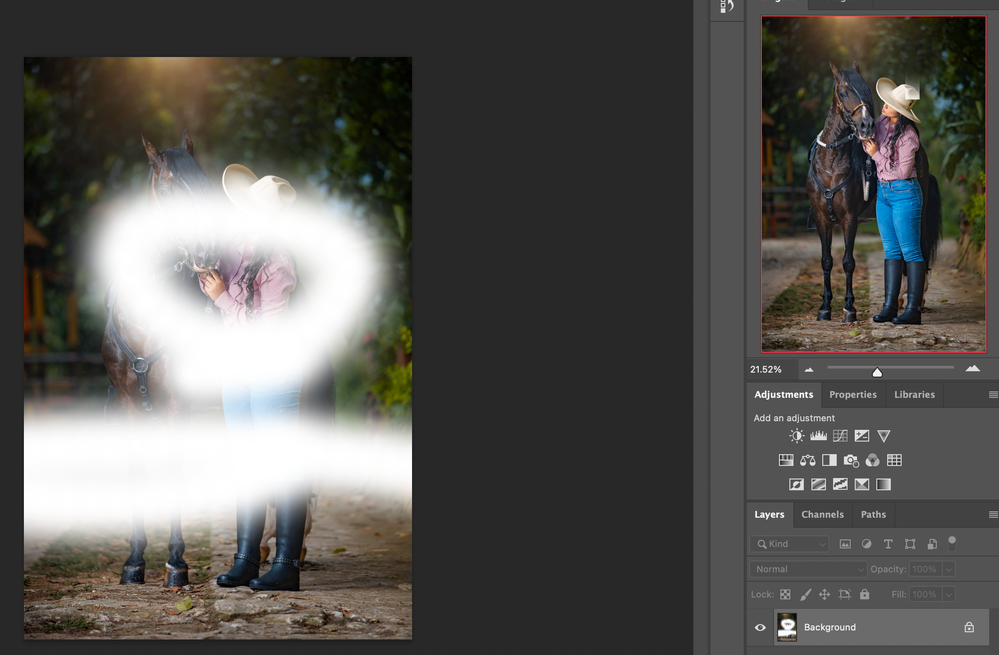
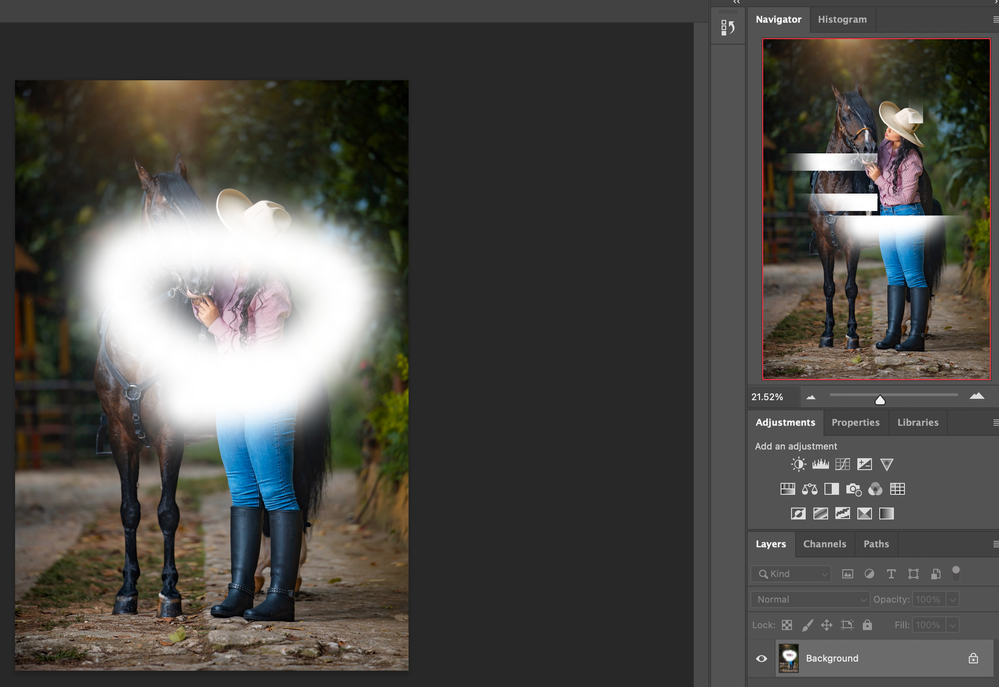
Hi, I am using Macbook Pro M1 and Photoshop 22.3. I rely on the Navigator a lot, and whenever I make a change to an image, even just using the brush the navigator doesn't display the change. It only display a change when I hit back undo or turn off and on layers, but it's so frustating working like this.


I've never had this problem, is it software/hardware compability or something?  or am I missing an option in Photoshop that can enable the navigator to work properly. 


Thanks

956
Translate
Report
Community guidelines
Be kind and respectful, give credit to the original source of content, and search for duplicates before posting. Learn more
community guidelines
Adobe
Community Expert ,
Mar 11, 2021 Mar 11, 2021

Odd Photoshop behaviour can often be fixed with a reset of the Preferences. Look for the Reset Preferences On Quit button within the General tab of the Photoshop Preferences.

Translate
Report
Community guidelines
Be kind and respectful, give credit to the original source of content, and search for duplicates before posting. Learn more
community guidelines
New Here ,
Mar 12, 2021 Mar 12, 2021

Thanks but it didn't work. This is a fresh installation on a new Macbook Pro M1 chip. Reset Preferences on quit didn't work.


Here are some exaples: Screen Shot 2021-03-12 at 11.36.43 AM.pngScreen Shot 2021-03-12 at 11.36.51 AM.png

Translate
Report
Community guidelines
Be kind and respectful, give credit to the original source of content, and search for duplicates before posting. Learn more
community guidelines
New Here ,
Mar 17, 2021 Mar 17, 2021

Anyone can help me? thanks

Translate
Report
Community guidelines
Be kind and respectful, give credit to the original source of content, and search for duplicates before posting. Learn more
community guidelines
Community Expert ,
Mar 17, 2021 Mar 17, 2021
LATEST

Hi @hellozollarice 

This looks like a bug in 22.3. Please report it to the product developers here: https://feedback.photoshop.com/  , as this is a user forum and we do not work for Adobe.

~ Jane

Translate
Report
Community guidelines
Be kind and respectful, give credit to the original source of content, and search for duplicates before posting. Learn more
community guidelines