
Participant
January 19, 2020
Answered

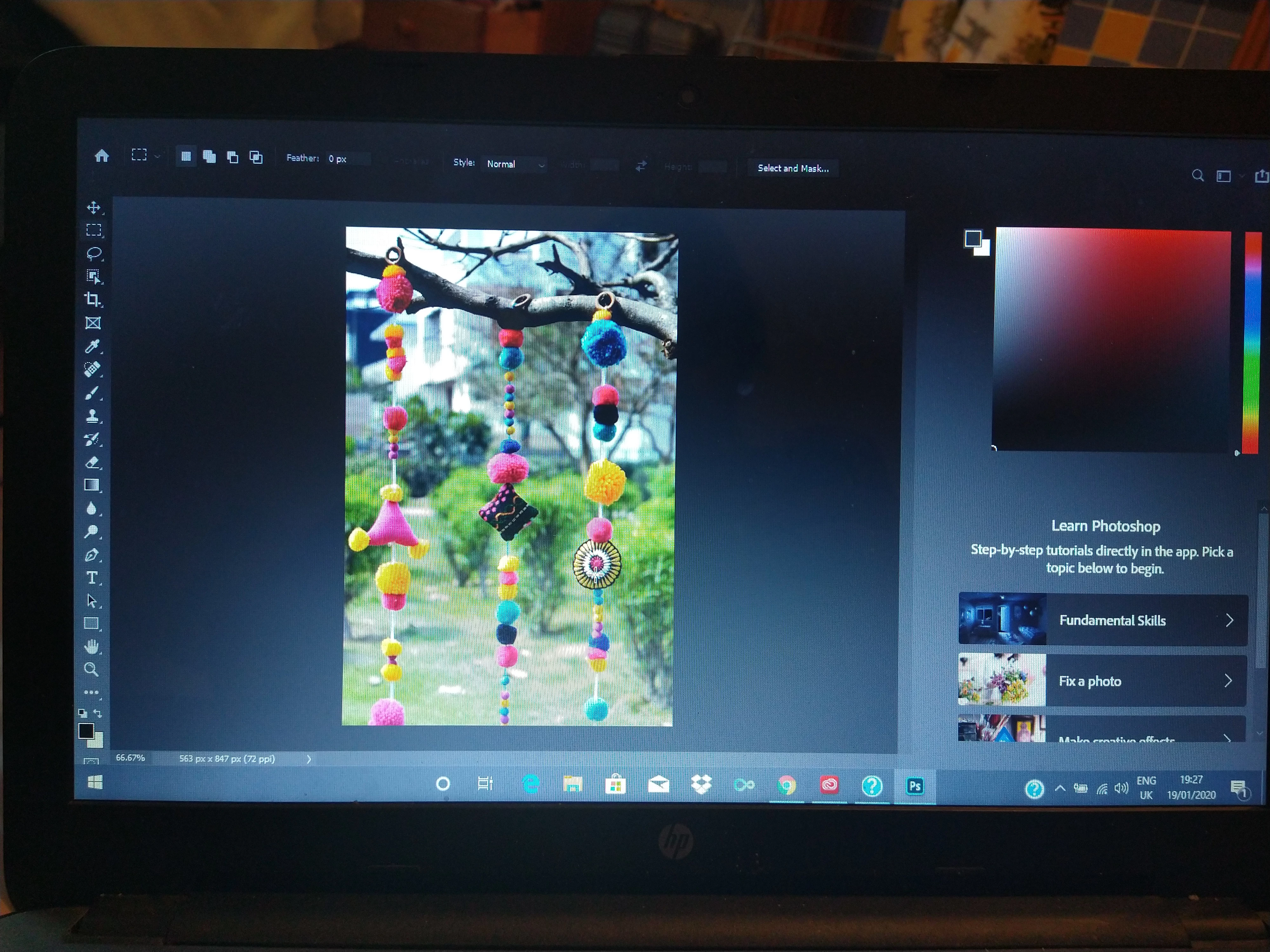
Photoshop not displaying properly
  • January 19, 2020
  • 3 replies
  • 602 views

I downloaded and installed photoshop yesterday, but no bar was appearing on the screen, so I optimized the software but still that wasn't useful. I have even reset my laptop but it still the same, whereas illustrator has not such issue. Can somebody help please.

This topic has been closed for replies.
Correct answer Himanshi1

Updated the GPU driver, and it's working. Thank you so much 

3 replies

Himanshi1AuthorCorrect answer
Participant
January 20, 2020

Updated the GPU driver, and it's working. Thank you so much 

Kukurykus
Legend
January 19, 2020

Moderator, remove 'Actions and scripting' label from this topic, thx!

January 19, 2020

Done 🙂

January 19, 2020

Hi

Could be an issue with your GPU driver, try updating it from the manufactures website, it will either be AMD, Intel or Nvidia

If you post your Photoshop system info we should be able to tell you which it is, in Photoshop go to Help > System Info and hit the copy button and paste the entire thing into this thread

Participant
January 22, 2020

Hello Ged! I have the same problem with an AMD Radeon HD 6800M Series with updated drivers.. Can you help me ? Thanks you from ARG