
Photoshop not rendering Image correctly
Hi guys,
today I started working on a big project (in pixel dimensions).
My file is 100x100cm with 300 dpi (around 11.000x11.000px).
It's Adobe RGB with 8 Bit. That's important because the bug I describe just fits perfectly for 16 Bit images and I know that it's a known "issue" there.
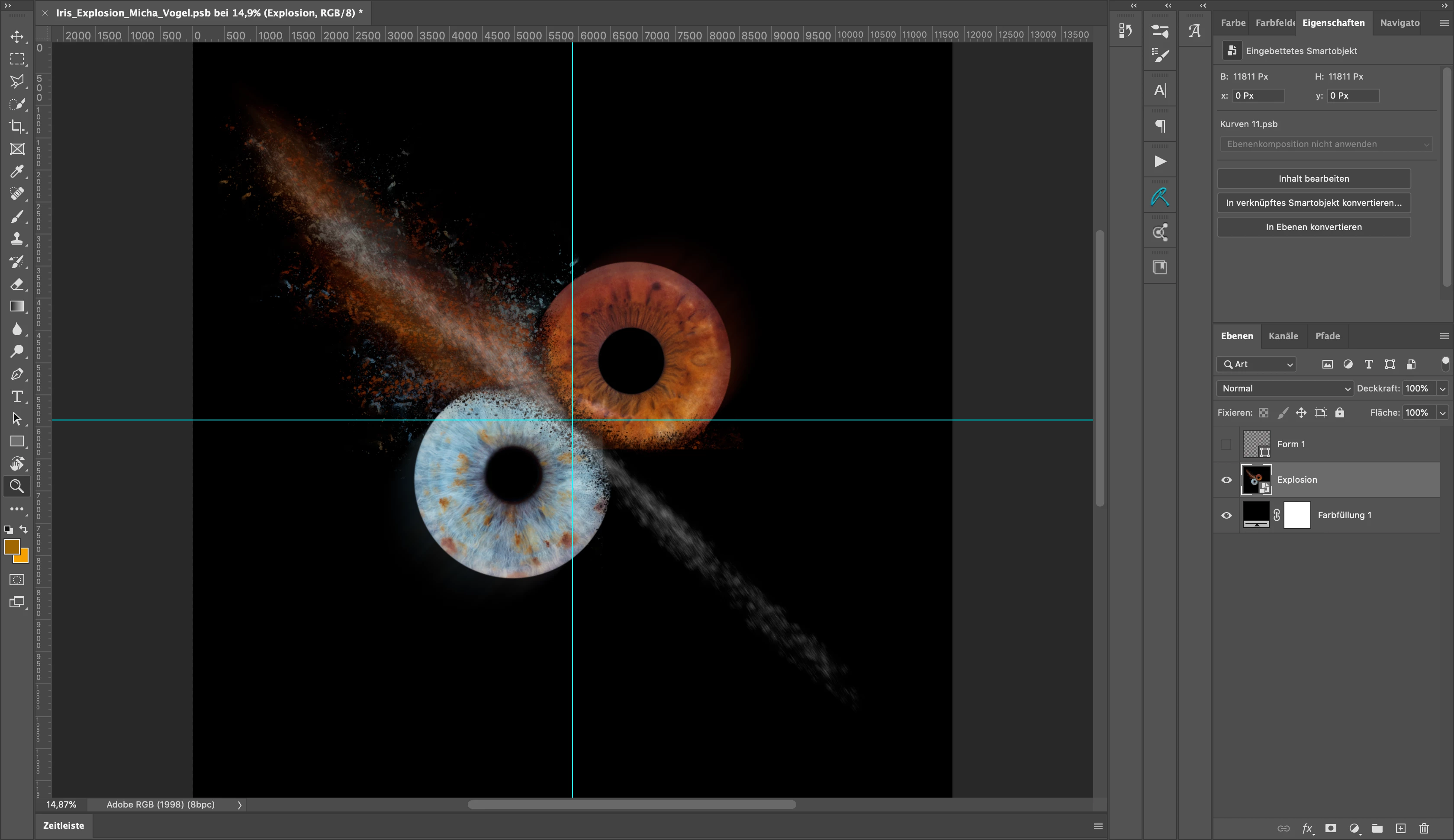
But first to describe my problem: I got a lot of layer packed into a smartobejct and now want to apply some filters to it. But the bottom right corner of my image doesn't get rendered in my "original" file (see screenshot).
Not at 100% zoom, never.
When I open the smart object it kinda works. But only at 100% (sometimes) and then it's so large I can't work properly on the image because I need to see everything for a few steps.
My setup is:
mac OS Catalina 10.15.3
MacBookPro 15 inch 2017
3,1 GHz Quad-Core Intel Core i7
16 GB 2133 MHz LPDDR3
Radeon Pro 560 4 GB Intel HD Graphics 630 1536 MB
So, as you can see, it's the best specced MacBookPro in 2017. So, I don't think this is a performance problem (also because I have a dedicated GPU).
I use the latest version of Photoshop (21.1.1)
I also switched my settings around in the performance tab of Photoshop.
Currently it's set to Cache level 6, OpenCL and GPU acceleration everything checked. My graphic mode (if it's called like this, I don't have the English version of Photoshop) is set to advanced. Before I've set this to simple/ basic because I had some issues in cmyk.
Do you guys have any recommendations what I can do?
I think work on a smaller image with smartobjects and scale it up won't work, because I'am working with layermasks that would become blurry on rescale.
Thank you for your help. If you need anything else from me, just let me know.
 AdChoices