Participant
September 10, 2024
Question

Photoshop Perspective Warp throwing a program error

  • September 10, 2024
  • 1 reply
  • 637 views

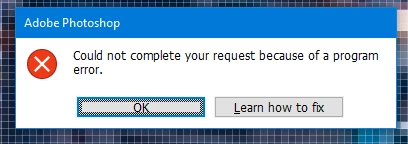
I found a thread discussing this that started back in 2022, but no resolution was ever posted up into 2023. This is still an issue. I am using the latest version of Photoshop and the most current release (release 25.11.0). And, I have tried everything written on this community and other platforms, including using a smart object to warp, removing my preferences file, rolling back to an earlier verion . . . nothing is working. I still get the error "Could not complete your request because of a program error." 

I have a large series of photos that need to have a perspective warped objects added to them and I'm floating out here with no life raft. 

Is there a fix for this issue????


This topic has been closed for replies.

1 reply

Participating Frequently
September 11, 2024

Hey there, We're sorry for the trouble. 


We're happy to announce the release of Photoshop 25.12. To update Photoshop to 25.12, click "Update" in the Creative Cloud desktop app next to Photoshop. More detailed instructions for updating


Could you let me know when you're getting this error? At what step when you open Photoshop or use any tool?

Please share the system info of Lightroom & Photoshop from Help > System info > Copy & paste into a text document > Upload as an attachment here or copy/paste here in a reply. 


Please check this to solve the program error:

https://adobe.ly/4gmNS7v


Let us know how it goes. 

Thanks, 

Shivani 

DamselNTXAuthor
Participant
September 25, 2024

So, updating worked for about two weeks and then the problem showed back up. 😞