
rudy152
Participant
August 17, 2023
Answered

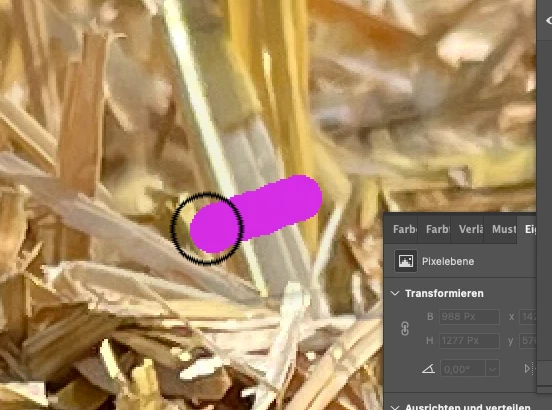
Photoshop Pinsel/Zeigerdarstellung ca. 15 % größer als tatsächliche Größe

  • August 17, 2023
  • 2 replies
  • 631 views

Habe folgendes Problem: Mein Pinsel wird mir ca. 15 % größer dargestellt, als er tatsächlich malt. Einstellungen habe ich schon überprüft und alles mögliche ausprobiert. Vielleicht ist ja noch irgendwo ein Häkchen zu viel/zu wenig.
This topic has been closed for replies.
Correct answer Jeff Arola

Sorry for the confusion as i left out the Accessibilty part.

Also before Ventura, Apple System Settings were System Preferences.


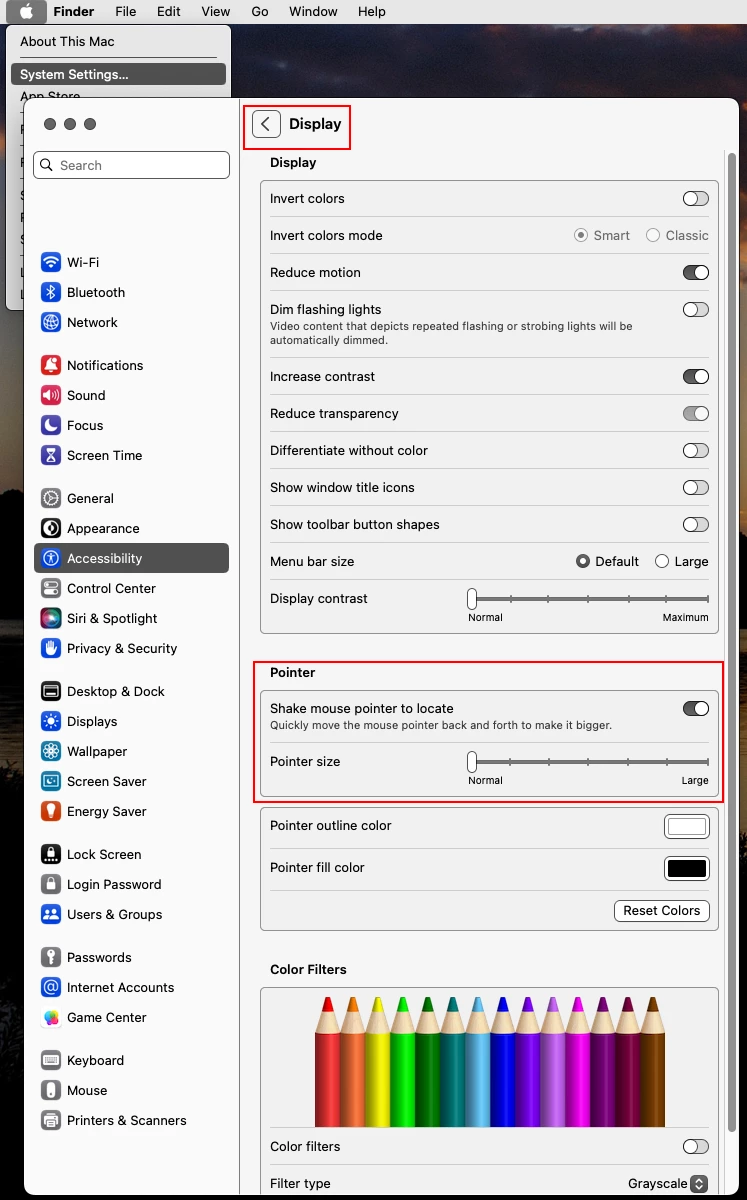
Apple>System Settings >Accessibility>Display>Pointer


2 replies

Jeff Arola
Community Expert
Jeff ArolaCommunity ExpertCorrect answer
Community Expert
September 19, 2023

Sorry for the confusion as i left out the Accessibilty part.

Also before Ventura, Apple System Settings were System Preferences.


Apple>System Settings >Accessibility>Display>Pointer


rudy152
rudy152Author
Participant
September 19, 2023

Thank you VERY VERY VERY much! That´s it! You´re great! 🙂

Jeff Arola
Community Expert
Community Expert
August 17, 2023

 Go to Apple>System Settings (Preferences)>Accessibility>Display>Pointer and check if the Pointer size or Cursor size is set to Normal

rudy152
rudy152Author
Participant
September 19, 2023

 I cannot find any Preferences in my Apple-System Settings. Do you mean the preferences in Adobe? There is everything "normal"