
josh.hues
Participant
September 18, 2024
Answered

Photoshop Pixel Variable filled into Freeform Shape

  • September 18, 2024
  • 3 replies
  • 1558 views

Hi All,

I have recently tackled a project that I will need to repeat every 6 months or som and I am looking for a way to speed up the process in the future.

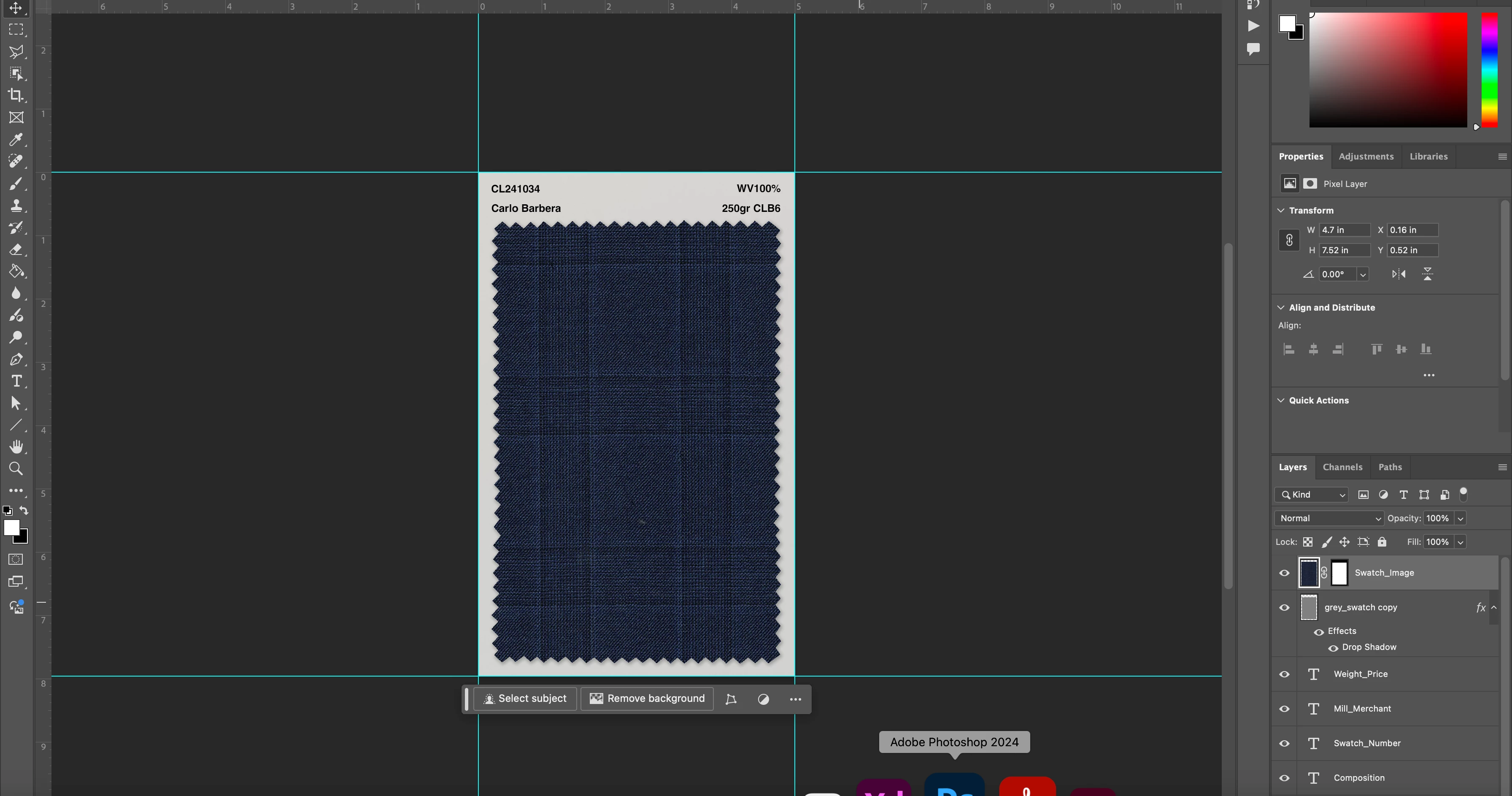
I have inlcuded the finished result I am looking to create.

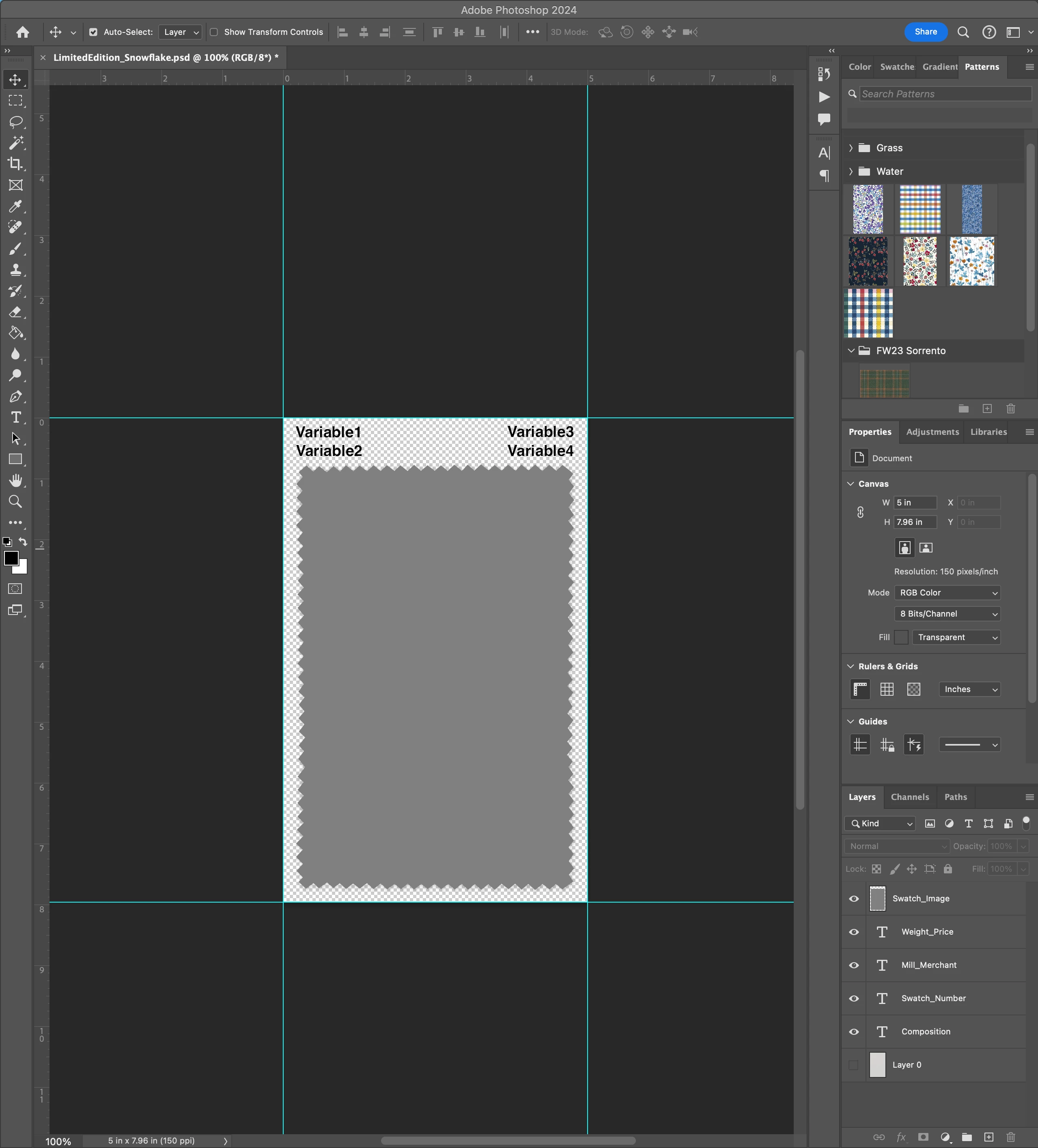
My current process was to use the variables for all text fields and the swatch image on the card. I was hoping that the images I loaded using my data set would crop into the shape of the swatch but it ended up pasting square. I then selected the shape I wanted and created a mask of the image. 

Is there a way for me to fill the grey swatch shape without having to manually create masks I often have to do this for over 300 swatches.
This topic has been closed for replies.
Correct answer Stephen Marsh

Perhaps you could use a clipping mask before the data merge, but I don't know if the pixel replacement process would break the clipped group.


Another option would be to place an inverted white sawtooth shape above the square image pixel replacement layer (presuming that you don't need transparency).


Otherwise you will need a second pass batch action or script to post process the PSD files generated by the merge.

3 replies

Stephen Marsh
Community Expert
Stephen MarshCommunity ExpertCorrect answer
Community Expert
September 18, 2024

Perhaps you could use a clipping mask before the data merge, but I don't know if the pixel replacement process would break the clipped group.


Another option would be to place an inverted white sawtooth shape above the square image pixel replacement layer (presuming that you don't need transparency).


Otherwise you will need a second pass batch action or script to post process the PSD files generated by the merge.

josh.hues
josh.huesAuthor
Participant
September 18, 2024

Stephen !! 

Thank you. Sometimes we over think it all. Applying the mask to the sawtooth layer and then using variable worked!

You saved me 30hrs of work every 6 months.

Legend
September 18, 2024

How are you telling Photoshop what area to use? At some point you have to define a selection, whether by selection, clipping path, erasing unwanted pixels, whatever.

josh.hues
josh.huesAuthor
Participant
September 18, 2024

When using the variables I set the "Swatch_Image" layer as a pixelvariable and mapped it to my iamge from my dataset.

I have included 2 screenshots to hopefully help showcase how this is functioning. This is the first time I have ever used this feature so I apologise if my explanation is not clear (you don't know what you don't know).

As you can see in the dialogue preview this actually creates a perfectly square image and to get the result I wanted I went back in and created a mask manually in the shape of the clipped swatch.

My hope is there is a way for the variable to do this automatically with a smart object or some sort of defined shape.

Legend
September 18, 2024

Is your pixel variable image a square? You could likely write a script or just change the image. You could also look at using a Smart Object. I've done batches with different aspect ratio images and data-driven graphics just uses whatever image you feed it.