
Participant
June 13, 2022
Question

Photoshop Pixelated Text 2022

  • June 13, 2022
  • 2 replies
  • 349 views

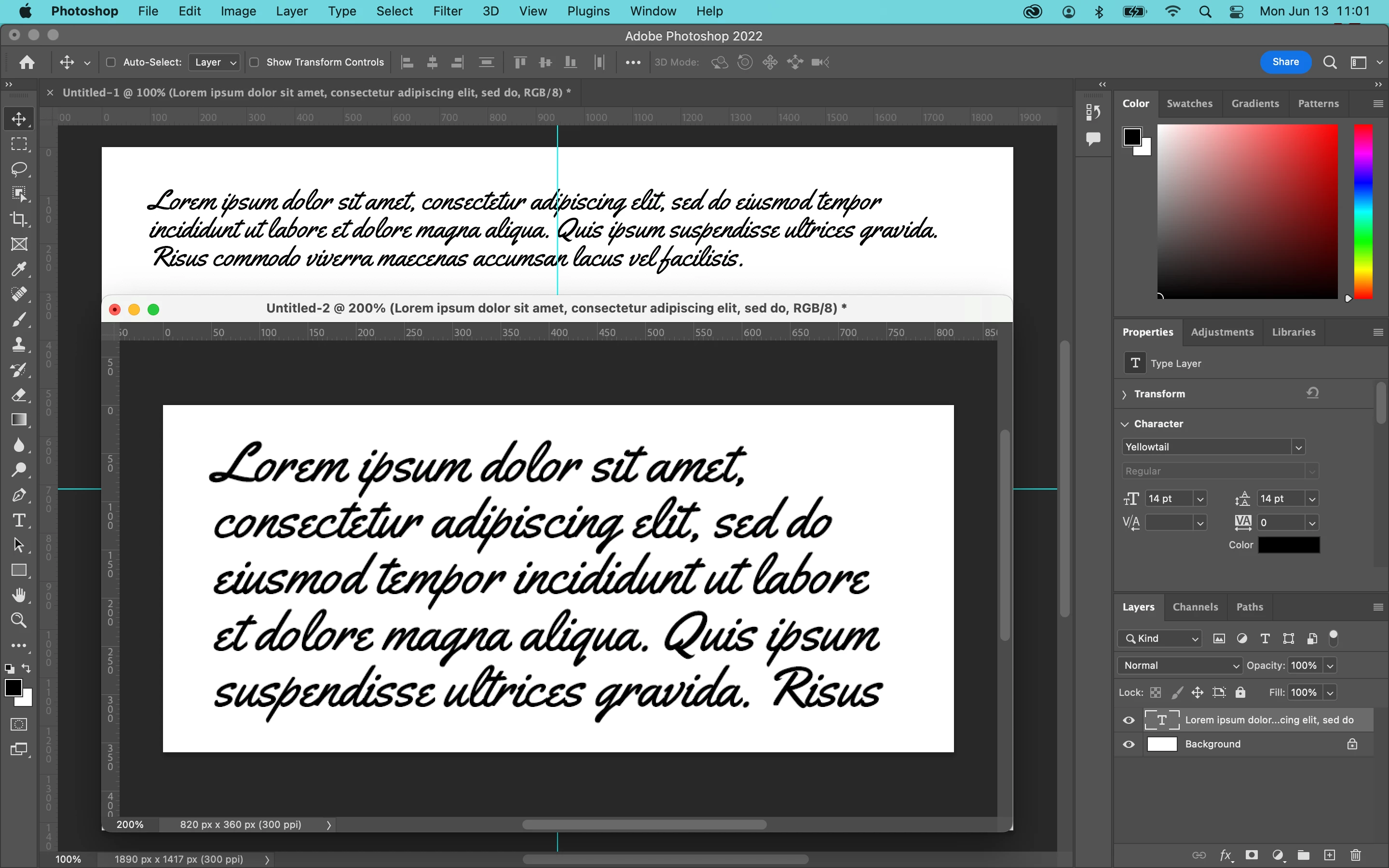
Hello - I am using Photoshop on my M1 2020 MacBook Pro, and I've been having a few issues recently. It started with "Selected Font Failed" (I was using Poppins, if that matters). And now when I try to add a text layer, it looks very pixelated. 

I'm using standard settings, 8bit RGB, 300 pixels/in. I tried reinstalling photoshop, clearing preferences, as well as restarting my computer. Nothing solves the issue. 

I took this screenshot after I cleared preferences once. When I opened untitled1 and used text, the issue seemed like it was fixed. But when I tried creating another file (untitled2), the issue was back. 
This topic has been closed for replies.

2 replies

melissapiccone
Community Expert
Community Expert
June 15, 2022

Your text is fine, you are viewing it at 200%. It's only going to look good at 100%. 

Melissa Piccone | Adobe Trainer | Online Courses Author | Fine Artist
Participant
June 15, 2022

I have never had my text look like this even at 200%

D Fosse
Community Expert
Community Expert
June 15, 2022

Your file is 820 x 360 pixels. Those are the pixels you're seeing.


There is nothing wrong here, just a very small file.

Participant
June 15, 2022

I am having the same problem with pixelated text. Have you found a solution yet?