
Participant
December 6, 2023
Question

Photoshop Preview Thumbnail not displaying correctly

  • December 6, 2023
  • 2 replies
  • 223 views

Hello,

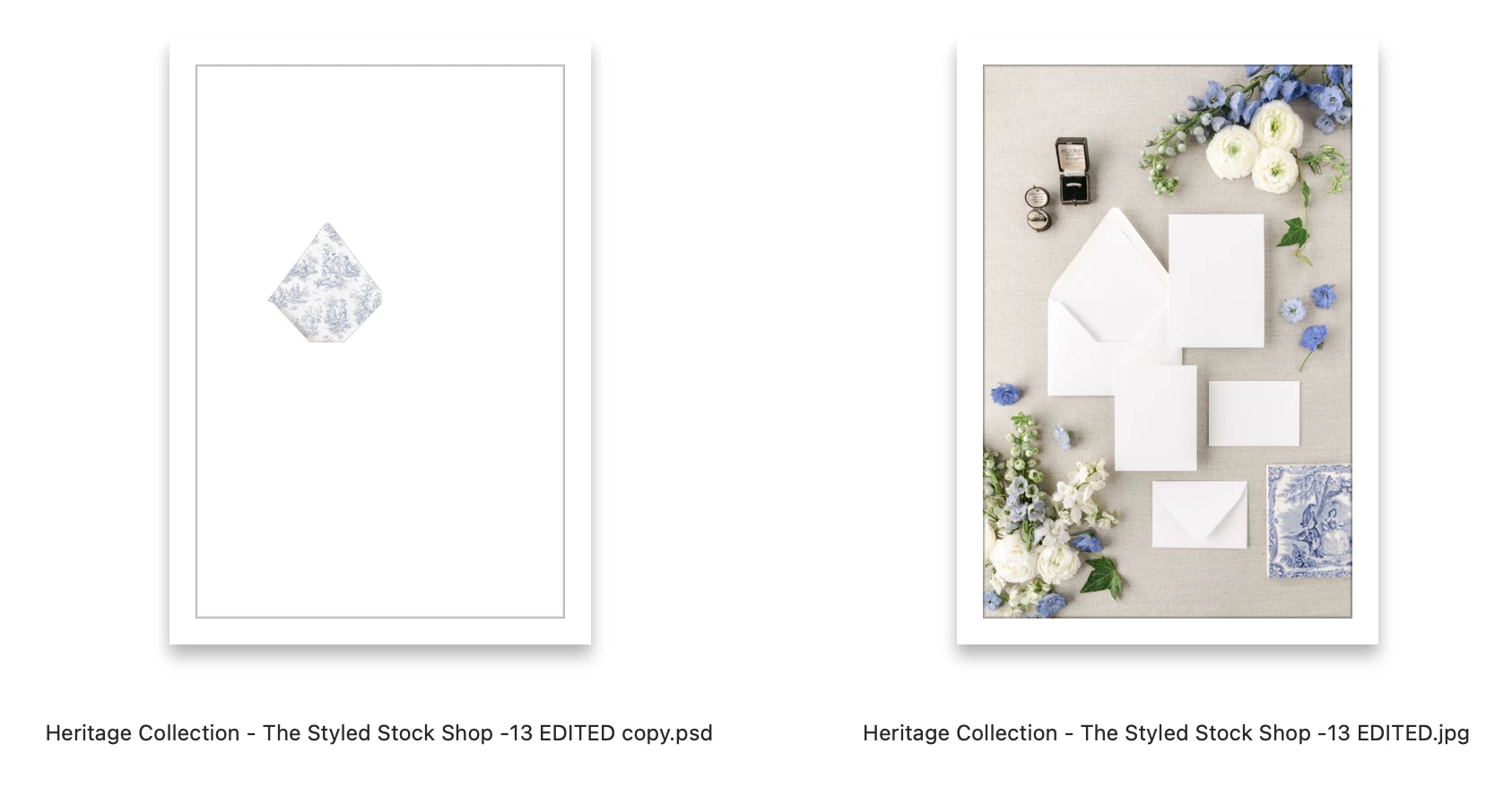
I have had this issue for years and cannot figure out how to fix it. After I open a jpg in Photoshop and make edits and create a PSD file, the background image disappears from the Preview thumbnail. Does anyone know why this happens and how I can fix it?
 

This topic has been closed for replies.

2 replies

gener7
Community Expert
Community Expert
December 6, 2023

I also remember getting practice .PSDs like that. The author turned off "Maximize Compatibilty" for PSD/PSB from Always to Never, meaning a composite thumbnail would not be generated. It saved disk space, but thumbnails looked somewhat like that.


So it might be worth going into Preferences > File Handling to be sure it's always on and restart Photoshop.


You may need to regenerate the file with a "non destructive" change. I turn the Invert colors command on and off, which is Cmd i on the Mac. This makes it an edit that can be saved, yet won't alter your PSD. Maximize Compatibility will allow for that composite thumbnail instead of what you see.


jane-e
Community Expert
Community Expert
December 6, 2023

@margaretj33722781 


This happens to me when I have a path selected. Look in your Paths panel and show a screenshot if you don't see it.


Jane