Answered
Photoshop program error since version 24.6
My settings are compatible according to photoshop and yet, I can no longer open a file without the program error window appearing, does anyone have a solution to this problem ?
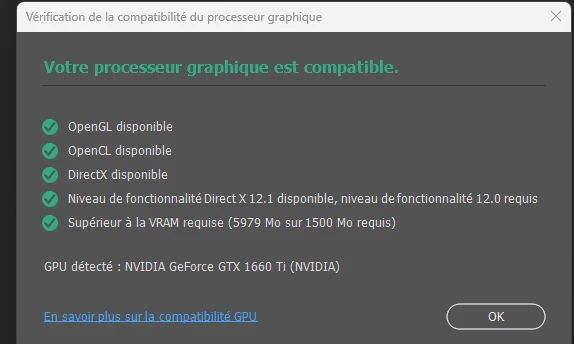


My settings are compatible according to photoshop and yet, I can no longer open a file without the program error window appearing, does anyone have a solution to this problem ?
@Buddhiraj5FCF As I see in the system info there is a Intel UHD GPU. I think this is the CPU internal GPU. Please try to deactivate this GPU in device manager in Windows and check.
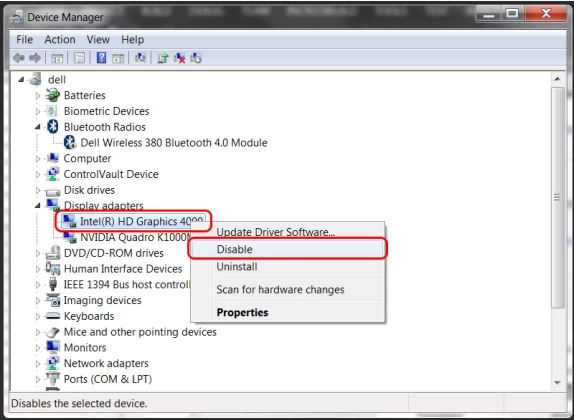
More informations you'll find here: https://helpx.adobe.com/photoshop/kb/troubleshoot-gpu-graphics-card.html
Already have an account? Login
Enter your E-mail address. We'll send you an e-mail with instructions to reset your password.
 AdChoices