
Answered
Photoshop referencing wrong monitor profile
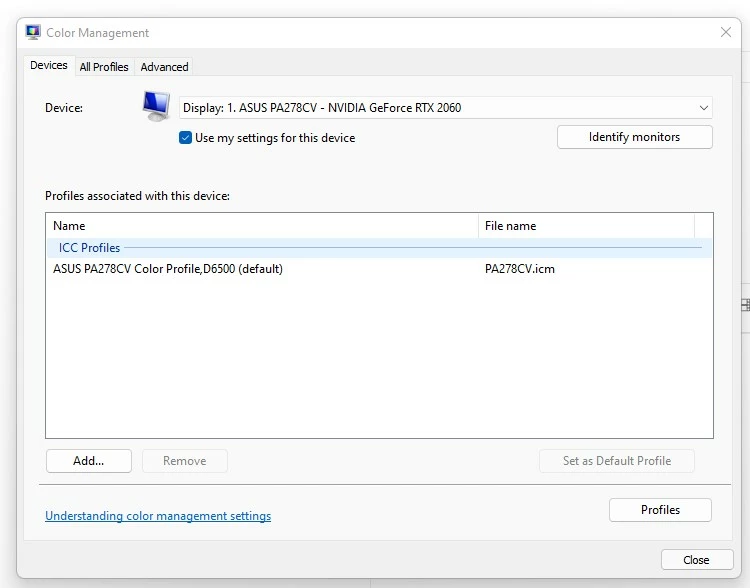
My current and only monitor is an ASUS PA278CV, and it's profile is setup correctly as default in Windows color management per below:
See below, somehow Photoshop is referencing an old monitor (wide gamut) Dell monitor profile which is causing me all sorts of headaches. Note, the below is just to show the profile that Photoshop considers the monitor profile (I'm not using this as color space or anything like that).
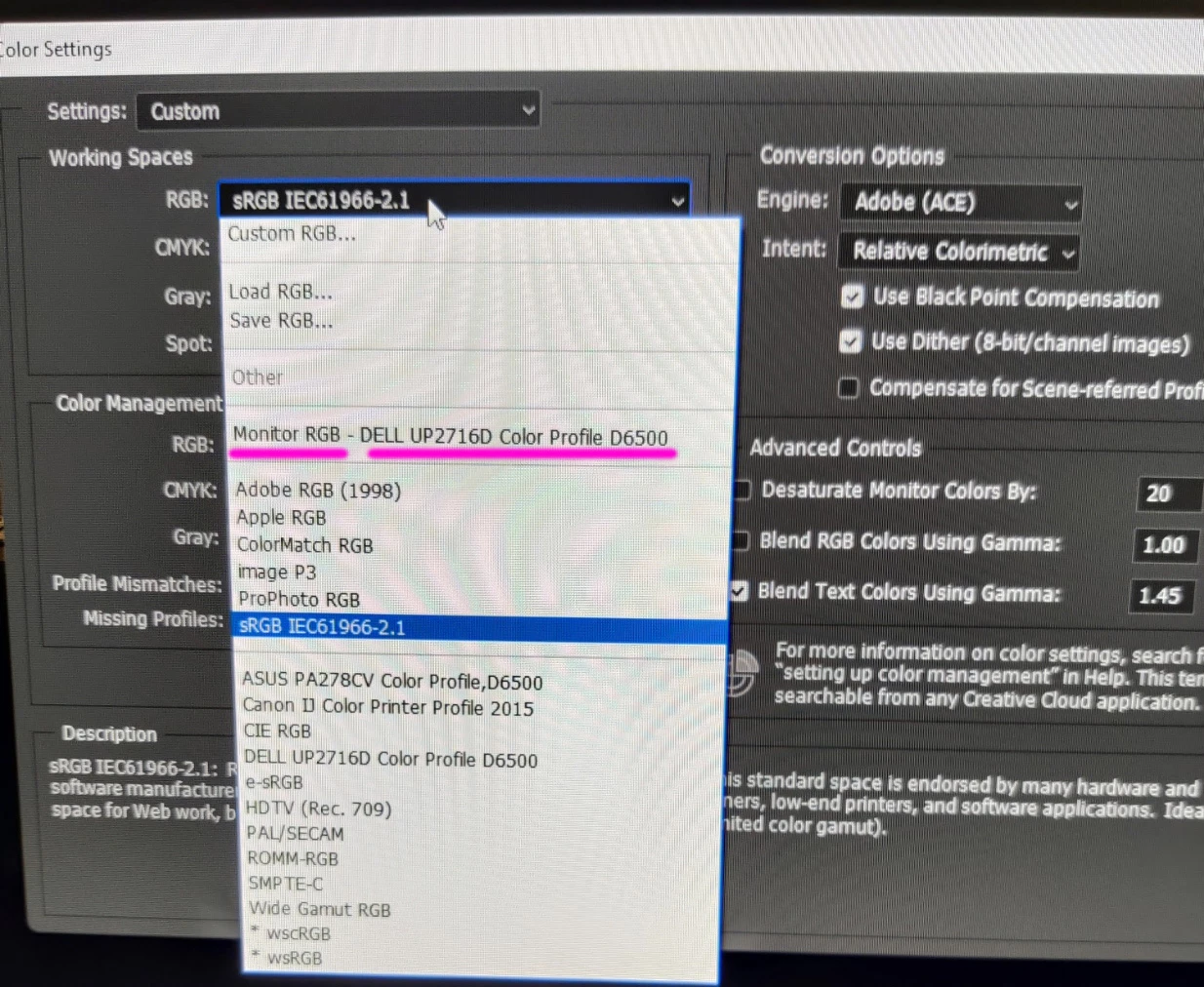
I've tried uninstalling Photoshop and it's settings, and re-installing but the issue persists.
Note, Windows actually won't let me delete that old monitor profile from the spool.
Any suggestions would be most welcome. Thank you.
 AdChoices