
Participant
August 26, 2024
Question

Photoshop remove tool

  • August 26, 2024
  • 3 replies
  • 184 views

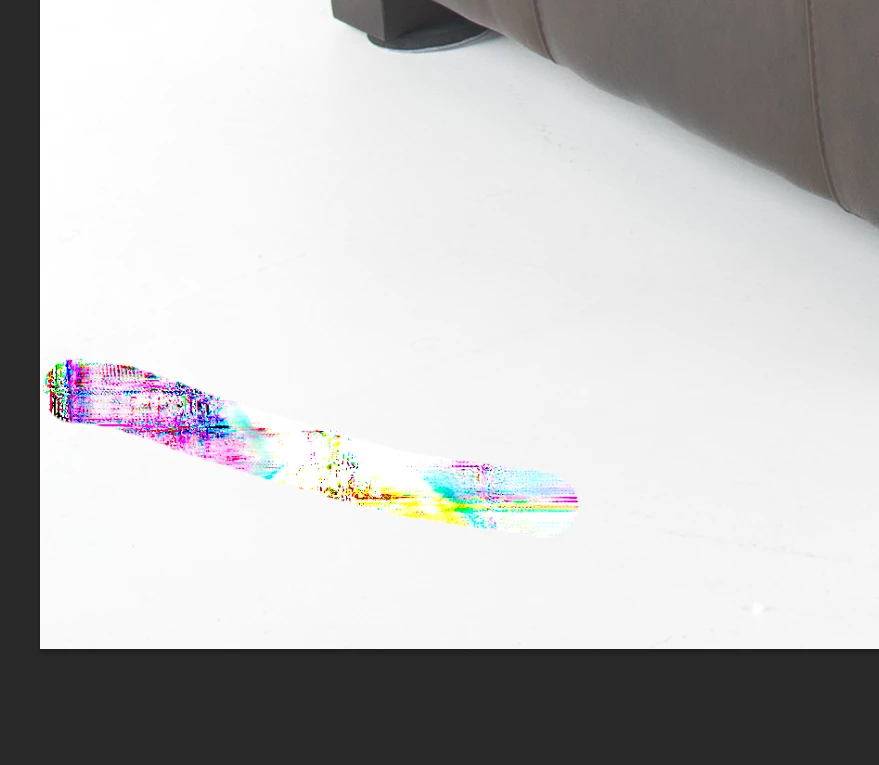
Anyone experienceing this issue? I'm using the remove tool on product photos with items shot on a white background. I'm using the tool to cleanup the white background and get this kalidascope of color where I had used the remove tool. 


This topic has been closed for replies.

3 replies

Kevin Stohlmeyer
Community Expert
Community Expert
August 26, 2024

@katherine_3417 please go to Photoshop Help Menu/System Info and copy/paste results in a reply. That looks like a typical GPU issue that many have noted in here.

Legend
August 26, 2024

Its much easier to use the dodge tool at around 3%. I create a Levels adjustment layer with the black slider all the way to the right, so anything on my white background shows up easily.

kglad
Community Expert
Community Expert
August 26, 2024

in the future, to find the best place to post your message, use the list here, https://community.adobe.com/

p.s. i don't think the adobe website, and forums in particular, are easy to navigate, so don't spend a lot of time searching that forum list. do your best and we'll move the post (like this one has already been moved) if it helps you get responses.


<"moved from cc desktop bugs">