Short of standing on my head I've done everything suggested without success.
One observation: There is a serious security flaw which Microsoft and Adobe are attempting to plug!
See below:
July 2019 Patch Tuesday: Microsoft plugs two actively exploited zero-days - Help Net Security
While MS has most of the patches Adobe has three, i.e. Dreamweaver, Bridge CC and Experience Manager.
Since my issue only started this week it appears to be the obvious link...
Surface Book 2 GPU crashing issue:
Possible solution – After numerous workarounds I may have an answer
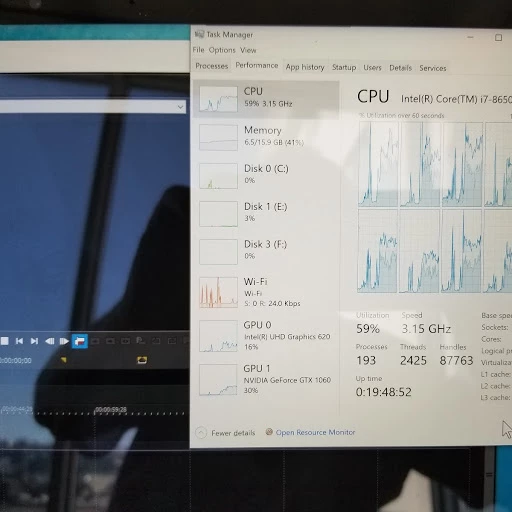
I’m not a gamer but do play solitaire and found this uses NVIDIA’s GPU intensely without crashing. So, I kept it running in the background and loaded both Photoshop and a video editing program, the latter likes to use the GPU 1060, and neither crashed. However, solitaire uses 30% of the GPU and with a video editing program open at the same time this becomes intense.
The interim answer that works for me is to use the latest NVIDIA driver (version 430.86) and allow it to run in the background. Click on the “Adjust Image Setting with Preview” and then on “Use the advanced 3D settings”. This will use the GPU 1060 at around 3%.
Now running Photoshop or a Video editing program everything seems to be working well without crashing. See the shot below taken while a multi clip video was running in one of my video editing programs.


 AdChoices