
Participant
April 3, 2023
Question

Photoshop 'Save for Web (Legacy)' keeps exporting wrong file format

  • April 3, 2023
  • 1 reply
  • 2423 views

Hi guys, 

I haven't found a solution for this anywhere and it's affecting my work. 
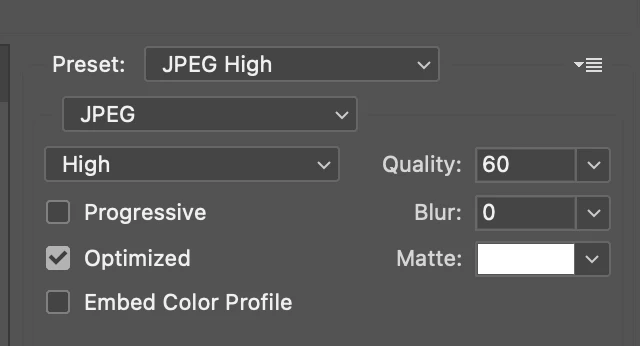
I want to export some files as JPEG but despite my settings in the preset showing it as JPEG, the files are saved in my desktop as GIF. I can't figure out why. Please help as this is urgent. 
This topic has been closed for replies.

1 reply

Inspiring
April 3, 2023

Try saving it to pdf then saving that pdf to JPEG

Participant
April 3, 2023

Saving for web only allows it to be JPEG, PNG or GIF. I need it in JPEG

Inspiring
April 3, 2023

That doesn't work for me.


My file is a design of an emailer and consists alot of parts being sliced. Saving it as PDF means it will save the design as one whole visual. I would need it in JPEG, and also in Web format (as the artwork is being used online), and I need it sliced into parts. 


Try the following:

-> goto save for web
-> click on Original or Optimized
-> ctrl+shift + click on all the slices
-> Choose format


found it here
https://community.adobe.com/t5/photoshop-ecosystem-discussions/photoshop-2020-save-for-web-exporting-as-gif-even-when-selecting-png-or-jpeg/td-p/10718238