
Participant
April 3, 2023
Question

Photoshop 'Save for Web (Legacy)' keeps exporting wrong file format

  • April 3, 2023
  • 1 reply
  • 2465 views

Hi guys, 

I haven't found a solution for this anywhere and it's affecting my work. 
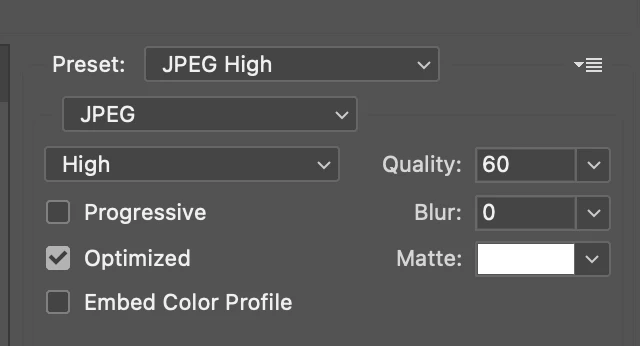
I want to export some files as JPEG but despite my settings in the preset showing it as JPEG, the files are saved in my desktop as GIF. I can't figure out why. Please help as this is urgent. 
This topic has been closed for replies.

1 reply

Inspiring
April 3, 2023

Try saving it to pdf then saving that pdf to JPEG

D Fosse
Community Expert
Community Expert
April 3, 2023

Saving an image to PDF can very easily resample it (and do other kinds of damage), so that's something you should never do unless as a final end product! PDF is a document container, not an image file format.


As to the OP's question, this sounds like corrupt Save For Web preferences. I can't recall off the top of my head how to reset, I'll see if I can find it...


In any case you can just delete this, it will get rebuilt:

Participant
April 3, 2023

Thanks for the reminder about saving in pdf! 

I found my solution here, whereby I had to select all my sliced images in my PSD file when I'm exporting. Worked for me.


https://community.adobe.com/t5/photoshop-ecosystem-discussions/photoshop-cs6-saves-slices-as-jpgs-rather-than-gifs/m-p/4838650#:~:text=Choose%20File%20%7C%20Save%20for%20Web,gif