
Photoshop scaling is off after update
Hi everyone, I am hoping to get some thoughts on a problem with scaling in Photoshop.
I had put off the recent update for some time, simply because I've been busy. But I finally updated this last week, and now Photoshop does not look correct anymore. There is clearly a problem with scaling after the update.
Before the update, I had the proper amount of visual real estate within Photoshop. It looked something like this: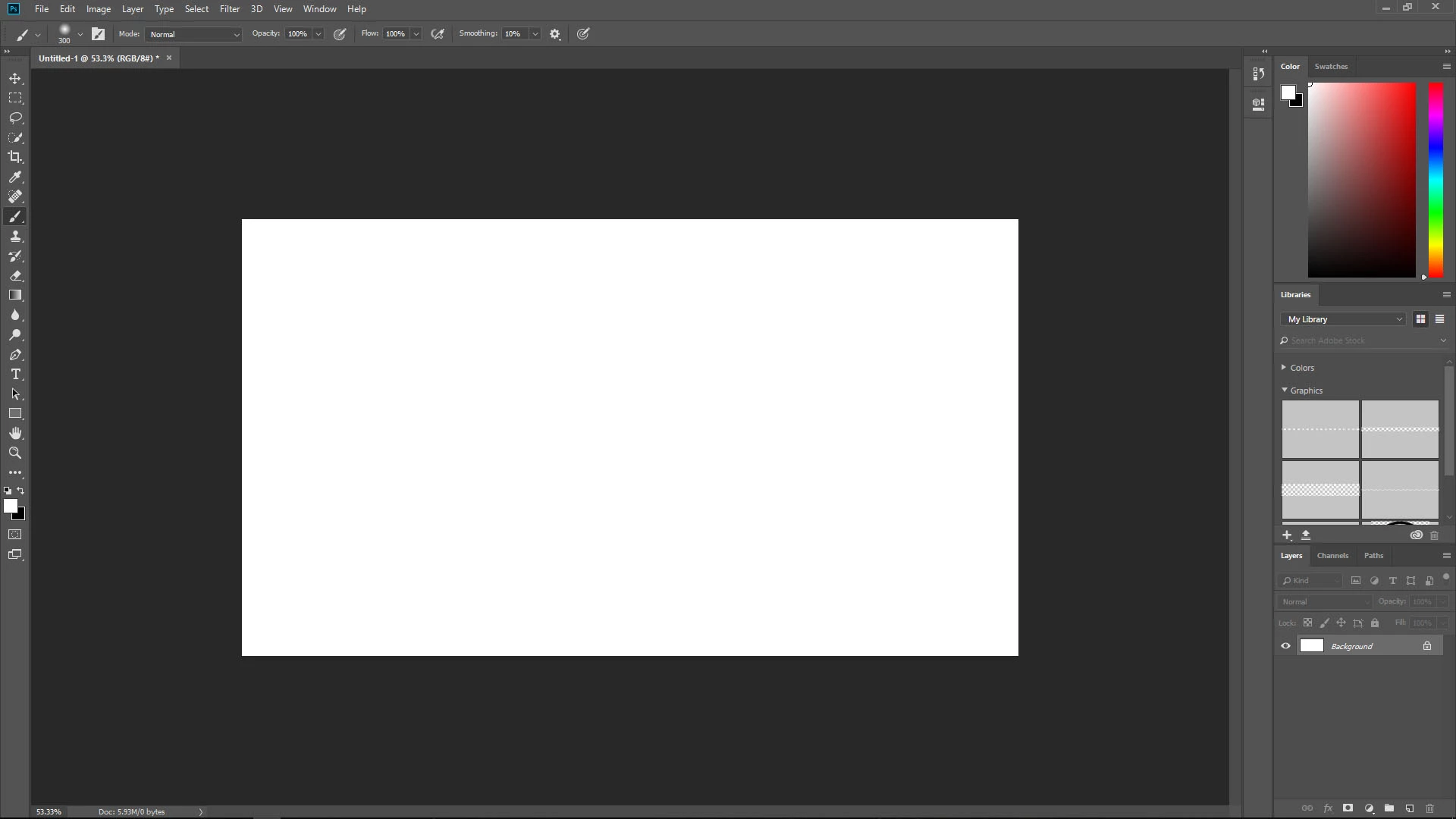
After the update however, it seems as though the entire workspace has shrunk, so I have less space for everything:
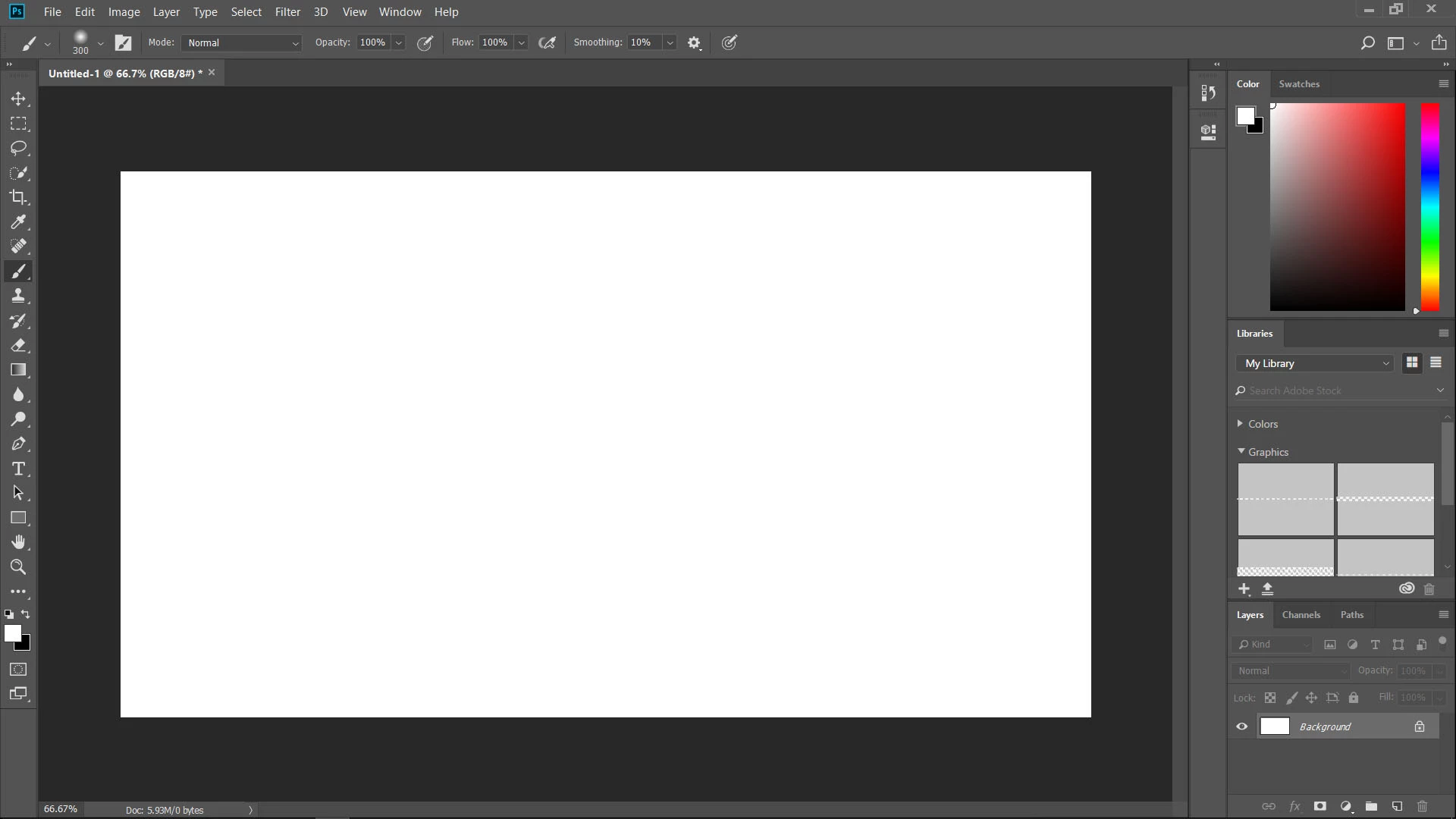
None of my settings have changed. Everything is exactly as it always has been. So clearly something has changed on Adobe's side that is making it not look right.
Aside from the fact that it has shrunk my workspace, it also makes parts of Photoshop look lower quality. For example, images in my CC image library now spill over beyond the image grid. That did not happen before. You can see what I mean here:
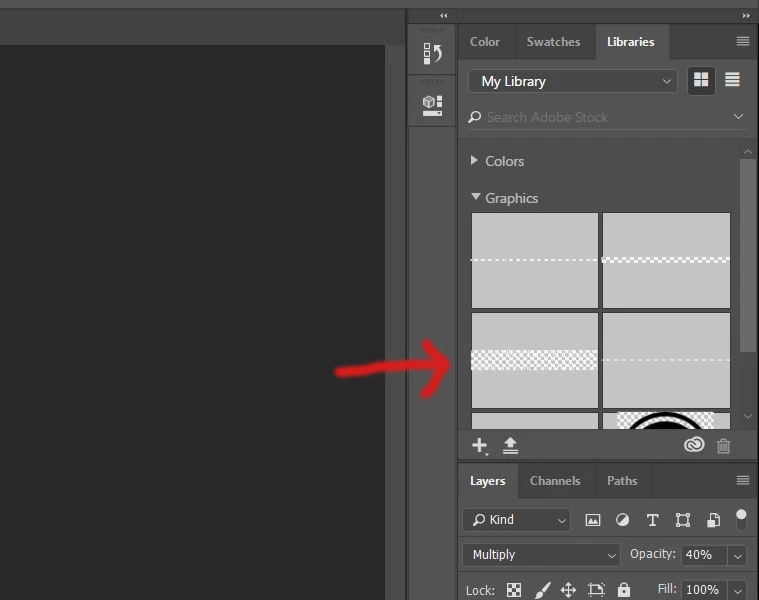
So far, the only way I can make Photoshop look close to like it did before is by scaling Windows to 100%. However, when I do this, all my other apps are now too small and don't look right. And even then, the above issue with the CC image library still occurs.
For reference, I am working on a Dell XPS 15 (1080 HD display, not 4K).
Again, all I did was update Photoshop. I have adjusted every setting I can imagine to try to make it look correct again, to no avail. I changed the UI scaling to 100% instead of Auto, but it makes no difference. I have reset all my Photoshop settings, but again, no change. I even tried reverting back to the old version of Photoshop, but that didn't fix anything either, which is confusing to me.
If anyone has any idea what has happened that is causing this bug, and especially what I can do to correct it, I would appreciate it.
Although it does not prevent me from using Photoshop, it is a pain and is distracting during the creative process for me. Your help is appreciated! Thanks!
 AdChoices